- Local time
- 8:51 PM
- Messages
- 10
Next step where I'm stuck
Thanks for the Crucial SSD recommendation.
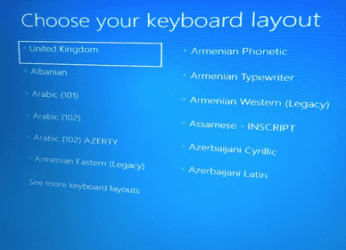
So now the installation completes. I add an account and download the Ethernet driver, connect to the Internet. Off it goes and after a couple of hours says there are many updates to download and apply. I set those off and when I return to the machine the following screen is shown
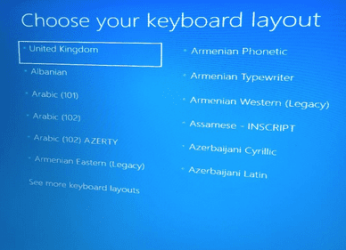
I select the UK keyboard and Enter, then the following screen is shown
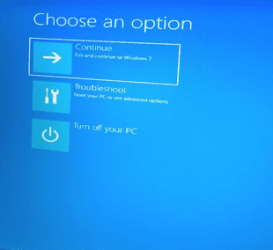
I select Contiinue to Windows 7 and after a couple of minutes it restarts with the "choose your keyboard" screen. The Troubleshoot option gives a choice of Recovery Manager (for HP ???? backup) or Advanced options
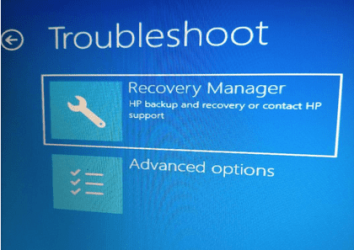
The Advanced Options choice gives
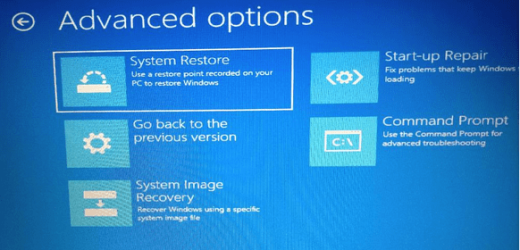
The Startup Repair doesn't work. Any ideas welcome.
Thanks
Thanks for the Crucial SSD recommendation.
So now the installation completes. I add an account and download the Ethernet driver, connect to the Internet. Off it goes and after a couple of hours says there are many updates to download and apply. I set those off and when I return to the machine the following screen is shown
I select the UK keyboard and Enter, then the following screen is shown
I select Contiinue to Windows 7 and after a couple of minutes it restarts with the "choose your keyboard" screen. The Troubleshoot option gives a choice of Recovery Manager (for HP ???? backup) or Advanced options
The Advanced Options choice gives
The Startup Repair doesn't work. Any ideas welcome.
Thanks
My Computer
At a glance
Home Premium 64bit
- Computer type
- PC/Desktop
- Computer Manufacturer/Model Number
- Dell
- OS
- Home Premium 64bit