
League of Legends crashing on load screen. Please help.

brook4

New member
Member
Local time
3:19 PM
Messages
43
Hi,

I'll play multiple games of League of Legends then suddenly when i get to the load screen of one game the whole game crashes. It seems to be random. Closing the program and trying to reconnect doesn't get me back it. Restarting my computer some times lets me back in but then the next game will crash at the load screen.
Attached is a screen shot of a dialog box i saw today while this was happening.

Thank you for you help.
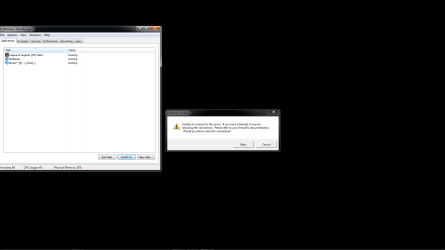
League Dying.png
 

My Computer My Computer

At a glance

Windows 7 home premium 64BitIntel i5 3.4ghz8 gigsInvidia GTX 560
Computer Manufacturer/Model Number
Self Made
OS
Windows 7 home premium 64Bit
CPU
Intel i5 3.4ghz
Motherboard
Asus Sabertooth Z77
Memory
8 gigs
Graphics Card(s)
Invidia GTX 560
Sound Card
none
Screen Resolution
Dell monitor
Case
Antec
Cooling
4 case fans
Hi brook4,

Please try to configure the 'Firewall' to see if that helps: https://support.leagueoflegends.com/entries/20132793-firewall-configuration-for-league-of-legends

If the issue persists, try a 'Clean Start-up' to see if that can help you isolate the 'culprit program': Perform a clean startup to determine whether background programs are interfering with your game or program
Note: You may refer to the 'article' closely to follow the detailed steps.

If you still experience issues, please create another 'User Account' to check if the issue duplicates: http://www.sevenforums.com/tutorials/181024-user-account-create.html

You may also try re-installing the 'Display drivers' if nothing else works.

Hope this helps. Do reply with the findings.


My Computer My Computer

At a glance

Windows 7 64bit
OS
Windows 7 64bit
Thank you for you response.
I spent a day updating my Bios/general cleaning/updating/virus scan and have not had another issue so far. I also found that Riot has been working on solving a bug that causes this very issue. It all may be fixed. If i experience another crash i'll look into the suggestions you listed above.
Thanks again for helping out.
 

My Computer My Computer

At a glance

Windows 7 home premium 64BitIntel i5 3.4ghz8 gigsInvidia GTX 560
Computer Manufacturer/Model Number
Self Made
OS
Windows 7 home premium 64Bit
CPU
Intel i5 3.4ghz
Motherboard
Asus Sabertooth Z77
Memory
8 gigs
Graphics Card(s)
Invidia GTX 560
Sound Card
none
Screen Resolution
Dell monitor
Case
Antec
Cooling
4 case fans
Hi brook4,

If you're not experiencing the issue repeatedly, it may not be a matter of concern. An odd hiccup in a similar situation may occur due to the preoccupation of 'Firewall or display adapter' with an update or any other function.

Should you face any issues, you may try performing the steps in my previous post. Do reply if you have any further questions; would be glad to assist.


My Computer My Computer

At a glance

Windows 7 64bit
OS
Windows 7 64bit
Back
Top