My Computer
At a glance
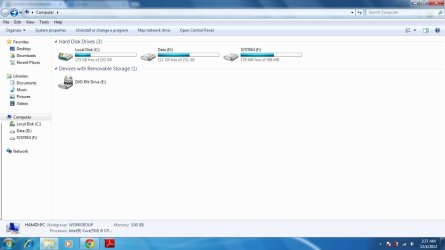
windows 7 64 bit home premiuminter(R) core(TM) i5 CPU M430 @2.27GHZ3 GB
- OS
- windows 7 64 bit home premium
- CPU
- inter(R) core(TM) i5 CPU M430 @2.27GHZ
- Memory
- 3 GB



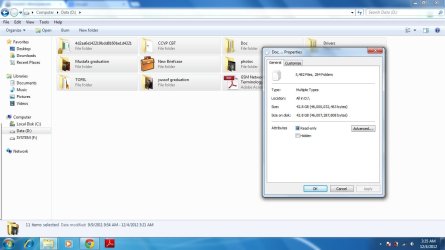
The photo on the left only shows the properties of the Doc folder, not the entire partition.
Also if you have any system images on there they will report as 0 bytes when they are infact many GBs, just a thought
no, it shows allThe photo on the left only shows the properties of the Doc folder, not the entire partition.
that is what i dont know , if the hidden files are not included in this simple way of calculation .... you may be rightMake sure you have hidden files visible on explorer options. The difference may be due to those files being stored somewhere.
Often Windows creates the hidden folder "system volume information" that contains the system restore data, which can take quite a big amount of space.
may be , but the system is formatted 24 Hrs back !Also if you have any system images on there they will report as 0 bytes when they are infact many GBs, just a thought
that is what i dont know , if the hidden files are not included in this simple way of calculation .... you may be rightMake sure you have hidden files visible on explorer options. The difference may be due to those files being stored somewhere.
Often Windows creates the hidden folder "system volume information" that contains the system restore data, which can take quite a big amount of space.
 so never will be counted (and Windows by default does NOT show them).


