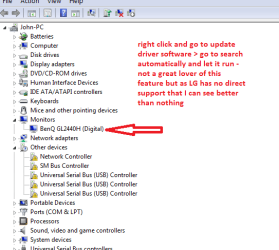
If that is indeed your monitor, and it installed the drivers just fine, do not worry how the device manager shows it. Generic or whatever.
What matters is if its recognized and working properly in regards to resolution etc.
I have a HDTV for example hooked up to my PC that shows as Generic PNP Monitor in the device manager.
My LG monitor shows up properly and named correctly in the device manager.
However, in the Nvidia Control Panel it shows not only the PC monitor correctly, but also shows a Panasonic HDTV as display 2, and it works as it should.
Anyways, my point is do not get to hung up on Device manager giving the exact name. Someetimes it may not show the correct name there, but your graphics card will know whats going on and everything can be setup there.
Did you fix your resolutioon problem?



 and im sory for not writing it at the beggining, i totally forgot.