libraries and the command line

freedomdoc

New member
Local time
3:10 AM
Messages
13
I am a long time programmer and computer science professor, since 1979.
I grew up with the command line and like it just fine.
But Windows 7 seems to change the GUI way of doing things and not mess with the command line.

Yesterday I was at the command prompt and went to C:\users\Stockwell
and then did a "dir". I saw several directories, but there was no "My Documents" listed. I did
cd "My Documents"
and it worked!
Then I copied over several .xls files from a USB key. I did a dir to see them.
It showed nothing!
Then I ran Excel 2003 (I can't stand Office '07!) to open them -- and they all showed up in My Documents and I opened them.
What the hell gives here?
 

My Computer

OS
Windows 7 Pro 32 bit
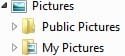
Did you create another folder called 'My Documents' ? If you did, I would think it would be listed under Documents. (click the arrow next to Documents)

I created a 'My Pictures' folder
 

Attachments

  • 2010-12-02_144303.jpg
    2010-12-02_144303.jpg
    2.4 KB · Views: 1,409

My Computer

Computer type
PC/Desktop
Computer Manufacturer/Model Number
Bruce ... somewhere in his 40's
OS
Windows 7 Ultimate 32bit SP1
CPU
Intel(R) Core(TM)2 Quad CPU @ 2.40GHz, 2400 MHz
Motherboard
INTEL/D975XBX2
Memory
4 GB
Graphics Card(s)
ATI Radeon HD 2600 Pro
Monitor(s) Displays
Samsung SyncMaster 914v
Screen Resolution
1280 x 1024
Hard Drives
2/500GB each ... ST3500630AS ATA Device.
One is not connected
PSU
Rocketfish 700 W
Case
G.Skill Gigabyte Chassis
Keyboard
Standard PS/2 Keyboard
Mouse
Microsoft PS/2 Mouse
Internet Speed
DSL
Antivirus
Avira Internet Security
Browser
IE 11
Other Info
ATI HDMI Audio

My Computer

Computer type
PC/Desktop
Computer Manufacturer/Model Number
Bruce ... somewhere in his 40's
OS
Windows 7 Ultimate 32bit SP1
CPU
Intel(R) Core(TM)2 Quad CPU @ 2.40GHz, 2400 MHz
Motherboard
INTEL/D975XBX2
Memory
4 GB
Graphics Card(s)
ATI Radeon HD 2600 Pro
Monitor(s) Displays
Samsung SyncMaster 914v
Screen Resolution
1280 x 1024
Hard Drives
2/500GB each ... ST3500630AS ATA Device.
One is not connected
PSU
Rocketfish 700 W
Case
G.Skill Gigabyte Chassis
Keyboard
Standard PS/2 Keyboard
Mouse
Microsoft PS/2 Mouse
Internet Speed
DSL
Antivirus
Avira Internet Security
Browser
IE 11
Other Info
ATI HDMI Audio
Did you create another folder called 'My Documents' ? If you did, I would think it would be listed under Documents. (click the arrow next to Documents)

I created a 'My Pictures' folder

No, I did not create any new directory there.

But it looks like the Documents dir is linked to "My Documents".

I find this totally uncalled for, and causing unneeded confusion.
 

My Computer

OS
Windows 7 Pro 32 bit
"My Documents" what you see in Explorer is a localized name for "Documents" as it is in the file system. When you did a "dir" of your user directory, there was a "Documents" folder correct? That is what you want. Now there is a "My Documents" folder that exists in your user directory, however, it is merely a junction that points to "Documents". So anything you put there will go to "Documents" but you cannot get a directory listing from it. That is why "dir" did not show anything, Excel did because it was looking in the real location.
 

My Computer

Computer type
PC/Desktop
Computer Manufacturer/Model Number
Alienware Aurora ALX R4
OS
Windows 10 Pro (x64)
CPU
Intel Core i7-3930K (3.2GHz - 4.5GHz)
Motherboard
Alienware Aurora-R4 x79
Memory
4x Samsung 4GB PC3-12800 DDR3 (16GB 1600MHz)
Graphics Card(s)
Nvidia Geforce GTX 690
Sound Card
SteelSeries Siberia Elite
Monitor(s) Displays
Dell UltraSharp U3011
Screen Resolution
2560x1600
Hard Drives
Samsung 850 Pro 256 GB, Seagate 1TB Desktop Hybrid HDD, 2x Western Digital 4TB Green HDD
PSU
875W Some Dell PSU <.<
Case
Alienware Aurora ALX
Cooling
Custom Liquid Cooling (EK CPU & GPU blocks) dual EK 480RAD
Keyboard
Logitech G710+ Mechanical
Mouse
Logitech G700s
Internet Speed
Verizon Fios (50 mbps average)
Other Info
Server: Intel NUC D54250WYK: i5-4250U, 16GB, 256 GB mSATA, Windows Server 2012 R2
"My Documents" what you see in Explorer is a localized name for "Documents" as it is in the file system. When you did a "dir" of your user directory, there was a "Documents" folder correct? That is what you want. Now there is a "My Documents" folder that exists in your user directory, however, it is merely a junction that points to "Documents". So anything you put there will go to "Documents" but you cannot get a directory listing from it. That is why "dir" did not show anything, Excel did because it was looking in the real location.

+1 :)
 

My Computer

Computer type
PC/Desktop
Computer Manufacturer/Model Number
Dell OP7010
OS
Windows 7 Enterprise (x64); Windows Server 2008 R2 (x64)
Memory
16GB
Monitor(s) Displays
4 Dell 24" LCD
Screen Resolution
1280x1024
Keyboard
Dell
Mouse
Dell Optical
Internet Speed
40meg
"My Documents" what you see in Explorer is a localized name for "Documents" as it is in the file system. When you did a "dir" of your user directory, there was a "Documents" folder correct? That is what you want. Now there is a "My Documents" folder that exists in your user directory, however, it is merely a junction that points to "Documents". So anything you put there will go to "Documents" but you cannot get a directory listing from it. That is why "dir" did not show anything, Excel did because it was looking in the real location.

This type of system behavior is bothersome to me. Sometimes I would rather just stay in Linux where things are understandable (and standard!).

Speaking of that -- does Windows 7 Pro offer virtualization? Or is that only available in their Ultimate version?
 

My Computer

OS
Windows 7 Pro 32 bit
You mean virualization as in Windows Virtual PC that will run on all versions? Yes.
Download details: Windows Virtual PC

Why don't you stay with Linux then if you cannot understand Windows?
 

My Computer

Computer type
PC/Desktop
Computer Manufacturer/Model Number
Alienware Aurora ALX R4
OS
Windows 10 Pro (x64)
CPU
Intel Core i7-3930K (3.2GHz - 4.5GHz)
Motherboard
Alienware Aurora-R4 x79
Memory
4x Samsung 4GB PC3-12800 DDR3 (16GB 1600MHz)
Graphics Card(s)
Nvidia Geforce GTX 690
Sound Card
SteelSeries Siberia Elite
Monitor(s) Displays
Dell UltraSharp U3011
Screen Resolution
2560x1600
Hard Drives
Samsung 850 Pro 256 GB, Seagate 1TB Desktop Hybrid HDD, 2x Western Digital 4TB Green HDD
PSU
875W Some Dell PSU <.<
Case
Alienware Aurora ALX
Cooling
Custom Liquid Cooling (EK CPU & GPU blocks) dual EK 480RAD
Keyboard
Logitech G710+ Mechanical
Mouse
Logitech G700s
Internet Speed
Verizon Fios (50 mbps average)
Other Info
Server: Intel NUC D54250WYK: i5-4250U, 16GB, 256 GB mSATA, Windows Server 2012 R2
You mean virualization as in Windows Virtual PC that will run on all versions? Yes.
Download details: Windows Virtual PC

Why don't you stay with Linux then if you cannot understand Windows?

My point is that I do not understand the need for aliases for directories; seems unnecessary and a source of confusion.

I was writing programs, including language compilers, LONG before there WAS a "windows". Back then you had to write programs, you could not buy them. So I wrote a terminal program to allow logging on to remote systems (this was in 1980), and thousands of other programs (many compiled by the compiler I wrote). So, it is disingenuous to insinuate that I "don't understand Windows".

Thanks for the link on the virtual PC.
 

My Computer

OS
Windows 7 Pro 32 bit
You mean virualization as in Windows Virtual PC that will run on all versions? Yes.
Download details: Windows Virtual PC

Why don't you stay with Linux then if you cannot understand Windows?

My point is that I do not understand the need for aliases for directories; seems unnecessary and a source of confusion.

I understand and agree that this is confusing, however it is done to keep compatibly with older software, so every program out there does not have to be completely re-written just to use Windows 7.

I was writing programs, including language compilers, LONG before there WAS a "windows". Back then you had to write programs, you could not buy them. So I wrote a terminal program to allow logging on to remote systems (this was in 1980), and thousands of other programs (many compiled by the compiler I wrote). So, it is disingenuous to insinuate that I "don't understand Windows".

I don't think anyone really understands Windows even the programmers. There are just too many lines of code now-a-days. I continually find new things in software that is 10 years old; example is working with an old Exchange 2000 email system. I was asked about doing some fancy email stuff like you can in Exchange 2010 and I told them you cannot do it in Exchange 2000, when it was designed no-one thought about doing that. Well after some googling and looking around at the Exchange 2000 system there was a way to do what they wanted, it was just burred and really unknown. I called a few of my Exchange Experts (all they do is Exchange) and they never knew about it either. - Just my two cents.
 

My Computer

Computer type
PC/Desktop
Computer Manufacturer/Model Number
Dell OP7010
OS
Windows 7 Enterprise (x64); Windows Server 2008 R2 (x64)
Memory
16GB
Monitor(s) Displays
4 Dell 24" LCD
Screen Resolution
1280x1024
Keyboard
Dell
Mouse
Dell Optical
Internet Speed
40meg
My point is that I do not understand the need for aliases for directories; seems unnecessary and a source of confusion.

It is used for old broken applications that hard code the paths from previous versions in Windows. For example, in Windows XP the directory you would be looking for is "C:\Documents and Settings\[username]\My Documents". But in Windows Vista/7 they changed the paths to "C:\Users\[username]\Documents". This has the side-effect of breaking those applications that hard coded the old path.

If directory aliases was not necessary, symlinks would not exist. Junctions is just a form of symlinks.
 

My Computer

Computer type
PC/Desktop
Computer Manufacturer/Model Number
Alienware Aurora ALX R4
OS
Windows 10 Pro (x64)
CPU
Intel Core i7-3930K (3.2GHz - 4.5GHz)
Motherboard
Alienware Aurora-R4 x79
Memory
4x Samsung 4GB PC3-12800 DDR3 (16GB 1600MHz)
Graphics Card(s)
Nvidia Geforce GTX 690
Sound Card
SteelSeries Siberia Elite
Monitor(s) Displays
Dell UltraSharp U3011
Screen Resolution
2560x1600
Hard Drives
Samsung 850 Pro 256 GB, Seagate 1TB Desktop Hybrid HDD, 2x Western Digital 4TB Green HDD
PSU
875W Some Dell PSU <.<
Case
Alienware Aurora ALX
Cooling
Custom Liquid Cooling (EK CPU & GPU blocks) dual EK 480RAD
Keyboard
Logitech G710+ Mechanical
Mouse
Logitech G700s
Internet Speed
Verizon Fios (50 mbps average)
Other Info
Server: Intel NUC D54250WYK: i5-4250U, 16GB, 256 GB mSATA, Windows Server 2012 R2
Well, now I have found (via google search) a way to disable Windows 7 libraries. Perhaps with that, I would not have needed to start this thread.

But on the virtual memory PC, it appears I need more RAM. (I just have 1G, which I thought should be plenty). Bloatware reigns!
 

My Computer

OS
Windows 7 Pro 32 bit
Well, now I have found (via google search) a way to disable Windows 7 libraries. Perhaps with that, I would not have needed to start this thread.

No. Libraries has nothing at all to do with this. Libraries are not even accessible from the command-line, it is strictly an Explorer abstraction. 1 GB of memory is not enough to run a virtual machine and the host computer comfortably at the same time. And it has nothing to do with bloatware.
 

My Computer

Computer type
PC/Desktop
Computer Manufacturer/Model Number
Alienware Aurora ALX R4
OS
Windows 10 Pro (x64)
CPU
Intel Core i7-3930K (3.2GHz - 4.5GHz)
Motherboard
Alienware Aurora-R4 x79
Memory
4x Samsung 4GB PC3-12800 DDR3 (16GB 1600MHz)
Graphics Card(s)
Nvidia Geforce GTX 690
Sound Card
SteelSeries Siberia Elite
Monitor(s) Displays
Dell UltraSharp U3011
Screen Resolution
2560x1600
Hard Drives
Samsung 850 Pro 256 GB, Seagate 1TB Desktop Hybrid HDD, 2x Western Digital 4TB Green HDD
PSU
875W Some Dell PSU <.<
Case
Alienware Aurora ALX
Cooling
Custom Liquid Cooling (EK CPU & GPU blocks) dual EK 480RAD
Keyboard
Logitech G710+ Mechanical
Mouse
Logitech G700s
Internet Speed
Verizon Fios (50 mbps average)
Other Info
Server: Intel NUC D54250WYK: i5-4250U, 16GB, 256 GB mSATA, Windows Server 2012 R2
Well, now I have found (via google search) a way to disable Windows 7 libraries. Perhaps with that, I would not have needed to start this thread.

No. Libraries has nothing at all to do with this. Libraries are not even accessible from the command-line, it is strictly an Explorer abstraction. 1 GB of memory is not enough to run a virtual machine and the host computer comfortably at the same time. And it has nothing to do with bloatware.

Au contraire, in Linux I can run vmware and have virtual machines with the same 1G.
Windows is almost the definition of bloatware.
 

My Computer

OS
Windows 7 Pro 32 bit
Then run Linux* already since obviously it has magical powers!
* Distribution of Linux is what is meant, Linux itself is just a Kernal. Windows is a Distribution.
 

My Computer

Computer type
PC/Desktop
Computer Manufacturer/Model Number
Alienware Aurora ALX R4
OS
Windows 10 Pro (x64)
CPU
Intel Core i7-3930K (3.2GHz - 4.5GHz)
Motherboard
Alienware Aurora-R4 x79
Memory
4x Samsung 4GB PC3-12800 DDR3 (16GB 1600MHz)
Graphics Card(s)
Nvidia Geforce GTX 690
Sound Card
SteelSeries Siberia Elite
Monitor(s) Displays
Dell UltraSharp U3011
Screen Resolution
2560x1600
Hard Drives
Samsung 850 Pro 256 GB, Seagate 1TB Desktop Hybrid HDD, 2x Western Digital 4TB Green HDD
PSU
875W Some Dell PSU <.<
Case
Alienware Aurora ALX
Cooling
Custom Liquid Cooling (EK CPU & GPU blocks) dual EK 480RAD
Keyboard
Logitech G710+ Mechanical
Mouse
Logitech G700s
Internet Speed
Verizon Fios (50 mbps average)
Other Info
Server: Intel NUC D54250WYK: i5-4250U, 16GB, 256 GB mSATA, Windows Server 2012 R2
Back
Top