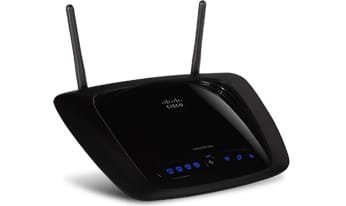
Linksys DMA2100 error.

JMurr

New member
Local time
8:24 PM
Messages
19
Location
Illinois
I have a Linksys DMA2100 that will not work w/Windows 7. I can not get past setup on my computer, the extender can not connect error appears although I can ping it from the desktop.

Any help would be appreciated, Linksys Tech. support was less than useful.

TIA for any advise.
 

My Computer

OS
Win 7 Home Premium 32 bit
I have a Linksys DMA2100 that will not work w/Windows 7. I can not get past setup on my computer, the extender can not connect error appears although I can ping it from the desktop.

Any help would be appreciated, Linksys Tech. support was less than useful.

TIA for any advise.
Is this the E2100L?
Also can you provide more comple system specs?
When you began the install/setup was the router already connected?
When you say you can ping it, are you able to access the router with your browser using http://192.168 etc?

Regards
Adrian
 

Attachments

  • E2100L_Main.jpg
    E2100L_Main.jpg
    25.4 KB · Views: 4

My Computer

Computer Manufacturer/Model Number
Custom Build
OS
Windows 7 7600 1 X64
CPU
AMD PHENOM II X 550 PROCESSOR 3.1 ghz
Motherboard
ASUS M4A78-TE
Memory
Corsair 4 gig ddr 3
Graphics Card(s)
ati radeon 3300
Sound Card
ati hd
Monitor(s) Displays
syncmaster 2033sw
Screen Resolution
1600X900 60 hz refresh
Hard Drives
twin_seagates SATA's 1 TB & 500 Gig, hitachi_slimline 160 gig
PSU
antec_550 watt
Case
cooler master GLite
Cooling
stock_heat sink
Internet Speed
20mbs up/ 1.5mbs down
Other Info
favorite child "stewie"
favorite dog "brian"
"Works, but has issues"
by tharrington on February 26, 2008

Pros: MPEG-1, MPEG-2 &Xvid supported. Works with some video subscription services (Vongo)
Cons: No Divx support. Xvid issues.
Summary: Pros:
Very easy to set up. My configuration: HP Pavillion a6030n, 2GB RAM, 2 x 360GB HDD, Vista Home Premium, Linksys 802.11N wireless card added. Linksys WRT300N Wireless Router. Vongo subscription. Netflix subscription w/ WatchNow. MyNetFlix Media Center plugin. AOA DVD Ripper. Using just the 802.11N connections, I get about 270mbs throughput. Some of the issues I have are due to bandwidth. Plays WMV9 videos from Vongo with the occasional freeze and screen corruption.
Cons:
Almost every time I start the box and get into Media Center, I press the scroll button 3 times, then it locks up. This usually clears with a reboot of the box. Troubleshooting guide says this can be due to ports blocked at the firewall, but installation process opens these ports. Will NOT play Divx movies, period. Xvid movies play for about an hour, then stop like they are at the end of the movie. Movies play on the PC just fine, and there are no problems with WMV9 formatted movies.
Other Thoughts:
Vongo is 100% functional on the MCE, as is TVTonic. The third party MyNetFlix plugin works on the PC, but will freeze on the MCE when using the WatchNow function. MyNetFlix is not supported on MCE, so not the fault of the box.
 

My Computer

Computer Manufacturer/Model Number
Custom Build
OS
Windows 7 7600 1 X64
CPU
AMD PHENOM II X 550 PROCESSOR 3.1 ghz
Motherboard
ASUS M4A78-TE
Memory
Corsair 4 gig ddr 3
Graphics Card(s)
ati radeon 3300
Sound Card
ati hd
Monitor(s) Displays
syncmaster 2033sw
Screen Resolution
1600X900 60 hz refresh
Hard Drives
twin_seagates SATA's 1 TB & 500 Gig, hitachi_slimline 160 gig
PSU
antec_550 watt
Case
cooler master GLite
Cooling
stock_heat sink
Internet Speed
20mbs up/ 1.5mbs down
Other Info
favorite child "stewie"
favorite dog "brian"

My Computer

Computer Manufacturer/Model Number
Custom Build
OS
Windows 7 7600 1 X64
CPU
AMD PHENOM II X 550 PROCESSOR 3.1 ghz
Motherboard
ASUS M4A78-TE
Memory
Corsair 4 gig ddr 3
Graphics Card(s)
ati radeon 3300
Sound Card
ati hd
Monitor(s) Displays
syncmaster 2033sw
Screen Resolution
1600X900 60 hz refresh
Hard Drives
twin_seagates SATA's 1 TB & 500 Gig, hitachi_slimline 160 gig
PSU
antec_550 watt
Case
cooler master GLite
Cooling
stock_heat sink
Internet Speed
20mbs up/ 1.5mbs down
Other Info
favorite child "stewie"
favorite dog "brian"

My Computer

Computer Manufacturer/Model Number
Custom Build
OS
Windows 7 7600 1 X64
CPU
AMD PHENOM II X 550 PROCESSOR 3.1 ghz
Motherboard
ASUS M4A78-TE
Memory
Corsair 4 gig ddr 3
Graphics Card(s)
ati radeon 3300
Sound Card
ati hd
Monitor(s) Displays
syncmaster 2033sw
Screen Resolution
1600X900 60 hz refresh
Hard Drives
twin_seagates SATA's 1 TB & 500 Gig, hitachi_slimline 160 gig
PSU
antec_550 watt
Case
cooler master GLite
Cooling
stock_heat sink
Internet Speed
20mbs up/ 1.5mbs down
Other Info
favorite child "stewie"
favorite dog "brian"
Thanks. I have Windows 7 Home Premium. I do not see the model # you posted anywhere on the unit, just DMA2100. This thing is making me crazy...
 

My Computer

OS
Win 7 Home Premium 32 bit
The items that Adrian has quoted or referred to are very out of context compared to your original post, so I'll take a whack at it.

I have a DMA2100, and it does work, so take heart. They were a little quirky under Vista, but with 7 they are just fine.

First off, how is it connected to your computer? Wired or wireless? Is your switch/router using MAC address filtering? Is Media Center completely set up on the computer?

Since you can ping the extender, I'm going to assume the connection is okay, so here's what to do:

Start by making sure that the extender isn't installed or active in WMC

1. Turn on the extender, and go to the computer.
2. Open media center, and select add extender from the menu. Follow the instructions
3. During the setup, you will get an access code to put into Windows for the extender.
4. This is important. Make sure that your firewall is not blocking the extender's connection to the computer. Your TV will tell you if the extender cannot talk to the computer. If necessary, disable the firewall temporarily.
5. If you have MAC address filtering enabled on your router, disable it temporarily and copy the extender's MAC address into the router's filter settings field. Don't re-enable the filtering until the extender is working.
6. WMC should configure the firewall during the setup procedure unless you're using a third party FW, in which case, you may need to do it manually.

The biggest obstacle here is usually MAC filtering, or the firewall. The installation should go very smoothly otherwise.

And don't expect a lot of help from Linksys on this one. They stopped support for the DMA2100 last year sometime. At least that's when they stopped answering most people's support requests. :(
 

My Computer

Computer type
PC/Desktop
Computer Manufacturer/Model Number
Mellon Labs (custom build)
OS
Win 7 Pro x64/Win 10 Pro x64 dual boot
CPU
AMD FX 8350 Vishera @ 4200
Motherboard
ASUS M5A97 R2.0
Memory
16 GB Mushkin Blackline DDR3-2400 @ 1866 (9-10-10-10-31)
Graphics Card(s)
XFX Radeon R9 280 Double D Black Edition
Sound Card
Realtek HD Audio on MB. Sounds great.
Monitor(s) Displays
Acer 24", Acer 22"
Screen Resolution
3840 x 1080
Hard Drives
1 x Mushkin Chronos 120 GB SSD (Win 10)
1 x Samsung 850 EVO 250 GB SSD (Win 7)
1 x WD 1TB SATA Blue
1 x WD 1TB SATA Green
PSU
Corsair TX-750
Case
CoolerMaster HAF 912+
Cooling
Coolermaster Seidon 240M Liquid AIO. 6 case fans
Keyboard
Logitech G710+
Mouse
Logitech G500s
Internet Speed
Much better since I got fiber, but still way overpriced.
Antivirus
MSE, Malware Bytes for scanning
Browser
Firefox
Other Info
Corsair VOID USB headphones.

A Mellon Labs X-1 - LCD Smartie driven system status display.

Brought to you by the letter E
I did all that and still no joy. I also tried plugging the extended directly into the PC to bypass the Router/Modem but still no luck.
 

My Computer

OS
Win 7 Home Premium 32 bit
Sounds like your extender is either faulty, you have a bad network cable, or you have a Windows issue. You might try MS tech support to rule out the Windows issue.

Sorry I couldn't help more.
 

My Computer

Computer type
PC/Desktop
Computer Manufacturer/Model Number
Mellon Labs (custom build)
OS
Win 7 Pro x64/Win 10 Pro x64 dual boot
CPU
AMD FX 8350 Vishera @ 4200
Motherboard
ASUS M5A97 R2.0
Memory
16 GB Mushkin Blackline DDR3-2400 @ 1866 (9-10-10-10-31)
Graphics Card(s)
XFX Radeon R9 280 Double D Black Edition
Sound Card
Realtek HD Audio on MB. Sounds great.
Monitor(s) Displays
Acer 24", Acer 22"
Screen Resolution
3840 x 1080
Hard Drives
1 x Mushkin Chronos 120 GB SSD (Win 10)
1 x Samsung 850 EVO 250 GB SSD (Win 7)
1 x WD 1TB SATA Blue
1 x WD 1TB SATA Green
PSU
Corsair TX-750
Case
CoolerMaster HAF 912+
Cooling
Coolermaster Seidon 240M Liquid AIO. 6 case fans
Keyboard
Logitech G710+
Mouse
Logitech G500s
Internet Speed
Much better since I got fiber, but still way overpriced.
Antivirus
MSE, Malware Bytes for scanning
Browser
Firefox
Other Info
Corsair VOID USB headphones.

A Mellon Labs X-1 - LCD Smartie driven system status display.

Brought to you by the letter E
Thanks for trying. I think it must be a windows issue as I can ping the extender. I'll try MS support. Thanks again.
 

My Computer

OS
Win 7 Home Premium 32 bit
Back
Top