LogMeIn performance horrible, even over direct fiber connection

onesixski

New member
Power User
Local time
6:02 PM
Messages
81
Location
London, UK
Hi guys,

I've been using LogMeIn to administer our office forever now. Well this Monday we finally went from a SOHO aDSL link (absolutely ridiculous), to a full commercial 100mbps fiber link. Now logmein was usable over the aDSL line with minimal eye candy. But with this MASSIVE upgrade, somehow we're still getting the exact same performance. This is over any client, from in-home desktops I need to troubleshoot to local (fiber connected) computers 10 feet away, going from pc>switch>router (gateway)>logmein server. So this leads me to suspect the Logmein servers are the problem? Does anyone else experience this performance? Actually, does anyone actually use LogMeIn with full remote specs enabled? The system works great for actually carrying out tasks, but I'd prefer some 30fps and true-color enabled remoting. Thanks for any input guys.
 

My Computer My Computer

At a glance

Windows 7 Professional x64
OS
Windows 7 Professional x64
Onesixski, Have you tried to uninstall and remove the logmein from both computers and then a complete re-install to make sure that logmein is not using an older slower .ini file that was configured under your older network?

Just a thought.

Rich
 

My Computer My Computer

At a glance

Windows 7 Pro x64 SP1Intel Core I716 GigsNVIDIA GeForce GTX 670M
Computer type
Laptop
Computer Manufacturer/Model Number
Toshiba Laptop Qosimo X870
OS
Windows 7 Pro x64 SP1
CPU
Intel Core I7
Motherboard
Toshiba Qosmio
Memory
16 Gigs
Graphics Card(s)
NVIDIA GeForce GTX 670M
Monitor(s) Displays
17.7" laptop
Screen Resolution
1600 x 900
Hard Drives
256 Gig SanDisk SSD for C
256 Gig Intel SSD for D
Internet Speed
50/25 FIOS
Antivirus
Vipre (all you can eat for 10 machines)
Browser
IE and FF
Other Info
I have dos 6.22, wfwg 3.11, win98, 2000 and xp VHD's available for testing. MS's Virtual PC works great.
And a super alternative is TeamViewer....much easier IMHO.
 

My Computer My Computer

At a glance

Windows 7 Ultimate 64 bitAMD Phenom II X4 965 Black EditionGSkill 4 X 2 GB PC 8500XFX Radeon HD 6790 D
Computer Manufacturer/Model Number
Custom built
OS
Windows 7 Ultimate 64 bit
CPU
AMD Phenom II X4 965 Black Edition
Motherboard
Gigabyte GA-MA790X-DS4
Memory
GSkill 4 X 2 GB PC 8500
Graphics Card(s)
XFX Radeon HD 6790 D
Sound Card
On board RealTek HD
Monitor(s) Displays
Dual monitors:Samsung SyncMaster S20B300
Screen Resolution
1600 X 900
Hard Drives
Seagate Barracuda 1TB (primary)
Seagate Barracuda 2 X 320 GB
PSU
Ultra X4 750 watt fully modular
Case
Thermaltake Overseer RX 1 full tower
Cooling
Core-Contact 92 mm CPU Cooler
Keyboard
Logitech G510
Mouse
Razor DeathAdder
Internet Speed
50/5 Mbps UL/DL
Other Info
Optical: Super Muliti DVD burner w/lightscribe, Hauppauge WinTV HVR-1800
I have some 500+ PCs on my LogMeIn remotes list. Some are faster, some slower but I can never get a 30fps connection as you'd like to get.

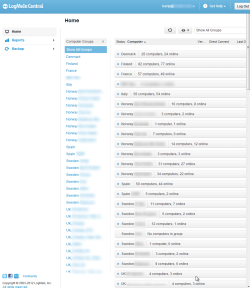
Are you using LogMeIn Ignition or web UI? Ignition should give you a little bit faster connections?

Kari

LogMeIn.png
 

My Computer My Computer

At a glance

Windows 10 Pro x64 EN-GB1.6 GHz Intel Core i7-720QM Processor6 GBATI Mobility Radeon HD 5850 Graphics
Computer type
Laptop
Computer Manufacturer/Model Number
HP ENVY 17-1150eg
OS
Windows 10 Pro x64 EN-GB
CPU
1.6 GHz Intel Core i7-720QM Processor
Memory
6 GB
Graphics Card(s)
ATI Mobility Radeon HD 5850 Graphics
Sound Card
Beats sound system with integrated subwoofer
Monitor(s) Displays
17" laptop display, 22" LED and 32" Full HD TV through HDMI
Screen Resolution
1600*900 (1), 1920*1080 (2&3)
Hard Drives
Internal: 2 x 500 GB SATA Hard Disk Drive 7200 rpm
External: 2TB for backups, 3TB USB3 network drive for media
Cooling
As Envy runs a bit warm, I have it on a Cooler Master pad
Keyboard
Logitech diNovo Media Desktop Laser (bluetooth)
Mouse
Logitech Performance Mouse MX
Internet Speed
50/10 Mbps VDSL
Antivirus
Windows Defender 4.3.9431.0
Browser
Maxthon 3.5.2., IE11
Back
Top