
AlwaysNTroule
New member
- Local time
- 5:20 PM
- Messages
- 17
When I turn on the computer...
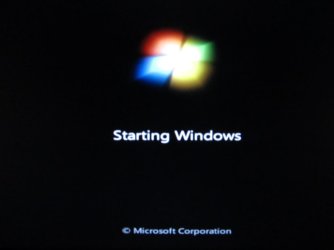
...I get the Dell startup screen...
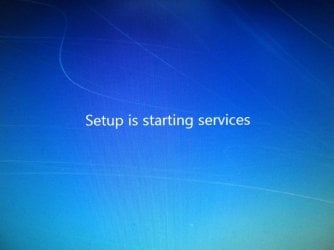
...then the Starting Services screen...

...and then I get this "looping" error...
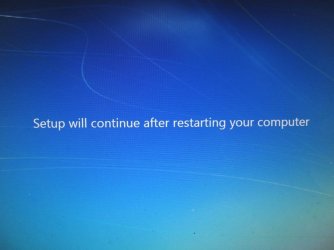
...and it restarts it all over again.
I found Jonathan_King's article Common Installation Problems and Their Solutions and should I try this?:
This looping restart began after I'd been trying to enter OOBE after running it in Audit mode. I believe I ran a Microsoft Hotfix, and it began looping on restart. Here's why I ran the Hotfix:
...I get the Dell startup screen...
...then the Starting Services screen...
...and then I get this "looping" error...
...and it restarts it all over again.
I found Jonathan_King's article Common Installation Problems and Their Solutions and should I try this?:
Problem: Setup forces computer to reboot, and never finishes installation
What to try:
Sometimes setup fails when recovery partitions are still present. For example, Acer and HP both put a special recovery partition on their systems, that cannot be easily deleted.
To delete the partition using Diskpart:
Open a copy of Diskpart following the instructions given earlier.
Enter list disk
Enter select disk n
Enter list partition
Enter select partition n
Enter delete partition override
Now try reinstalling Windows.
This looping restart began after I'd been trying to enter OOBE after running it in Audit mode. I believe I ran a Microsoft Hotfix, and it began looping on restart. Here's why I ran the Hotfix:
I was following the advice in this tutorial: New Installation: How to Create a General System Image in Audit Mode
But when I open sysprep I get a fatal error:
System Preparation Tool 3.14
A fatal error occurred while trying to sysprep the machine.
View attachment 237600
Running sysprep
View attachment 237601
The fatal error
I ran a slmgr/dlv command as recommended by somone on this forum and I got this:
View attachment 237602
Thanks for your help!
My Computer
- Computer type
- PC/Desktop
- Computer Manufacturer/Model Number
- Dell XPS 8100
- OS
- Windows 7 Home Premium 64-Bit
- CPU
- Intel Core i7 CPU [email protected]
- Memory
- 12.0 GB
- Graphics Card(s)
- ATI Radeon
- Antivirus
- Avira Free
- Browser
- Mozilla Firefox
