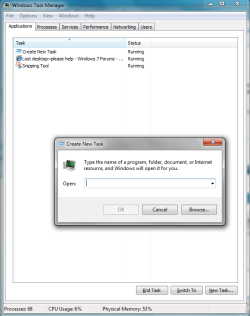
Hi, I lost my entire desktop including start button and all icons, as well as the ability to use the right click mouse function.
I have been having trouble using a 2nd monitor, it takes me several attempts to get the system to recognize the 2nd monitor, then once I unhook my laptop I need to go through the whole process again.
This time, it seems that my desktop is in a limbo of sorts, it isn't on the laptop, and isnt on the 2nd monitor either.
I fixed late last night by doing a last known good config reset but am really having trouble getting that to work again ( forgot how I did it )
I get the audible windows prompt where I usually see the blue screen to enter my password, but now the screen is grey/dark, not black as if there isnt anything happening, but gray/black.
The other thing that is making me crazy, is that if I start in safe mode it will do this on my 2nd monitor, so I know it is working and hooked up but that for some reason windows isn't recognizing it.
I have a toshiba salellite 550, which is 8 months old, has I3 processor windows 7 32bit, 4 mg memory, 500 mg HD I do not know that name of the graphics card however.
I really appreciate any help you can offer, thanks!
I have been having trouble using a 2nd monitor, it takes me several attempts to get the system to recognize the 2nd monitor, then once I unhook my laptop I need to go through the whole process again.
This time, it seems that my desktop is in a limbo of sorts, it isn't on the laptop, and isnt on the 2nd monitor either.
I fixed late last night by doing a last known good config reset but am really having trouble getting that to work again ( forgot how I did it )
I get the audible windows prompt where I usually see the blue screen to enter my password, but now the screen is grey/dark, not black as if there isnt anything happening, but gray/black.
The other thing that is making me crazy, is that if I start in safe mode it will do this on my 2nd monitor, so I know it is working and hooked up but that for some reason windows isn't recognizing it.
I have a toshiba salellite 550, which is 8 months old, has I3 processor windows 7 32bit, 4 mg memory, 500 mg HD I do not know that name of the graphics card however.
I really appreciate any help you can offer, thanks!
My Computer
- Computer Manufacturer/Model Number
- toshiba satellite 550
- OS
- windows 7 32
- CPU
- core I3
- Memory
- 4mg
- Hard Drives
- 500mg