Hi guys,
I am pretty sure I have lost everything and there is no way of getting back, but still I am reaching out to you all as a last resort. I am so depressed right now, I have lost so many important documents, along with pics and videos of my son. I know it's my own stupid fault though.
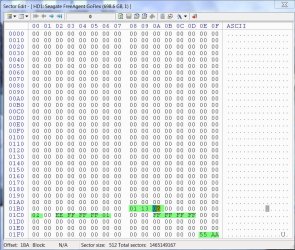
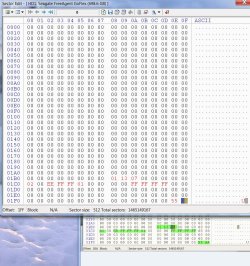
Long story short, I was preparing to install Windows 8 and decided to put all my data on a separate partition. I already had 2 other separate partitions filled with other data too. So I got to the start of the installation when I got the error message 'Windows cannot be installed on this disk. The selected disk is of the GPT partition style'. I then looked up how to resolve this and mistakenly chose the method of using the Command Prompt and typing 'diskpart' > list disk > select disk 0 > clean. (I now know I should have entered convert mbr). After that I saw all the partitions I had created had disappeared, I tried to restart my computer but I can only assume my installation of windows 7 had gone too because it wouldn't start up, I got an error saying the was no boot disk or something like that. So I had to do a clean install of Windows 8.
I have tried using TestDisk and Find and Mount but with no luck. I'm pretty sure your replies are going to confirm my worst fears but I want to be absolutely sure there is nothing else I can do to recover what has been lost.
Thanks all.
I am pretty sure I have lost everything and there is no way of getting back, but still I am reaching out to you all as a last resort. I am so depressed right now, I have lost so many important documents, along with pics and videos of my son. I know it's my own stupid fault though.
Long story short, I was preparing to install Windows 8 and decided to put all my data on a separate partition. I already had 2 other separate partitions filled with other data too. So I got to the start of the installation when I got the error message 'Windows cannot be installed on this disk. The selected disk is of the GPT partition style'. I then looked up how to resolve this and mistakenly chose the method of using the Command Prompt and typing 'diskpart' > list disk > select disk 0 > clean. (I now know I should have entered convert mbr). After that I saw all the partitions I had created had disappeared, I tried to restart my computer but I can only assume my installation of windows 7 had gone too because it wouldn't start up, I got an error saying the was no boot disk or something like that. So I had to do a clean install of Windows 8.
I have tried using TestDisk and Find and Mount but with no luck. I'm pretty sure your replies are going to confirm my worst fears but I want to be absolutely sure there is nothing else I can do to recover what has been lost.
Thanks all.
My Computer
- Computer type
- PC/Desktop
- OS
- Windows 8