- Local time
- 3:26 AM
- Messages
- 74
Lost search function - (Win+F) and "Programs and Features" fail.
I am stuck and have actioned everything where I can in the following link : http://www.sevenforums.com/tutorials/25343-windows-search-turn-off.html.
Issues I have
1) NO search Tab on the folders option (only General and View)
2) [WIN] key + 'F' fails as there is no search box even though the pop up window appears
3) No search in the windows menu or on the top right of any explorer windows opened.
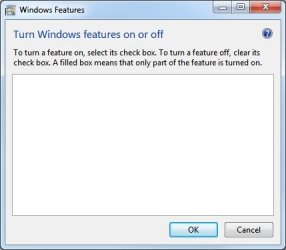
4) Ran "Programs and Features" in Control Panel tthe pop up window is empty, no list or tick boxes just plain blank white.
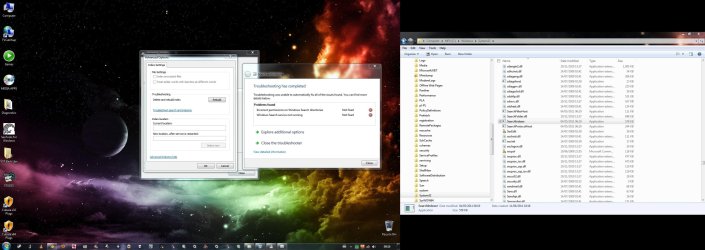
5) Ran troubleshooter for 'Search and Indexing' and get the following problems which cannot be fixed automatically :
6) In services activated search
"Windows could not start the Windows Search service on Local Computer."
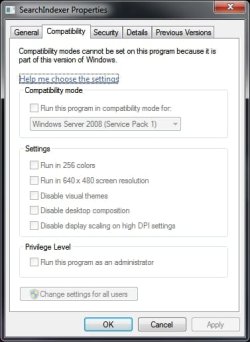
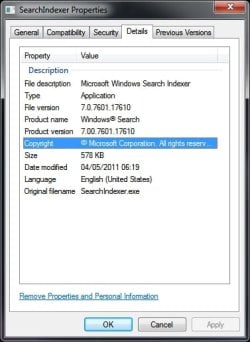
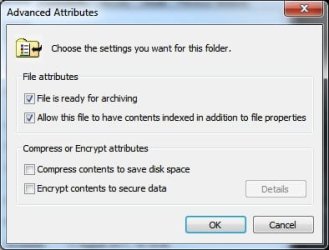
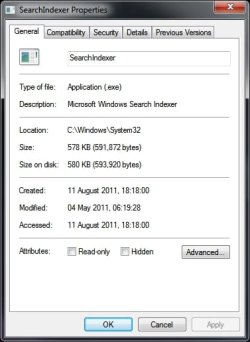
I have searched the forums and other areas of the web. Everything is indicating that the function has been totally removed/disabled. I am unsure how.
Oth links I have read and followed :
http://www.sevenforums.com/tutorials/36599-search-windows-7-a.html
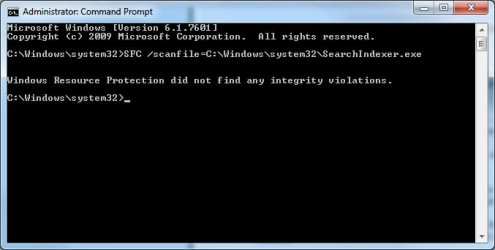
http://www.sevenforums.com/tutorials/1538-sfc-scannow-command-system-file-checker.html
http://www.sevenforums.com/general-discussion/131684-lost-windows-search-feature-even-services-comp-management.html
When starting in services windows reports it can not find the specified file -system error 2.
Please help.
Thanks
Related? : http://www.sevenforums.com/crashes-...ashing-services-not-enabling.html#post1652157
I am stuck and have actioned everything where I can in the following link : http://www.sevenforums.com/tutorials/25343-windows-search-turn-off.html.
Issues I have
1) NO search Tab on the folders option (only General and View)
2) [WIN] key + 'F' fails as there is no search box even though the pop up window appears
3) No search in the windows menu or on the top right of any explorer windows opened.
4) Ran "Programs and Features" in Control Panel tthe pop up window is empty, no list or tick boxes just plain blank white.
5) Ran troubleshooter for 'Search and Indexing' and get the following problems which cannot be fixed automatically :
6) In services activated search
"Windows could not start the Windows Search service on Local Computer."
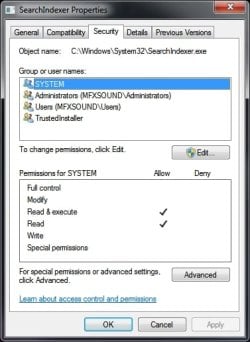
"Incorrect permissions on Windows Search directories" : Not Fixed (Red cricle with white cross' symbol)
"Windows Search service not running" : Not Fixed (Red cricle with white cross' symbol)
I have searched the forums and other areas of the web. Everything is indicating that the function has been totally removed/disabled. I am unsure how.
Oth links I have read and followed :
http://www.sevenforums.com/tutorials/36599-search-windows-7-a.html
http://www.sevenforums.com/tutorials/1538-sfc-scannow-command-system-file-checker.html
http://www.sevenforums.com/general-discussion/131684-lost-windows-search-feature-even-services-comp-management.html
When starting in services windows reports it can not find the specified file -system error 2.
Please help.
Thanks
Related? : http://www.sevenforums.com/crashes-...ashing-services-not-enabling.html#post1652157
Last edited:
My Computer
At a glance
Windows 7 Ultimate x64i7920 2.66ghz12gb Triple DDrATI HD4870
- Computer Manufacturer/Model Number
- EVGA X55
- OS
- Windows 7 Ultimate x64
- CPU
- i7920 2.66ghz
- Motherboard
- MSI
- Memory
- 12gb Triple DDr
- Graphics Card(s)
- ATI HD4870
- Sound Card
- RME Fireface 800
- Monitor(s) Displays
- Samsung 22" / Philips 17''
- Screen Resolution
- 1650x1080
- Hard Drives
- OCX SSD Vertex2
Maxtor Raptor
Samsung
- PSU
- Silent 650w
- Case
- Custom designed SilentCase
- Cooling
- Air
- Keyboard
- Microsoft Digital Media Pro Keyboard
- Mouse
- Logitech
- Internet Speed
- 50MB Virgin
- Other Info
- I'm no Pro but try to learn quickly!

 A;;CCLCSWRPWPDTLOCRRC;;;SY)(A;;CCDCLCSWRPWPDTLOCRSDRCWDWO;;;BA)(A;;CCLCSWLOCR