Solved Low & Loud Problem Win7

  • Thread starter Thread starter hitman000
  • Start date Start date
H

hitman000

Guest
When i set my rig up i had a coolermaster aquagate kit. Sadly it leaked down my motherboard onto my video card. Luckly it never harmed it as im using the same parts now. About 2 months later my onboard sound just went off. Tried reinstalling drivers etc to no avail so i bought my sb audigy se soundcard. The other night i installed win7 to a spare partition to play with. It had installed my onboard drivers automatic so i thought i'll try plugging my speakers in and it worked. But i had no control panel for equalizer etc so i got my driver from realtek's site and reinstalled & now its went off again. Also when i play music i like to sometimes adjust the play speed a lil bit. XP works fine but on Vista & Win7 it seems to make the music go low & loud. Its kinda hard to describe. Can anyone shed some light on this?. :)

I have my rig connected to a Technics SCDV-290 and it sounds really crappy lol. This is the only thing thats stopping me using 7 as a primary OS. :cry:

Thanks :)
 
Last edited:
Re-Edited my post incase people didnt understand what i ment.

Cheers.
 

My Computer

Computer Manufacturer/Model Number
Assembled in my workshop
OS
Windows 7 Home Premium
CPU
Intel Core 2 Duo @ 3.00gHz
Motherboard
Gigabyte GA-P35-S3G
Memory
4 GB
Graphics Card(s)
ATI Radeon HD 2600 XT
Sound Card
RME 24/96 Card, Realtek Internal Audio PreSonus FireStudio
Monitor(s) Displays
Acer 1917 (x2)
Screen Resolution
1280 x 1024 on both monitors
Hard Drives
Three 250GB Seagate SATA Barracuda 7200rpm
PSU
Rosewill 500-watt
Case
Rosewill mid-tower
Cooling
Noctua NH-U9B (CPU), PwrSupply fan + single large case Fan
Keyboard
Macally w/2/USB ports.
Mouse
Trackman Wheel
Other Info
Event 20/20 bas studio monitors, Yamaha sub.
Rackmount Korg/Roland/Yamaha synthesizers,
Cubase MIDI/audio recording. Sony Soundforge audio/mastering software. CD Architect Mastering. RME & Presonus audio interfaces.
Thanks for the reply Ap, Im logged onto win7 now and it doesnt have that in the properties (loudness equalization) for my sb audigy, I cant get my onboard to work now either, windows says its all fine but no sound at all, It has the loudness option for onboard sound. When ms installed the default drivers it worked but i didnt have the realtek control panel then when i got the one from realtek's site it just stopped working again.

Cheers
 
Thanks for the reply Ap, Im logged onto win7 now and it doesnt have that in the properties (loudness equalization) for my sb audigy, I cant get my onboard to work now either, windows says its all fine but no sound at all, It has the loudness option for onboard sound. When ms installed the default drivers it worked but i didnt have the realtek control panel then when i got the one from realtek's site it just stopped working again.

Cheers

What is set as your default Input device? (for onboard sound)

Also, look to see if any of the Realtek outputs are muted.


Ap
 

My Computer

Computer Manufacturer/Model Number
Assembled in my workshop
OS
Windows 7 Home Premium
CPU
Intel Core 2 Duo @ 3.00gHz
Motherboard
Gigabyte GA-P35-S3G
Memory
4 GB
Graphics Card(s)
ATI Radeon HD 2600 XT
Sound Card
RME 24/96 Card, Realtek Internal Audio PreSonus FireStudio
Monitor(s) Displays
Acer 1917 (x2)
Screen Resolution
1280 x 1024 on both monitors
Hard Drives
Three 250GB Seagate SATA Barracuda 7200rpm
PSU
Rosewill 500-watt
Case
Rosewill mid-tower
Cooling
Noctua NH-U9B (CPU), PwrSupply fan + single large case Fan
Keyboard
Macally w/2/USB ports.
Mouse
Trackman Wheel
Other Info
Event 20/20 bas studio monitors, Yamaha sub.
Rackmount Korg/Roland/Yamaha synthesizers,
Cubase MIDI/audio recording. Sony Soundforge audio/mastering software. CD Architect Mastering. RME & Presonus audio interfaces.
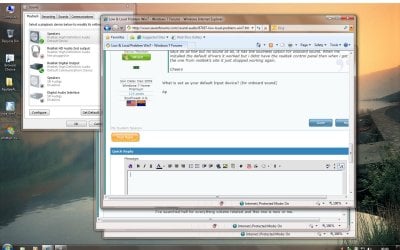
Heres a screener of playback devices.

Hope this helps.

Cheers
 

Attachments

  • desktop.jpg
    desktop.jpg
    157.1 KB · Views: 85
Heres a screener of playback devices.

Hope this helps.

Cheers

Yep, but I asked what was your default Input (recording) device. If it's by any chance the Realtek digital audio device it should be set to an analog input.

If you right click in the Recoding window you can select "Show Disabled Devices" then select "Stereo Mix" as the default recording device.

This is one of the fixes for Realtek "no sound".
A digital input set as default expects to see an audio clock, when there is none it can sometimes (depending on the model) cut off the audio.

Ap
 

My Computer

Computer Manufacturer/Model Number
Assembled in my workshop
OS
Windows 7 Home Premium
CPU
Intel Core 2 Duo @ 3.00gHz
Motherboard
Gigabyte GA-P35-S3G
Memory
4 GB
Graphics Card(s)
ATI Radeon HD 2600 XT
Sound Card
RME 24/96 Card, Realtek Internal Audio PreSonus FireStudio
Monitor(s) Displays
Acer 1917 (x2)
Screen Resolution
1280 x 1024 on both monitors
Hard Drives
Three 250GB Seagate SATA Barracuda 7200rpm
PSU
Rosewill 500-watt
Case
Rosewill mid-tower
Cooling
Noctua NH-U9B (CPU), PwrSupply fan + single large case Fan
Keyboard
Macally w/2/USB ports.
Mouse
Trackman Wheel
Other Info
Event 20/20 bas studio monitors, Yamaha sub.
Rackmount Korg/Roland/Yamaha synthesizers,
Cubase MIDI/audio recording. Sony Soundforge audio/mastering software. CD Architect Mastering. RME & Presonus audio interfaces.
When i set stereo mic as default device in recording devices the sound bar is fully green and still have no sound, also when i press mute it makes a pop sound when i mute or unmute & slider the volume slider. I dont understand how it can work with default ms drivers and not with ones downloaded from realtek. My mobo provider doesnt have any for windows 7. I can stick with my sb audigy but the low & loud problem is still there.
 
When i set stereo mic as default device in recording devices the sound bar is fully green and still have no sound, also when i press mute it makes a pop sound when i mute or unmute & slider the volume slider. I dont understand how it can work with default ms drivers and not with ones downloaded from realtek. My mobo provider doesnt have any for windows 7. I can stick with my sb audigy but the low & loud problem is still there.


Explain the low & loud problem? Are you doing any online gaming or is this just in music playback.

Right click on the MS speaker icon, select playback devices, select the communications tab, Select "Do Nothing".

Don't know if MS forces the Creative drivers though part of the Win-7 audio subsystem or not. As you may have noticed, quite a few problems with Windows-7 audio.


Ap
 

My Computer

Computer Manufacturer/Model Number
Assembled in my workshop
OS
Windows 7 Home Premium
CPU
Intel Core 2 Duo @ 3.00gHz
Motherboard
Gigabyte GA-P35-S3G
Memory
4 GB
Graphics Card(s)
ATI Radeon HD 2600 XT
Sound Card
RME 24/96 Card, Realtek Internal Audio PreSonus FireStudio
Monitor(s) Displays
Acer 1917 (x2)
Screen Resolution
1280 x 1024 on both monitors
Hard Drives
Three 250GB Seagate SATA Barracuda 7200rpm
PSU
Rosewill 500-watt
Case
Rosewill mid-tower
Cooling
Noctua NH-U9B (CPU), PwrSupply fan + single large case Fan
Keyboard
Macally w/2/USB ports.
Mouse
Trackman Wheel
Other Info
Event 20/20 bas studio monitors, Yamaha sub.
Rackmount Korg/Roland/Yamaha synthesizers,
Cubase MIDI/audio recording. Sony Soundforge audio/mastering software. CD Architect Mastering. RME & Presonus audio interfaces.
When i play a song on normal speed its fine, but when i adjust the play speed it sounds all messed up. Sorta like when the beat of the music starts it goes low then goes loud on vocals sorta thing. Its pretty weird, i have disabled the communications setting, no joy. Im stumped why my realtek wont work with its proper driver tho. But this low and lound problem happened on both sound chips with vista & 7. Its fine on windows xp. I thought it might of been media player.
 
When i play a song on normal speed its fine, but when i adjust the play speed it sounds all messed up. Sorta like when the beat of the music starts it goes low then goes loud on vocals sorta thing. Its pretty weird, i have disabled the communications setting, no joy. Im stumped why my realtek wont work with its proper driver tho. But this low and lound problem happened on both sound chips with vista & 7. Its fine on windows xp. I thought it might of been media player.

Ya got me on that one, now that you describe the loud and low problem it does sound like the Media Player in Win 7 has problems with altering the sample rate...
either that or you have the SRS WOW effect activated, which probably shouldn't be if you're changing speeds.

As for the Realtek driver, if setting the default input as Mic gives graphic that pegs the green level meter... somethings wrong with the installation.

I'd use the MS drivers and use Medial Players graphic eq.

Ap

Make sure the
 

My Computer

Computer Manufacturer/Model Number
Assembled in my workshop
OS
Windows 7 Home Premium
CPU
Intel Core 2 Duo @ 3.00gHz
Motherboard
Gigabyte GA-P35-S3G
Memory
4 GB
Graphics Card(s)
ATI Radeon HD 2600 XT
Sound Card
RME 24/96 Card, Realtek Internal Audio PreSonus FireStudio
Monitor(s) Displays
Acer 1917 (x2)
Screen Resolution
1280 x 1024 on both monitors
Hard Drives
Three 250GB Seagate SATA Barracuda 7200rpm
PSU
Rosewill 500-watt
Case
Rosewill mid-tower
Cooling
Noctua NH-U9B (CPU), PwrSupply fan + single large case Fan
Keyboard
Macally w/2/USB ports.
Mouse
Trackman Wheel
Other Info
Event 20/20 bas studio monitors, Yamaha sub.
Rackmount Korg/Roland/Yamaha synthesizers,
Cubase MIDI/audio recording. Sony Soundforge audio/mastering software. CD Architect Mastering. RME & Presonus audio interfaces.
I have just reformatted my win7 partition lol, got realtek workin! Tried disabling all the enhancements, virtual surround etc and it seemed ok.. but when i tried to set eq in wmp it went bad again. Looks like its a media player issue if not then my sound devices may be too old? cant see that tho.

Cheers for you're help anyways :)
 
Back
Top