
m2n asus chipset drivers " causing" problems

neverall

New member
Local time
10:33 PM
Messages
86
Hello! I ask you do i need chipset drivers installed for my mobo asus m2n on my os win 7 x 64,i cant seem to find and driver for my chipset nforce430 mcp..,i think my pc is not fast as before,i got AMD athlon x2 4600+,4 gb ddr2 800 mhz,the "best"part is that i upgraded my graphic card from nvidia 7600 gs(256 mb) to 3d club gts 8800 320 mb,and after it my trubles likely started....opposite to logic...my internet seems slower somethimes,,i upgraded PSU to 550 Wats,when opening windows,somethimes i got slow respond from pc,never had before,i did 3dmark06 it gave me about 8900 points,i did mem test,i used hd tune to check disk,everything is green,,i am not sure if its disk (sata wd 6400 aaks) or some other problem....please,if i do have all drivers inside win 7 when os is installed,under device manager my sata disk is recognized as ide.so i do need chipset drivers(for sata and rest)???.please advise me with it...driver genius does download some chipset driver but i am positive its not for my chipset,cause it would be under nvidia download page...(driver genius says for series 5 ,mine is 4 nforce430):sarc:
NVIDIA nForce 430 MCP
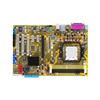
M2N

AMD AM2 Platform
NVIDIA nForce® 430™ MCP
Dual-Channel DDR2 800/667/533
Q-Connector
ASUS CrashFree BIOS3
ASUS EZ Flash2
 

My Computer

Computer Manufacturer/Model Number
AMD
OS
windows 7 pro
CPU
X2 DUAL CORE AM2 4600+
Motherboard
ASUS M2N
Memory
4GB DDR2 800 MHZ
Graphics Card(s)
3D CLUB GTS8800 320 MB
Sound Card
ON BOARD
Monitor(s) Displays
PHILIPS 19 INCH
Hard Drives
WD 6400 AAKS
PSU
SILENT GREEN LC POWER 550 WATS

My Computer

Computer Manufacturer/Model Number
Self Built
OS
Windows 7 ultimate 64 bit / XP Home sp3
CPU
intel Core 2 Duo E8400 3.0ghz
Motherboard
Asus P5ND bios 1401
Memory
8 gigs 1066 OCZ Fata1ty
Graphics Card(s)
EVGA GTX 580 Call of Duty Black Ops Edition
Sound Card
Creative Soundblaster Audigy 2zs
Monitor(s) Displays
Asus 24in LCD's 2MS X2
Screen Resolution
1920x1080p @60Hz
Hard Drives
WD Caviar 500 Black/ WD Caviar 200 Blue
PSU
OCZ 700W GameXtreme
Case
NZXT Apollo
Cooling
Corsair H50 CPU/120mm x3 /60mm x2 /Corsair Dominator Ram
Keyboard
Logitech Bluetooth Wireless MX5000
Mouse
Logitech Bluetooth Wireless MX1000
Internet Speed
Download 19.83 Upload 0.97
Other Info
Logitech Z2300 Speakers/ Bose Noise Cancelling Headphones/Avermedia PCI-e Hybrid TV Bravo/Epson NX415 all in one/ 4 Port Powered USB Hub/ LG 10x Bluray Burner /TSST Corp DVDRW External
This should do it,

NVIDIA DRIVERS 15.49 WHQL

Just make sure to unselect both the video driver and the "Network Management Tools" when installing.
 

My Computer

Computer type
PC/Desktop
Computer Manufacturer/Model Number
Me
OS
Win 7 Ultimate x64
CPU
FX-8350 @ 4.6 GHz so far
Motherboard
Asus M5A97 EVO
Memory
ADATA XPG V1 Series Black 8GB DDR3 1600
Graphics Card(s)
Sapphire R9 270x Dual-X
Sound Card
Xonar DGX w/ Corsair Vengence 1300
Monitor(s) Displays
Acer S232HL Abid
Screen Resolution
1920x1080
Hard Drives
120 GB OCZ Vertex 3
500 GB Seagate 7200.12
PSU
Antec Earthwatts 650W Green
Case
Antec Three Hundred
Cooling
Cooler Master 212 EVO
Keyboard
Logitech G510
Mouse
Logitech G500s
Internet Speed
35000/3000
This should do it,

NVIDIA DRIVERS 15.49 WHQL

Just make sure to unselect both the video driver and the "Network Management Tools" when installing.
thanx gonnna do it right now..and tell you the result... its funny but i had allready instaled this driver on my computer
1.st i said i got x64 so i should use x64 version,nevertheless,thanks for help....2nd,most important is that this driver is for
nForce 4 series:
410 / GeForce 6100, 410 / GeForce 6150LE, 430 / GeForce 6150SE, 430 / GeForce 6150LE, 405 / Geforce 6100, 420 / Geforce 6100, 430 / Geforce 6100, 430 / GeForce 6150, 400 / Geforce 6100
so as it says it is for nforce430mcp but with integrated graphic card on mobo..PLEASE TELL ME I AM WRONG!! ..
 
Last edited:

My Computer

Computer Manufacturer/Model Number
AMD
OS
windows 7 pro
CPU
X2 DUAL CORE AM2 4600+
Motherboard
ASUS M2N
Memory
4GB DDR2 800 MHZ
Graphics Card(s)
3D CLUB GTS8800 320 MB
Sound Card
ON BOARD
Monitor(s) Displays
PHILIPS 19 INCH
Hard Drives
WD 6400 AAKS
PSU
SILENT GREEN LC POWER 550 WATS
Have you already installed the "ATK0110 driver for WindowsXP/Vista/Win7 32&64-bit" from the Asus website?
You shouldn't need to install any other "chipset drivers", as I am using the same motherboard on Windows7 x64 Ultimate without any problems.
 

My Computer

OS
Windows 7 Ultimate x64
Have you already installed the "ATK0110 driver for WindowsXP/Vista/Win7 32&64-bit" from the Asus website?
You shouldn't need to install any other "chipset drivers", as I am using the same motherboard on Windows7 x64 Ultimate without any problems.
tnx totenschlaggh,i consider completly reinstal windows 7 professional x64,can u say what will hapen to my sata drivers for sata disk drive,if i choose not to install the driver above ,window s7 does not have the sata driver (i`ve seen it when i first installed win 7 without nvidia drivers ,with only ide atapi controller listed in device manager,no sata controller,and for the more i heard that some of it drivers are not fully good..and i ask if i really need the chipset driver spoken from nvidia,cause i first like fully funkcionallity of sata controller..so what doi choose best? windows 7 drivers with ATK0110 or this what i got now..thanks!
ps. i heard about ATK0110,can u be more detailed what is its purpose...:geek:
 

My Computer

Computer Manufacturer/Model Number
AMD
OS
windows 7 pro
CPU
X2 DUAL CORE AM2 4600+
Motherboard
ASUS M2N
Memory
4GB DDR2 800 MHZ
Graphics Card(s)
3D CLUB GTS8800 320 MB
Sound Card
ON BOARD
Monitor(s) Displays
PHILIPS 19 INCH
Hard Drives
WD 6400 AAKS
PSU
SILENT GREEN LC POWER 550 WATS
The biggest problem is that Nvidia basically didn't include any drivers for the NF4 chipset in Windows 7. Despite the chipset being more than capable of running Windows 7 they declared it legacy and dropped support for it. The only reason they have those drivers I linked to (and sorry about that, here is the 64 bit one, NVIDIA DRIVERS 15.49 WHQL ) is an overstock of old NF4 chips that they have been dumping/pawning off on system builders that use AMD CPU's (Dell, HP, etc); this is slowly changing as they start using AMD based boards, but a lot of them are using those old NF4 chipsets still.

As far as the ATK0110 driver goes this is about the best explanation of it,

Answers.com - What is ATK 0110

Quick question about the change from the 7600 GS to the 8800 GTS, did you remember to uninstall the video card drivers before swapping cards?
 

My Computer

Computer type
PC/Desktop
Computer Manufacturer/Model Number
Me
OS
Win 7 Ultimate x64
CPU
FX-8350 @ 4.6 GHz so far
Motherboard
Asus M5A97 EVO
Memory
ADATA XPG V1 Series Black 8GB DDR3 1600
Graphics Card(s)
Sapphire R9 270x Dual-X
Sound Card
Xonar DGX w/ Corsair Vengence 1300
Monitor(s) Displays
Acer S232HL Abid
Screen Resolution
1920x1080
Hard Drives
120 GB OCZ Vertex 3
500 GB Seagate 7200.12
PSU
Antec Earthwatts 650W Green
Case
Antec Three Hundred
Cooling
Cooler Master 212 EVO
Keyboard
Logitech G510
Mouse
Logitech G500s
Internet Speed
35000/3000
thanks stormy13 for reply,u got the point,i removed my video card without proper unistalation of nvidia forceware drvers on 7600 gs...now i got new drivers from operating system itself,so, could i damaged my video card by changing it without removing drivers,one example ,desktop screen resolution is 1440/900 on wide 19 16:9 lcd all ok,the strange thing is that for some time things work,but during playing video games ,like call of duty 4 on max details (online) ,and for my opinion that shouldent be a problem with this solid pci-e card,so just wanted to say its all ok for a few minutes,but then i got to go to lower details or resolution...similar to that i also have f1 2o1o ,when i play with default options on graphic,which has pretty decent detailssomething is wrong,i race a minute,two,three and than the frame rate fall..so i dont know how can something work for 4 minutes,and then s***...i see no answer...could it be damaged gts 8800 (g80) or i put details to high....but i explained,it works on high details for few minutes than fps falls down....when i degrade detailes it all fine...some good explanation will be wellcome...maybe a way to test graphc card...i also suspect on my 3 years old western digital sata 6400 aaks disk....who knows?
To the end i found this:


ATK 0110, the ATK0110 ACPI UTILITY for normal operation of Windows, this device is not necessary at all.
 
Last edited:

My Computer

Computer Manufacturer/Model Number
AMD
OS
windows 7 pro
CPU
X2 DUAL CORE AM2 4600+
Motherboard
ASUS M2N
Memory
4GB DDR2 800 MHZ
Graphics Card(s)
3D CLUB GTS8800 320 MB
Sound Card
ON BOARD
Monitor(s) Displays
PHILIPS 19 INCH
Hard Drives
WD 6400 AAKS
PSU
SILENT GREEN LC POWER 550 WATS
Damaged the card, no. New card not work properly or as expected, yes. In this case you have gone from a card that uses the WDDM 1.0 driver to one that uses the WDDM 1.1 driver, and more than likely have bits and pieces that were registered for the 7600 still there.

I don't normally like recommend a program like this,

Guru3D - Driver Sweeper (Setup) download from Guru3D.com

but in this case it might be a good idea. Start with uninstalling all Nvidia video drivers through Programs and Features. Then boot to Safe mode and run Driver Sweeper, taking care to only remove the video drivers and nothing else. Don't restart after running Driver Sweeper yet. Next comes the fun part, Open Windows Explorer and go to the following location,

C:\Windows\System32\DriverStore\FileRepository

To stop Windows from installing any previously installed drivers (assuming you installed any beyond the default driver that Windows installed) you are going to delete any folders named (the combination of number and letters will be different for each),

nv_disp.inf_x86_neutral_20e8e19d5847c3c9

To be able to delete them you will have to take ownership of the folders first. Follow this to add it,

http://www.sevenforums.com/tutorials/1911-take-ownership-shortcut.html

then right click on each (if more than one) and select the new "Take Ownership" option in the context menu, then you can delete them. The only one you want left will look like this,

nv_lh.inf_x86_neutral_bc69f20e3115af59

Now restart, let Windows detect and install the default driver if it wants to, then you can install the latest (or any of the older if you so choose) driver for the card.

As far as the SATA driver goes if the reference Nvidia driver isn't working (at all or as expected) if you're not adverse to trying modded drivers I would go with the one from here (one of the best places I know of to see what is going on with regards to Nvidia chipsets and drivers),

Win7/Vista: Optimized nForce Driver Packs • nForcersHQ.com

and try the "32bit driverpack v8.1 for Win7 x86 and Vista x86" Fernando knows his stuff and takes the best parts from the various driver releases and puts them in a single package.

P.S. You mentioned you upgraded the power supply to a 550W, what is the make and model of it.
 

My Computer

Computer type
PC/Desktop
Computer Manufacturer/Model Number
Me
OS
Win 7 Ultimate x64
CPU
FX-8350 @ 4.6 GHz so far
Motherboard
Asus M5A97 EVO
Memory
ADATA XPG V1 Series Black 8GB DDR3 1600
Graphics Card(s)
Sapphire R9 270x Dual-X
Sound Card
Xonar DGX w/ Corsair Vengence 1300
Monitor(s) Displays
Acer S232HL Abid
Screen Resolution
1920x1080
Hard Drives
120 GB OCZ Vertex 3
500 GB Seagate 7200.12
PSU
Antec Earthwatts 650W Green
Case
Antec Three Hundred
Cooling
Cooler Master 212 EVO
Keyboard
Logitech G510
Mouse
Logitech G500s
Internet Speed
35000/3000
thanks a mile stormy13,i will gonna try tomorow to fix all the stuff u kindly advised...its 22:33 in croatia and need to sleep..i bought new power supply ,its,LC POWER Silent Giant GREEN POWER,ATX v 2.2,140 mm ventilaton..i hope i will get as fast PC as i had before instaling power and GPU....Good night! I am an optimist and believ that nothing is wrong with hardware stuff,i just ran full test for my hard drives "Windows Data Lifeguard Diagnostics" and both of them passed....so i belive thins will be good..
 

My Computer

Computer Manufacturer/Model Number
AMD
OS
windows 7 pro
CPU
X2 DUAL CORE AM2 4600+
Motherboard
ASUS M2N
Memory
4GB DDR2 800 MHZ
Graphics Card(s)
3D CLUB GTS8800 320 MB
Sound Card
ON BOARD
Monitor(s) Displays
PHILIPS 19 INCH
Hard Drives
WD 6400 AAKS
PSU
SILENT GREEN LC POWER 550 WATS
.hey guys everything is working,i dod system restore ,my kasperski founded a trojan but who knows,nevertheless i was rolled back with system restore to Nvidia GeForce 8800 GTS driver date 14.7.2009 and Driver version 8.5.11.9038....and for my chipset. i mean for my sata controller (i mix chipset and sata ,not sure 100%) Nvidia Driver Date 4.8.2009 and Driver version 11.1.0.33. i am asking also where or how can i find this drivers if necessary again,please point me to the place..my pc score result gets better from 5.3 to 5.5 (processor calculations9 i am so happy,althout i got one B.S.O.D when restarting pc....it recovered itself...i do hope everythings gonna be fine now....and yes,i did manage to prove that this graphic card can be kind with playing cod4 online on max details and fifa 2010 on high detail which wasnt the case before...thanx...until next broken thing:)
 
Last edited:

My Computer

Computer Manufacturer/Model Number
AMD
OS
windows 7 pro
CPU
X2 DUAL CORE AM2 4600+
Motherboard
ASUS M2N
Memory
4GB DDR2 800 MHZ
Graphics Card(s)
3D CLUB GTS8800 320 MB
Sound Card
ON BOARD
Monitor(s) Displays
PHILIPS 19 INCH
Hard Drives
WD 6400 AAKS
PSU
SILENT GREEN LC POWER 550 WATS
Back
Top