- Local time
- 2:47 PM
- Messages
- 603
I have been looking at this software and it looks great so far. However when reading the documentation I notice to make a restore disk you need to purchase software. SO when using the free edition how are you managing your restore when needed? 
Macrium Reflect Backup and Hard Disk Imaging for Windows 7, Vista, XP and Server 2003/2008
Macrium Reflect Backup and Hard Disk Imaging for Windows 7, Vista, XP and Server 2003/2008
Macrium KB
Macrium Reflect
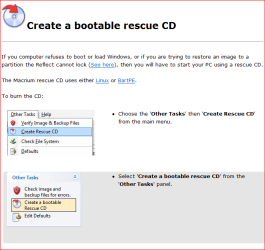
Install or update to the latest version of Macrium Reflect. You must have the purchased edition of Macrium Reflect installed on your PC. To check for the latest version take the 'Help' > 'Check for updates..' menu option.
Windows PE
Install or update to the latest version of Windows PE. Windows PE is only available with the purchased edition of Macrium Reflect. For information on installing Windows PE please see this knowledge base article: Macrium KB. If you already have Windows PE installed then make sure you are running the latest version by clicking the 'Updates' button in the Rescue CD burn wizard.
My Computer
At a glance
Windows 7 Pro 64 bitIntel(R) Core(TM) i7 CPU 870 @ 2.93GHz4GBNVIDIA GeForce GTX 470
- Computer Manufacturer/Model Number
- Proline
- OS
- Windows 7 Pro 64 bit
- CPU
- Intel(R) Core(TM) i7 CPU 870 @ 2.93GHz
- Motherboard
- H55-G43(MS-7638)
- Memory
- 4GB
- Graphics Card(s)
- NVIDIA GeForce GTX 470
- Sound Card
- Onboard
- Monitor(s) Displays
- Proline LCD 19 inch
- Screen Resolution
- 1280 x 1024
- Hard Drives
- 2 x SATA 250 Gig 1 x External 2TB
- PSU
- RX 730 SS
- Case
- Proline
- Cooling
- Standard
- Keyboard
- PS2
- Mouse
- PS2
- Internet Speed
- To embarrassed to tell lol