Capdileo,
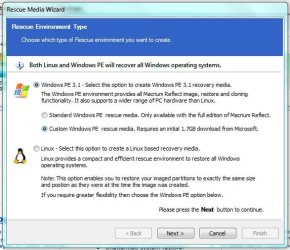
ad 1) Yes the Linux recovery disc has a lot of restrictions. I have not used it in ages so I am not up to speed on all restrictions. But if you use the WinPE disc, you will be able to select a target partition.
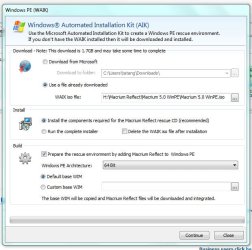
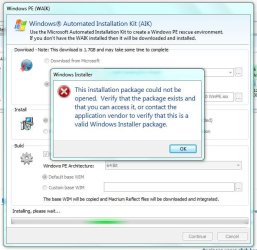
ad2) I am not really sure what you were trying to do. Just burn the .iso you downloaded from my Fileswap to a CD (I use ImgBurn for that). Then you should be in business.
I have the feeling that you were handling the .iso like one would handle the WAIK. But that is a completely different program and the .iso IS already the final product (the WinPE recovery disc file). You only need to burn it to CD.
ad 1) Yes the Linux recovery disc has a lot of restrictions. I have not used it in ages so I am not up to speed on all restrictions. But if you use the WinPE disc, you will be able to select a target partition.
ad2) I am not really sure what you were trying to do. Just burn the .iso you downloaded from my Fileswap to a CD (I use ImgBurn for that). Then you should be in business.
I have the feeling that you were handling the .iso like one would handle the WAIK. But that is a completely different program and the .iso IS already the final product (the WinPE recovery disc file). You only need to burn it to CD.
My Computer
- Computer Manufacturer/Model Number
- HP, Dell, Gateway, Toshiba - 4 laptops and 2 desktops
- OS
- Vista, Windows7, Mint Mate, Zorin, Windows 8
- CPU
- from 1.6GHz Duo to i7
- Monitor(s) Displays
- 2x HP w2207
- Hard Drives
- 5x HDD, 7x SSD, 12x Externals
- Keyboard
- with trackball - no mices
- Mouse
- Trackball mice
- Internet Speed
- DSL 6000