Make Transparent

Bare Foot Kid

R.I.P. August 13th 2014
SF Team
Local time
9:50 AM
Messages
22,809
Location
The Lowcountry
Hello all.


To whom it may concern! :roflmao:


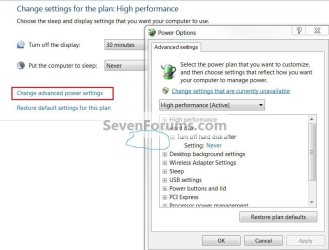
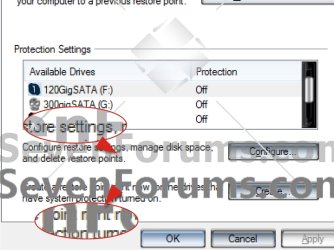
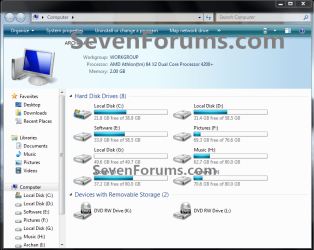
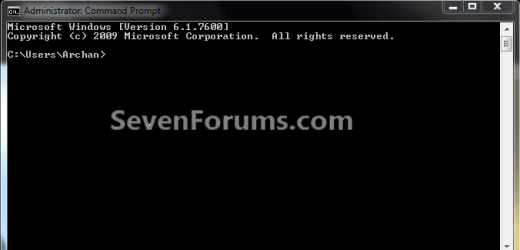
But seriously; I'm attaching a zip below with 3 images that are used for adding watermarks to the tutorials here at Seven Forums, what I would like someone to do is to put them on a transparent background, keep everything else the same, size / font type; I just want the text to be visible not the opaque square; (see the snip below to see what I mean) I need just the text.

Thank you very much! :)

View attachment Windows7_Watermark.zip

Watermark.jpg
 

My Computer

Computer Manufacturer/Model Number
* BFK Customs *
OS
W 7 64-bit Ultimate
CPU
Intel Q9550 Yorkfield
Motherboard
ASUS P5Q Pro
Memory
8GB Dominator 8500C5D
Graphics Card(s)
ATI : XFX 5870
Sound Card
Realtek HD Audio 7-1
Monitor(s) Displays
1x 47" LCD HDMI & 3x 26" LCD HDMI
Screen Resolution
1920x1080P & 1920x1200
Hard Drives
1x 80GB Intel X25-M G2 SSD : 1x 500GB & 1x 640GB WD Caviar Black(s)
PSU
Corsair 620HX
Case
Cooler Master RC-690
Cooling
Tuniq Tower 120, 2x 140mm and 3x 120mm case fans
Keyboard
Microsoft 500
Mouse
Razer Diamondback 3G
Internet Speed
14 Mb/s
Other Info
1x Koutech 3Gb/s SATA HDD Hot Swap Rack
How about these BFK ?

SF.png or SF2.png
 
Last edited:

My Computer

Computer type
Laptop
Computer Manufacturer/Model Number
HP EliteBook 8530w Mobile Workstation
OS
Windows 7 Ultimate x64 (XP, 98SE, 95, 3.11, DOS 7.10 on VM) + Ubuntu 10.04 LTS Lucid Lynx
CPU
Intel Core 2 Duo Processor P8600 (2.40 GHz, 3 MB L2 cache)
Motherboard
Mobile Intel PM45 Express Chipset ICH9M-Enhanced
Memory
4GB 800 MHz DDR2 SDRAM
Graphics Card(s)
ATI Mobility FireGL V5700 with 256 MB
Sound Card
SoundMAX Integrated Digital HD Audio
Monitor(s) Displays
15.4-inch WXGA anti-glare (1280 x 800 resolution)
Screen Resolution
1280 x 800
Hard Drives
500GB + 1TB
Mouse
Synaptics PS/2 Port Touchpad, USB Mouse
Internet Speed
4 Mbps
Antivirus
MSE
Browser
Firefox, Chrome, IE
Other Info
Authentec AES2810 Fingerprint Reader
I need the exact same sizes as the other 3 and I need all 3 because of the size differences.


Thank you!
 

My Computer

Computer Manufacturer/Model Number
* BFK Customs *
OS
W 7 64-bit Ultimate
CPU
Intel Q9550 Yorkfield
Motherboard
ASUS P5Q Pro
Memory
8GB Dominator 8500C5D
Graphics Card(s)
ATI : XFX 5870
Sound Card
Realtek HD Audio 7-1
Monitor(s) Displays
1x 47" LCD HDMI & 3x 26" LCD HDMI
Screen Resolution
1920x1080P & 1920x1200
Hard Drives
1x 80GB Intel X25-M G2 SSD : 1x 500GB & 1x 640GB WD Caviar Black(s)
PSU
Corsair 620HX
Case
Cooler Master RC-690
Cooling
Tuniq Tower 120, 2x 140mm and 3x 120mm case fans
Keyboard
Microsoft 500
Mouse
Razer Diamondback 3G
Internet Speed
14 Mb/s
Other Info
1x Koutech 3Gb/s SATA HDD Hot Swap Rack

Here you are , BFK !
 

Attachments

  • Desktop.zip
    Desktop.zip
    47.4 KB · Views: 21
  • BFK3.png
    BFK3.png
    3.9 KB · Views: 8
  • BFK2.png
    BFK2.png
    8 KB · Views: 11
  • BFK1.png
    BFK1.png
    2 KB · Views: 353

My Computer

Computer type
PC/Desktop
Computer Manufacturer/Model Number
Self Assembled
OS
Microsoft Windows 10 Pro Insider Preview 64-bit
CPU
Intel(R) Core(TM) i3-4130 CPU @ 3.40GHz
Motherboard
Gigabyte Technology Co., Ltd. B85M-D3H
Memory
Corsair Vengence 4GB x2 (8.00GB Dual-Channel DDR3 @ 798MHz)
Graphics Card(s)
2047MB GeForce GTS 450 (ZOTAC International)
Sound Card
Onboard (Realtek High Definition Audio)
Monitor(s) Displays
LG Flatron E2040T
Screen Resolution
1600x900
Hard Drives
Western Digital 1 TB
Seagate 500 GB
PSU
Corsair VS550
Case
Cooler Master K380
Cooling
Cooler Master Seidon 120V Plus
Keyboard
Logitech MK260r
Mouse
Logitech MK260r
Internet Speed
PMPL Broadband
Antivirus
Windows Defender + MBAM
Browser
Firefox
Other Info
Dell Studio 15" Laptop
Here you are , BFK !

Beat me to it. I was just doing it lol. You should fix up the two e's and the v though.
 

My Computer

OS
Windows 7 Enterprise 64-bit
CPU
AMD Phenom II X4 3.0GHz
Motherboard
ASUS M5A97
Memory
8GB G-Skill Ripjaws DDR3 1333
Graphics Card(s)
PNY GeForce 460 GTX 1GB OC - Enthusiast Edition
Sound Card
VIA High Definition Audio
Monitor(s) Displays
Dell 19"
Screen Resolution
1280x1024
Hard Drives
1TB - Primary
160GB - Secondary
250GB - External backup for important files
PSU
OCZ Fata1ty 700W Modular PSU
Case
ASUS
Keyboard
Microsoft Wireless Keyboard 2000
Mouse
Microsoft Wireless Mouse 2000
Internet Speed
3 Mbps/768 kbps
BTW BFK, are you going to post a new tutorial ?
 

My Computer

Computer type
PC/Desktop
Computer Manufacturer/Model Number
Self Assembled
OS
Microsoft Windows 10 Pro Insider Preview 64-bit
CPU
Intel(R) Core(TM) i3-4130 CPU @ 3.40GHz
Motherboard
Gigabyte Technology Co., Ltd. B85M-D3H
Memory
Corsair Vengence 4GB x2 (8.00GB Dual-Channel DDR3 @ 798MHz)
Graphics Card(s)
2047MB GeForce GTS 450 (ZOTAC International)
Sound Card
Onboard (Realtek High Definition Audio)
Monitor(s) Displays
LG Flatron E2040T
Screen Resolution
1600x900
Hard Drives
Western Digital 1 TB
Seagate 500 GB
PSU
Corsair VS550
Case
Cooler Master K380
Cooling
Cooler Master Seidon 120V Plus
Keyboard
Logitech MK260r
Mouse
Logitech MK260r
Internet Speed
PMPL Broadband
Antivirus
Windows Defender + MBAM
Browser
Firefox
Other Info
Dell Studio 15" Laptop
Sorry, didn't see the zip :)
Check these out

Windows7_Watermark.png

Windows7_Watermark2.png

Windows7_Watermark3.png

EDIT: Arc, you beat me to it :)
 

Attachments

My Computer

Computer type
Laptop
Computer Manufacturer/Model Number
HP EliteBook 8530w Mobile Workstation
OS
Windows 7 Ultimate x64 (XP, 98SE, 95, 3.11, DOS 7.10 on VM) + Ubuntu 10.04 LTS Lucid Lynx
CPU
Intel Core 2 Duo Processor P8600 (2.40 GHz, 3 MB L2 cache)
Motherboard
Mobile Intel PM45 Express Chipset ICH9M-Enhanced
Memory
4GB 800 MHz DDR2 SDRAM
Graphics Card(s)
ATI Mobility FireGL V5700 with 256 MB
Sound Card
SoundMAX Integrated Digital HD Audio
Monitor(s) Displays
15.4-inch WXGA anti-glare (1280 x 800 resolution)
Screen Resolution
1280 x 800
Hard Drives
500GB + 1TB
Mouse
Synaptics PS/2 Port Touchpad, USB Mouse
Internet Speed
4 Mbps
Antivirus
MSE
Browser
Firefox, Chrome, IE
Other Info
Authentec AES2810 Fingerprint Reader

My Computer

Computer type
PC/Desktop
Computer Manufacturer/Model Number
Self Assembled
OS
Microsoft Windows 10 Pro Insider Preview 64-bit
CPU
Intel(R) Core(TM) i3-4130 CPU @ 3.40GHz
Motherboard
Gigabyte Technology Co., Ltd. B85M-D3H
Memory
Corsair Vengence 4GB x2 (8.00GB Dual-Channel DDR3 @ 798MHz)
Graphics Card(s)
2047MB GeForce GTS 450 (ZOTAC International)
Sound Card
Onboard (Realtek High Definition Audio)
Monitor(s) Displays
LG Flatron E2040T
Screen Resolution
1600x900
Hard Drives
Western Digital 1 TB
Seagate 500 GB
PSU
Corsair VS550
Case
Cooler Master K380
Cooling
Cooler Master Seidon 120V Plus
Keyboard
Logitech MK260r
Mouse
Logitech MK260r
Internet Speed
PMPL Broadband
Antivirus
Windows Defender + MBAM
Browser
Firefox
Other Info
Dell Studio 15" Laptop
I'm using GIMP to do it. I've been using it for a few years now, but ever since switching to 7 and reinstalling it, the Color Erase option for Bucket Fill refuses to work.
 

My Computer

OS
Windows 7 Enterprise 64-bit
CPU
AMD Phenom II X4 3.0GHz
Motherboard
ASUS M5A97
Memory
8GB G-Skill Ripjaws DDR3 1333
Graphics Card(s)
PNY GeForce 460 GTX 1GB OC - Enthusiast Edition
Sound Card
VIA High Definition Audio
Monitor(s) Displays
Dell 19"
Screen Resolution
1280x1024
Hard Drives
1TB - Primary
160GB - Secondary
250GB - External backup for important files
PSU
OCZ Fata1ty 700W Modular PSU
Case
ASUS
Keyboard
Microsoft Wireless Keyboard 2000
Mouse
Microsoft Wireless Mouse 2000
Internet Speed
3 Mbps/768 kbps
So here is the fixed set. V dont have a problem
 

Attachments

  • Desktop.zip
    Desktop.zip
    50.2 KB · Views: 13
  • BFK3.png
    BFK3.png
    3.4 KB · Views: 5
  • BFK2.png
    BFK2.png
    7.6 KB · Views: 8
  • BFK1.png
    BFK1.png
    2 KB · Views: 353

My Computer

Computer type
PC/Desktop
Computer Manufacturer/Model Number
Self Assembled
OS
Microsoft Windows 10 Pro Insider Preview 64-bit
CPU
Intel(R) Core(TM) i3-4130 CPU @ 3.40GHz
Motherboard
Gigabyte Technology Co., Ltd. B85M-D3H
Memory
Corsair Vengence 4GB x2 (8.00GB Dual-Channel DDR3 @ 798MHz)
Graphics Card(s)
2047MB GeForce GTS 450 (ZOTAC International)
Sound Card
Onboard (Realtek High Definition Audio)
Monitor(s) Displays
LG Flatron E2040T
Screen Resolution
1600x900
Hard Drives
Western Digital 1 TB
Seagate 500 GB
PSU
Corsair VS550
Case
Cooler Master K380
Cooling
Cooler Master Seidon 120V Plus
Keyboard
Logitech MK260r
Mouse
Logitech MK260r
Internet Speed
PMPL Broadband
Antivirus
Windows Defender + MBAM
Browser
Firefox
Other Info
Dell Studio 15" Laptop
I'm using GIMP to do it. I've been using it for a few years now, but ever since switching to 7 and reinstalling it, the Color Erase option for Bucket Fill refuses to work.

In Photoshop, just select the white background with magic wand , right click and layer via cut , go to layers' palet, select the cut layer and set its fill and opacity both 2 zero, merge layers, and you are done :D
 

My Computer

Computer type
PC/Desktop
Computer Manufacturer/Model Number
Self Assembled
OS
Microsoft Windows 10 Pro Insider Preview 64-bit
CPU
Intel(R) Core(TM) i3-4130 CPU @ 3.40GHz
Motherboard
Gigabyte Technology Co., Ltd. B85M-D3H
Memory
Corsair Vengence 4GB x2 (8.00GB Dual-Channel DDR3 @ 798MHz)
Graphics Card(s)
2047MB GeForce GTS 450 (ZOTAC International)
Sound Card
Onboard (Realtek High Definition Audio)
Monitor(s) Displays
LG Flatron E2040T
Screen Resolution
1600x900
Hard Drives
Western Digital 1 TB
Seagate 500 GB
PSU
Corsair VS550
Case
Cooler Master K380
Cooling
Cooler Master Seidon 120V Plus
Keyboard
Logitech MK260r
Mouse
Logitech MK260r
Internet Speed
PMPL Broadband
Antivirus
Windows Defender + MBAM
Browser
Firefox
Other Info
Dell Studio 15" Laptop
I'm sorry if I wasn't clear, I'm trying to get rid of the overlay, I just want the text I don't think you can snip them because you get the "opaque shadow square", see the snip.

Is it possible to get "just the text"?


I do appreciate everyone's help with this.

11111.jpg
 

My Computer

Computer Manufacturer/Model Number
* BFK Customs *
OS
W 7 64-bit Ultimate
CPU
Intel Q9550 Yorkfield
Motherboard
ASUS P5Q Pro
Memory
8GB Dominator 8500C5D
Graphics Card(s)
ATI : XFX 5870
Sound Card
Realtek HD Audio 7-1
Monitor(s) Displays
1x 47" LCD HDMI & 3x 26" LCD HDMI
Screen Resolution
1920x1080P & 1920x1200
Hard Drives
1x 80GB Intel X25-M G2 SSD : 1x 500GB & 1x 640GB WD Caviar Black(s)
PSU
Corsair 620HX
Case
Cooler Master RC-690
Cooling
Tuniq Tower 120, 2x 140mm and 3x 120mm case fans
Keyboard
Microsoft 500
Mouse
Razer Diamondback 3G
Internet Speed
14 Mb/s
Other Info
1x Koutech 3Gb/s SATA HDD Hot Swap Rack

I'm sorry if I wasn't clear, I'm trying to get rid of the overlay, I just want the text I don't think you can snip them because you get the "opaque shadow square", see the snip.

Is it possible to get "just the text"?


I do appreciate everyone's help with this.

View attachment 62473

It's been done. It looks like it has a white background in the preview although it doesn't.

Sorry, didn't see the zip :)
Check these out

View attachment 62463

View attachment 62464

View attachment 62465

EDIT: Arc, you beat me to it :)
 

My Computer

OS
Windows 7 Enterprise 64-bit
CPU
AMD Phenom II X4 3.0GHz
Motherboard
ASUS M5A97
Memory
8GB G-Skill Ripjaws DDR3 1333
Graphics Card(s)
PNY GeForce 460 GTX 1GB OC - Enthusiast Edition
Sound Card
VIA High Definition Audio
Monitor(s) Displays
Dell 19"
Screen Resolution
1280x1024
Hard Drives
1TB - Primary
160GB - Secondary
250GB - External backup for important files
PSU
OCZ Fata1ty 700W Modular PSU
Case
ASUS
Keyboard
Microsoft Wireless Keyboard 2000
Mouse
Microsoft Wireless Mouse 2000
Internet Speed
3 Mbps/768 kbps
I'm sorry if I wasn't clear, I'm trying to get rid of the overlay, I just want the text I don't think you can snip them because you get the "opaque shadow square", see the snip.

Is it possible to get "just the text"?


I do appreciate everyone's help with this.

View attachment 62473

Hi BFK , There is no "opaque shadow square " thing :mad:
The attachment is the proof . It is the largest font one, placed on a glossy background :D

Edit : let me have another chance.
 

Attachments

  • 7 Logo - Copy.png
    7 Logo - Copy.png
    612.4 KB · Views: 23

My Computer

Computer type
PC/Desktop
Computer Manufacturer/Model Number
Self Assembled
OS
Microsoft Windows 10 Pro Insider Preview 64-bit
CPU
Intel(R) Core(TM) i3-4130 CPU @ 3.40GHz
Motherboard
Gigabyte Technology Co., Ltd. B85M-D3H
Memory
Corsair Vengence 4GB x2 (8.00GB Dual-Channel DDR3 @ 798MHz)
Graphics Card(s)
2047MB GeForce GTS 450 (ZOTAC International)
Sound Card
Onboard (Realtek High Definition Audio)
Monitor(s) Displays
LG Flatron E2040T
Screen Resolution
1600x900
Hard Drives
Western Digital 1 TB
Seagate 500 GB
PSU
Corsair VS550
Case
Cooler Master K380
Cooling
Cooler Master Seidon 120V Plus
Keyboard
Logitech MK260r
Mouse
Logitech MK260r
Internet Speed
PMPL Broadband
Antivirus
Windows Defender + MBAM
Browser
Firefox
Other Info
Dell Studio 15" Laptop
My last chance !!
If you are not satisfied, I am sorry, I can do no better :D
 

Attachments

  • Desktop.zip
    Desktop.zip
    49.7 KB · Views: 5
  • BFK3.png
    BFK3.png
    3.6 KB · Views: 88
  • BFK2.png
    BFK2.png
    7.7 KB · Views: 5
  • BFK1.png
    BFK1.png
    1.9 KB · Views: 90

My Computer

Computer type
PC/Desktop
Computer Manufacturer/Model Number
Self Assembled
OS
Microsoft Windows 10 Pro Insider Preview 64-bit
CPU
Intel(R) Core(TM) i3-4130 CPU @ 3.40GHz
Motherboard
Gigabyte Technology Co., Ltd. B85M-D3H
Memory
Corsair Vengence 4GB x2 (8.00GB Dual-Channel DDR3 @ 798MHz)
Graphics Card(s)
2047MB GeForce GTS 450 (ZOTAC International)
Sound Card
Onboard (Realtek High Definition Audio)
Monitor(s) Displays
LG Flatron E2040T
Screen Resolution
1600x900
Hard Drives
Western Digital 1 TB
Seagate 500 GB
PSU
Corsair VS550
Case
Cooler Master K380
Cooling
Cooler Master Seidon 120V Plus
Keyboard
Logitech MK260r
Mouse
Logitech MK260r
Internet Speed
PMPL Broadband
Antivirus
Windows Defender + MBAM
Browser
Firefox
Other Info
Dell Studio 15" Laptop
Arc pal, as you can see from your sample (version on the bottom) you need to make the word (sevenforums.com) slightly transparent aswell (version on the top), otherwise you won't be able to see the text underneath the watermark ;)
 

Attachments

  • watermark.jpg
    watermark.jpg
    81.7 KB · Views: 8

My Computer

Computer type
PC/Desktop
Computer Manufacturer/Model Number
Self Built
OS
Windows 7 Ultimate 64bit
CPU
AMD Phenom Quad core 9950 black edition
Motherboard
Gigabyte
Memory
16Gb
Graphics Card(s)
2x XFX Radeon 5850
Sound Card
PCI Express X-Fi Titanium / Logitech G35
Monitor(s) Displays
2x HP 2410i
Screen Resolution
1920x1080
Hard Drives
2x 500Gb Seagate
1x 300Gb Seagate
1x 1Tb Seagate
2x 1Tb Hitatchi
PSU
Jean Tech Storm 700W
Case
Cooler Master COSMOS S
Cooling
Akasa Evo Blue Pro
Keyboard
Logitech G15
Mouse
Mad Catz M.M.O. 7
Internet Speed
12mb
Arc pal, you need to make the word (sevenforums.com) slightly transparent aswell, otherwise you won't be able to see the text below the watermark ;)

:D I didn't understood the actual purpose , and BFK told he needed the text only. Whatever it may be, I took my last chance, and as I am a gentleman, I should keep my word :D
 

My Computer

Computer type
PC/Desktop
Computer Manufacturer/Model Number
Self Assembled
OS
Microsoft Windows 10 Pro Insider Preview 64-bit
CPU
Intel(R) Core(TM) i3-4130 CPU @ 3.40GHz
Motherboard
Gigabyte Technology Co., Ltd. B85M-D3H
Memory
Corsair Vengence 4GB x2 (8.00GB Dual-Channel DDR3 @ 798MHz)
Graphics Card(s)
2047MB GeForce GTS 450 (ZOTAC International)
Sound Card
Onboard (Realtek High Definition Audio)
Monitor(s) Displays
LG Flatron E2040T
Screen Resolution
1600x900
Hard Drives
Western Digital 1 TB
Seagate 500 GB
PSU
Corsair VS550
Case
Cooler Master K380
Cooling
Cooler Master Seidon 120V Plus
Keyboard
Logitech MK260r
Mouse
Logitech MK260r
Internet Speed
PMPL Broadband
Antivirus
Windows Defender + MBAM
Browser
Firefox
Other Info
Dell Studio 15" Laptop
Arc pal, you need to make the word (sevenforums.com) slightly transparent aswell, otherwise you won't be able to see the text below the watermark ;)


Here's a good example, except I know that black on black won't work it's just the example; Is it possible to have "just the text" ( I don't really want the text transparent) I'm trying to get rid of the white square. "I just want the text" if it's not possible I still intend to rep everyone that has posted to help out so far.


Thank you all for trying! :)

CW.jpg
 

My Computer

Computer Manufacturer/Model Number
* BFK Customs *
OS
W 7 64-bit Ultimate
CPU
Intel Q9550 Yorkfield
Motherboard
ASUS P5Q Pro
Memory
8GB Dominator 8500C5D
Graphics Card(s)
ATI : XFX 5870
Sound Card
Realtek HD Audio 7-1
Monitor(s) Displays
1x 47" LCD HDMI & 3x 26" LCD HDMI
Screen Resolution
1920x1080P & 1920x1200
Hard Drives
1x 80GB Intel X25-M G2 SSD : 1x 500GB & 1x 640GB WD Caviar Black(s)
PSU
Corsair 620HX
Case
Cooler Master RC-690
Cooling
Tuniq Tower 120, 2x 140mm and 3x 120mm case fans
Keyboard
Microsoft 500
Mouse
Razer Diamondback 3G
Internet Speed
14 Mb/s
Other Info
1x Koutech 3Gb/s SATA HDD Hot Swap Rack
Arc pal, you need to make the word (sevenforums.com) slightly transparent aswell, otherwise you won't be able to see the text below the watermark ;)


Here's a good example, except I know that black on black won't work it's just the example; Is it possible to have "just the text" ( I don't really want the text transparent) I'm trying to get rid of the white square. "I just want the text" if it's not possible I still intend to rep everyone that has posted to help out so far.


Thank you all for trying! :)

View attachment 62485

As we've told you, it's been done already :) Just save the files and try them out on an image.
 

My Computer

OS
Windows 7 Enterprise 64-bit
CPU
AMD Phenom II X4 3.0GHz
Motherboard
ASUS M5A97
Memory
8GB G-Skill Ripjaws DDR3 1333
Graphics Card(s)
PNY GeForce 460 GTX 1GB OC - Enthusiast Edition
Sound Card
VIA High Definition Audio
Monitor(s) Displays
Dell 19"
Screen Resolution
1280x1024
Hard Drives
1TB - Primary
160GB - Secondary
250GB - External backup for important files
PSU
OCZ Fata1ty 700W Modular PSU
Case
ASUS
Keyboard
Microsoft Wireless Keyboard 2000
Mouse
Microsoft Wireless Mouse 2000
Internet Speed
3 Mbps/768 kbps
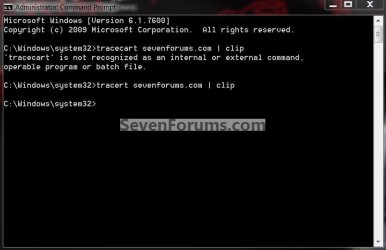
Yes, BFK . It is obviously possible what do you want. But at that situation there would be 14 separate images (as the no. of characters is 14 there in that text), and you have to arrange all them in a line properly. Difficult to you , and difficult to us, as well. But why I dont get any shadow till ?Perhaps I am using the .png format.

The last set I used in the snips. I dont have any "opaque shadow square" till. Either it is due to different file formats we are using, or I dont know at all.

I am getting offline now. BFK, please dont take it otherwise if I have shown any anger on you. I till believe that it is perfect :D

EDIT : BFK, please try the .png formet insted of .jpg format. It may be solved
 

Attachments

  • Capture1`.png
    Capture1`.png
    64.4 KB · Views: 10
  • CMD1.png
    CMD1.png
    9.3 KB · Views: 8

My Computer

Computer type
PC/Desktop
Computer Manufacturer/Model Number
Self Assembled
OS
Microsoft Windows 10 Pro Insider Preview 64-bit
CPU
Intel(R) Core(TM) i3-4130 CPU @ 3.40GHz
Motherboard
Gigabyte Technology Co., Ltd. B85M-D3H
Memory
Corsair Vengence 4GB x2 (8.00GB Dual-Channel DDR3 @ 798MHz)
Graphics Card(s)
2047MB GeForce GTS 450 (ZOTAC International)
Sound Card
Onboard (Realtek High Definition Audio)
Monitor(s) Displays
LG Flatron E2040T
Screen Resolution
1600x900
Hard Drives
Western Digital 1 TB
Seagate 500 GB
PSU
Corsair VS550
Case
Cooler Master K380
Cooling
Cooler Master Seidon 120V Plus
Keyboard
Logitech MK260r
Mouse
Logitech MK260r
Internet Speed
PMPL Broadband
Antivirus
Windows Defender + MBAM
Browser
Firefox
Other Info
Dell Studio 15" Laptop
Back
Top