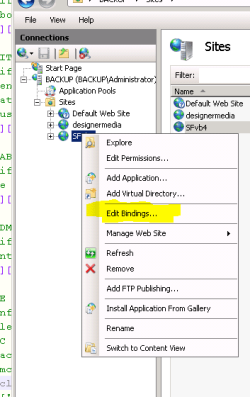
So ive set up IIS services on the computer with Windows 7 Ultimate 32bit.
1. Going to http://my-pc works fine and dandy
2. Next i hook up an address to my external IP "minecraft.pointto.us"
3. Next i portforwarded necessary ports in my network. (port checker confirms port 80 is open)
4. Next i unblock firewall for port 80 UDP and TCP
Thats when it gets tricky. When i try to access the website via the supplied url it says its not working (Or really not working as it should).
So what am i doing wrong? Can anyone help me troubleshoot?
1. Going to http://my-pc works fine and dandy
2. Next i hook up an address to my external IP "minecraft.pointto.us"
3. Next i portforwarded necessary ports in my network. (port checker confirms port 80 is open)
4. Next i unblock firewall for port 80 UDP and TCP
Thats when it gets tricky. When i try to access the website via the supplied url it says its not working (Or really not working as it should).
So what am i doing wrong? Can anyone help me troubleshoot?
Last edited:
My Computer
- Computer type
- PC/Desktop
- OS
- Windws 7 ultimate 64bit
- CPU
- Q9400 @3.2Ghz
- Motherboard
- EP45 UD3
- Memory
- Kingston HyperX 1066
- Graphics Card(s)
- GTX 295
- Monitor(s) Displays
- 24"
- Hard Drives
- 320GB seagate sata
- PSU
- 750 Watt
- Cooling
- Air
- Antivirus
- Vipre