
Roger Flemming
New member
- Local time
- 9:21 PM
- Messages
- 4
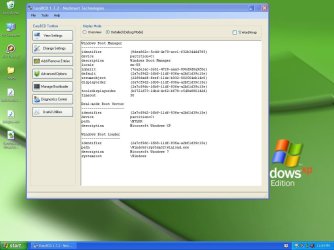
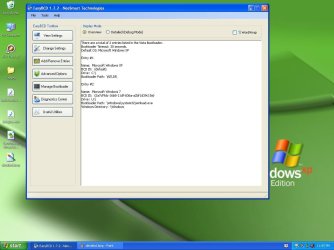
Hello. Ive never had much luck with hardware and this NOT turning out to be the exception. I have a brand new Dell Studio XPS with Windows 7. Need a dual boot to run Pro Tools on XP. I did manage at one point to get the Windows Boot Manager window to appear, with the option of logging into 7 and XP. This worked ok for XP, but when I tried to launch 7 I got a repair error that I couldnt get past. Last night I removed the 7 entry from EasyBCD, and added it back in, but now the Boot Screen doesnt appear and it goes directly into XP?
Screen Shots below:
Screen Shots below:
Attachments

My Computer
- Computer Manufacturer/Model Number
- Dell - Studio XPS Desktop with Intel® Core™ i7
- OS
- Microsoft Windows 7 Home Premium Edition 64-bit
- CPU
- Intel® Core™ i7-860 processor - 8MB cache and 2.8GHz
- Memory
- 8GB DDR3 memory
- Graphics Card(s)
- ATI Radeon HD5770
- Hard Drives
- 2 SATA 1TB drives


