Hi all, I'm having trouble installing drivers for a Canon S520 printer on a new machine with W7 Home Premium, SP1 (6.1.7601). I'm aware that this printer (and Canons in general) are sometimes a nightmare to install on W7, and I've checked out a number of solved threads without success.
The printer isn't detected when plugged in via USB (only port available, no serial), and no amount of installing seems to work - there's nothing on the Canon USA site, and the installer from Canon Europe doesn't do anything (even when running under Vista compatibility mode, as suggested).
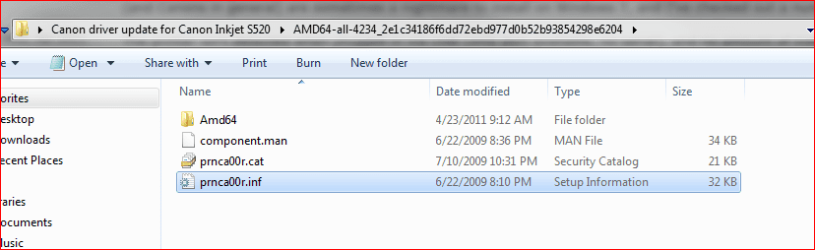
I've downloaded a set of drivers off Microsoft Update Catalogue, which has worked for someone else (in http://www.sevenforums.com/drivers/25242-canon-s520-printer-driver.html), but now I have a bunch of dlls, gpds etc, with no idea where to put them, as there's no installer as such. Can anyone help? I've been having dramas with this printer for about five years : P...ta!
The printer isn't detected when plugged in via USB (only port available, no serial), and no amount of installing seems to work - there's nothing on the Canon USA site, and the installer from Canon Europe doesn't do anything (even when running under Vista compatibility mode, as suggested).
I've downloaded a set of drivers off Microsoft Update Catalogue, which has worked for someone else (in http://www.sevenforums.com/drivers/25242-canon-s520-printer-driver.html), but now I have a bunch of dlls, gpds etc, with no idea where to put them, as there's no installer as such. Can anyone help? I've been having dramas with this printer for about five years : P...ta!
My Computer
- OS
- Windows 7 Home Premium


 rb: and type Device then click Device Manager