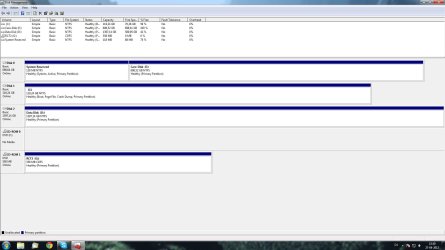
I've recently installed a Vertex 4 in my computer and along with that, my old primary HDD started to fail - So I copied all that I needed and formatted it in windows 7 via disk-management.
Earlier today I wanted to remove it from my PC, because I had no use for it but when I did, windows would not boot. I was told that it was because the MBR was stored on my "old" primary HDD and that I needed to run a Repair from the Win7-DVD, but the DVD is ofcource outdated and this would force me to reinstall Windows all over which is really the last resort I want to deal with.
Is there anything else I can do to fix it?
Earlier today I wanted to remove it from my PC, because I had no use for it but when I did, windows would not boot. I was told that it was because the MBR was stored on my "old" primary HDD and that I needed to run a Repair from the Win7-DVD, but the DVD is ofcource outdated and this would force me to reinstall Windows all over which is really the last resort I want to deal with.
Is there anything else I can do to fix it?
My Computer
- OS
- Windows 7 Ultimate x64
- CPU
- I7-930
- Motherboard
- Gigabyte X58A-UD3R
- Monitor(s) Displays
- 1920x1080
- Screen Resolution
- 1920x1080
- PSU
- Coolermaster Silent Pro 1000w
- Case
- Fractal Design R3
- Cooling
- Coolermaster V8
- Keyboard
- Razer Lycosa Nordic Edition
- Mouse
- Razor Mamba Cordless/Wired
- Internet Speed
- 10/2 Mbit