MDT Volmgr.sys error with Win7 x32

lizaoreo

New member
Local time
7:59 PM
Messages
4
I'm working on building a 32-bit Win7 image. For some reason it keeps giving us issues. We've been capturing it on a Win7 box, but once we move it to the server, it won't put the image down properly. (Note that the Win7 box used to capture doesn't have issues putting the image down, which is odd). The error I'm getting is:

Error said:
Windows failed to start. A recent hardware or software change might be the cause. To fix the problem:

blah blah blah

File: volmgr.sys
Status: 0xc00000098
Info: Windows failed to load because a required file is missing, or corrupt.
The error comes up after the image finishes the main push. Basically, we boot to the MDT screen, select all the options, it puts down the OS and injects drivers, etc... then it reboots. When it's supposed to boot into the OS, it stops dead in it's tracks.

I'm attaching the MDT logs. I can't make heads or tails of it.

Any help/suggestions would be appreciated.
 
Last edited:

My Computer My Computer

OS
Windows 7 Professional x64
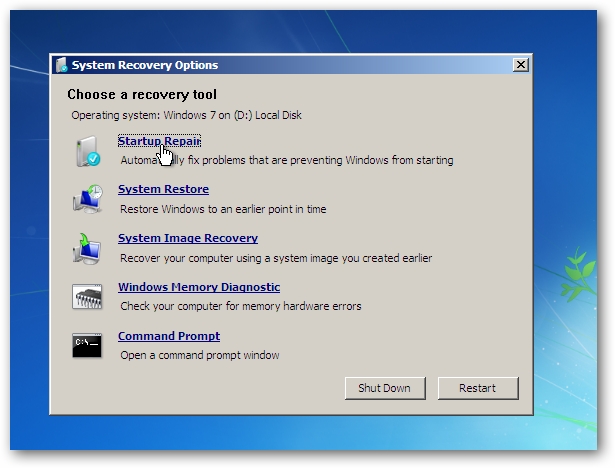
Troubleshoot Startup Problems with Startup Repair Tool in Windows 7 & Vista - How-To Geek


14srt.png


Also try "Repair" from 7 boot dvd.
Command Prompt > sfc /scannow.
 

My Computer My Computer

Computer Manufacturer/Model Number
ASUS
OS
Windows 7 x64
CPU
Core2Quad Q9400
Motherboard
ASUS P5Q EM Do
Memory
Corsair 8 Gb
Graphics Card(s)
EAH ATI 5870 1 Gb
Sound Card
Realtek HD 7.1
Monitor(s) Displays
ASUS 27"
Screen Resolution
1280 x 720
Hard Drives
Maxtor 320 x 2 RAID 0
PSU
650 W
Cooling
Zalman
Keyboard
Sweex Multimedia
Mouse
A4 Tech 2 wheels 5 buttons
Other Info
http://www.youtube.com/watch?v=nvJXlBH6yJI
No go on that one. While I can boot to the disk and all, when I click repair it tries to fix something and can't, then it won't let me run the sfc util without rebooting which just goes through and does the same thing. I'm not really interested in just fixing it, I really want to figure out what's happening and prevent it.
 

My Computer My Computer

OS
Windows 7 Professional x64
Restore from a backup if you have, or reinstall and make a backup.
 

My Computer My Computer

Computer Manufacturer/Model Number
ASUS
OS
Windows 7 x64
CPU
Core2Quad Q9400
Motherboard
ASUS P5Q EM Do
Memory
Corsair 8 Gb
Graphics Card(s)
EAH ATI 5870 1 Gb
Sound Card
Realtek HD 7.1
Monitor(s) Displays
ASUS 27"
Screen Resolution
1280 x 720
Hard Drives
Maxtor 320 x 2 RAID 0
PSU
650 W
Cooling
Zalman
Keyboard
Sweex Multimedia
Mouse
A4 Tech 2 wheels 5 buttons
Other Info
http://www.youtube.com/watch?v=nvJXlBH6yJI
We've tried rebuilding the image, but it does the same thing. I don't know if it's a corruption of the wim file or what. It wouldn't be a big deal to restore a backup or something if it was a handful of computers, but this is the image we use to roll out new machines and we roll out 40+ a week.
 

My Computer My Computer

OS
Windows 7 Professional x64
So no help? Should I have posted this one under the imaging and installation area?
 

My Computer My Computer

OS
Windows 7 Professional x64
Back
Top