

OK guys I got mediabrowser setup pretty nicely I really like it so far, pretty cool =P i made an icon for it downloaded the shortcut and everything and pin'd it to my bar.
Now there's just a few changes I wanna make to the whole operation =P
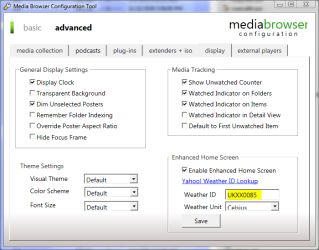
1. The time, in the top left it shows "London" but I'm in California lol and I cant find the freaking option to change it and I've been searching for quite some time, so I'm sure its some really easy fix I'm just missing.
2. When I click my shortcut is comes up with the "Windows media Center" intro and I was wondering if there was a way to change that or get rid of it so MediaBrowser would almost act as if it was its own stand alone program.
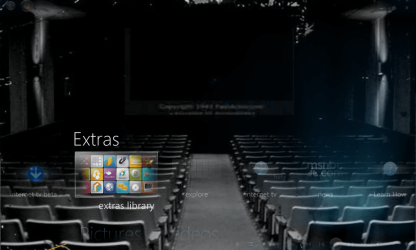
3. How do I change the background to the main menu for it?
Thanks and please get back to asap!
-Kukag!
Now there's just a few changes I wanna make to the whole operation =P
1. The time, in the top left it shows "London" but I'm in California lol and I cant find the freaking option to change it and I've been searching for quite some time, so I'm sure its some really easy fix I'm just missing.
2. When I click my shortcut is comes up with the "Windows media Center" intro and I was wondering if there was a way to change that or get rid of it so MediaBrowser would almost act as if it was its own stand alone program.
3. How do I change the background to the main menu for it?
Thanks and please get back to asap!
-Kukag!
Last edited by a moderator:
My Computer
- Computer Manufacturer/Model Number
- Custom
- OS
- Windows 7
- CPU
- AMD Phenom II X4 940 3.0 Stock
- Motherboard
- Gigabyte GA-MA78GM-S2H
- Memory
- G.SKILL DDR2 800 PI Black 4GB+Corsair XMS2 Xtrm Gaming 2GB
- Graphics Card(s)
- ASUS EN8800GT TOP (Fact OC)
- Monitor(s) Displays
- Optiquest 20" Flatscreen
- Screen Resolution
- 1680x1050
- Hard Drives
- Seagate 3.5' 7200RPM 750GB HDD
- PSU
- Antec NeoHE 550W
- Cooling
- Stock AMD Phenom HSF
- Keyboard
- Logitech G15
- Internet Speed
- Charter HighSpeed 10 Down / 5 Up


 + rep
+ rep