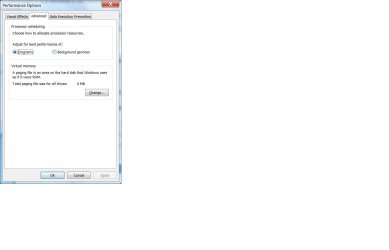
Memory management stress testing: Lol, I love 7

@DisplayName:

That being said, what's the optimal amount to allocate for virtual memory? Is "system managed" just fine or a custom size is better?
 

My Computer My Computer

At a glance

Windows 7 RCIntel Core 2 Duo E6550Kingston 2x1GB DDR2
OS
Windows 7 RC
CPU
Intel Core 2 Duo E6550
Motherboard
ASUS P5K-VM
Memory
Kingston 2x1GB DDR2
Sound Card
M-Audio Delta 1010LT
Monitor(s) Displays
LG Flatron EZ T710SH
Screen Resolution
1280x960
Hard Drives
1x1TB Western Digital
2x500GB Western Digital
PSU
Thermaltake TR2-430W
Keyboard
Natural Ergonomic Keyboard 4000
Mouse
Comfort OPtical Mouse 3000
Internet Speed
2Mb ADSL
Haha I love the first picture... how many programs is that in total?
 

My Computer My Computer

At a glance

Windows 7 Ultimate Build 7100
OS
Windows 7 Ultimate Build 7100
Good explaination on the PageFile, i have the same question as Djnx, i always thought that it was supposed to be 1.5x-2x your ram, probably less if you have a ton of ram..

i've got 2 gigs and mine is set to 2048-4096, too much?
 

My Computer My Computer

At a glance

Windows 7, RTM x64Core 2 Duo 1.8GHz2GBRadeon 4870
OS
Windows 7, RTM x64
CPU
Core 2 Duo 1.8GHz
Motherboard
Gigabyte P35-PS3R
Memory
2GB
Graphics Card(s)
Radeon 4870
Hard Drives
Over 1TB over 5 drives lol...
Other Info
It radiates BLUE lighting!!
I have 2 gb and I've set mine to 1000 mb. Been running like that for a month now with no problems. Before deciding I ran Pagefile Usage Monitor for a while and ran my computer under heavy load. The pagefile never went over about 600 mb.
 

My Computer My Computer

At a glance

Windows 7 64AMD Phenom II X4 Black Edition 9408 GBNvidia 8800GTS
OS
Windows 7 64
CPU
AMD Phenom II X4 Black Edition 940
Motherboard
Gigabyte GA-MA790X-UD3P
Memory
8 GB
Graphics Card(s)
Nvidia 8800GTS
Monitor(s) Displays
Benq G2420HDBL
Screen Resolution
1920x1080
Case
Lian-Li
Internet Speed
10/10 mb/s
I just checked how W7 set up virtual memory on my 4 GB x64 system and it automatically set the page file at 4030 (the same as my system ram).

Also would like to add my thanks to the poster earlier in this thread who gave the best explanation I have seen on the function of the page file and why it should be kept enabled in Vista and 7.
 

My Computer My Computer

At a glance

Windows 7 Ultimate x64 (Retail)i7-Q 7206 GBnVidia GeForce GT 230M (1GB)
Computer Manufacturer/Model Number
HP DV8t quad
OS
Windows 7 Ultimate x64 (Retail)
CPU
i7-Q 720
Motherboard
Motherboard Chipset Intel Ibex Peak-M PM55, Intel Lynnfield
Memory
6 GB
Graphics Card(s)
nVidia GeForce GT 230M (1GB)
Sound Card
IDT High Definition Audio CODEC
Monitor(s) Displays
18.4 inch HP Infinity FHD (Samsung 184HT03-001)
Screen Resolution
1920 x 1080
Hard Drives
Hitachi 500GB 7200 rpm (x2)
Seagate FreeAgent 1.5 TB External USB (x2)
Thermaltake BlacX eSATA/USB 2.0 3.5/2.5 HD dock
Cooling
Zalman NC-2000 notebook cooling pad
Keyboard
laptop
Mouse
Logitech VX Revolution
Other Info
Backup Unit: Lenovo T61p
Just use the page file monitor as mentioned before to decide an optimum size. Although, usually the default is just fine.

In my case, I just leave it at 2GB or at 1x RAM if higher. But, I keep minimum and maximum the same to avoid it getting fragmented.
 

My Computer My Computer

At a glance

Windows 7 Ultimate x64 RC (7100)
OS
Windows 7 Ultimate x64 RC (7100)
I read in the engineering blog that the W7 rc default PF size is automatically set at 100% of system ram. It's working fine for me. My machine has never been faster or more stable. I see no reason to change anything.
 

My Computer My Computer

At a glance

Windows 7 Ultimate x64 (Retail)i7-Q 7206 GBnVidia GeForce GT 230M (1GB)
Computer Manufacturer/Model Number
HP DV8t quad
OS
Windows 7 Ultimate x64 (Retail)
CPU
i7-Q 720
Motherboard
Motherboard Chipset Intel Ibex Peak-M PM55, Intel Lynnfield
Memory
6 GB
Graphics Card(s)
nVidia GeForce GT 230M (1GB)
Sound Card
IDT High Definition Audio CODEC
Monitor(s) Displays
18.4 inch HP Infinity FHD (Samsung 184HT03-001)
Screen Resolution
1920 x 1080
Hard Drives
Hitachi 500GB 7200 rpm (x2)
Seagate FreeAgent 1.5 TB External USB (x2)
Thermaltake BlacX eSATA/USB 2.0 3.5/2.5 HD dock
Cooling
Zalman NC-2000 notebook cooling pad
Keyboard
laptop
Mouse
Logitech VX Revolution
Other Info
Backup Unit: Lenovo T61p
Very good dialogue. One question

I have Windows 7 build 7100 with 2 gigs of memory . I disabled the Page File adn rebooted but task manager still shows substantial cached memory. Were is the OS caching this data?
 

My Computer My Computer

At a glance

Windows 7 Pro 64 bitAMD Dual Core2 gigs
Computer Manufacturer/Model Number
HP
OS
Windows 7 Pro 64 bit
CPU
AMD Dual Core
Memory
2 gigs
Screen Resolution
1400 x 900
Very good dialogue. One question

I have Windows 7 build 7100 with 2 gigs of memory . I disabled the Page File adn rebooted but task manager still shows substantial cached memory. Were is the OS caching this data?


JJ

It shows you where in system control panel. This isnt memory, its hard disk space set aside for when you need it. With inly 2 gigs of ram you need it.
 
Last edited:

My Computer My Computer

At a glance

Win 8 Release candidate 8400[email protected]4 gigsNvidia 9600M
Computer Manufacturer/Model Number
HP Pavillion dv-7 1005 Tx
OS
Win 8 Release candidate 8400
CPU
[email protected]
Memory
4 gigs
Graphics Card(s)
Nvidia 9600M
Sound Card
HD built-in
Monitor(s) Displays
17" Wxga
Screen Resolution
1440x900
Cooling
none
Internet Speed
45Mb down 5Mb up
Sorry but I did not quite understand your response. I have shut down virtual memory by setting the page file to zero. This is what shows in control panel


But when I look at task manager it continues to show cached memory
 

Attachments

  • controlpanel.jpg
    controlpanel.jpg
    34.7 KB · Views: 56
  • TaskManager.jpg
    TaskManager.jpg
    34.7 KB · Views: 56

My Computer My Computer

At a glance

Windows 7 Pro 64 bitAMD Dual Core2 gigs
Computer Manufacturer/Model Number
HP
OS
Windows 7 Pro 64 bit
CPU
AMD Dual Core
Memory
2 gigs
Screen Resolution
1400 x 900
Sorry but I did not quite understand your response. I have shut down virtual memory by setting the page file to zero. This is what shows in control panel


But when I look at task manager it continues to show cached memory

the page file is not (or related to) cache memory...
 

My Computer My Computer

At a glance

Windows 10 Pro (x64)Intel Core i7-3930K (3.2GHz - 4.5GHz)4x Samsung 4GB PC3-12800 DDR3 (16GB 1600MHz)Nvidia Geforce GTX 690
Computer type
PC/Desktop
Computer Manufacturer/Model Number
Alienware Aurora ALX R4
OS
Windows 10 Pro (x64)
CPU
Intel Core i7-3930K (3.2GHz - 4.5GHz)
Motherboard
Alienware Aurora-R4 x79
Memory
4x Samsung 4GB PC3-12800 DDR3 (16GB 1600MHz)
Graphics Card(s)
Nvidia Geforce GTX 690
Sound Card
SteelSeries Siberia Elite
Monitor(s) Displays
Dell UltraSharp U3011
Screen Resolution
2560x1600
Hard Drives
Samsung 850 Pro 256 GB, Seagate 1TB Desktop Hybrid HDD, 2x Western Digital 4TB Green HDD
PSU
875W Some Dell PSU <.<
Case
Alienware Aurora ALX
Cooling
Custom Liquid Cooling (EK CPU & GPU blocks) dual EK 480RAD
Keyboard
Logitech G710+ Mechanical
Mouse
Logitech G700s
Internet Speed
Verizon Fios (50 mbps average)
Other Info
Server: Intel NUC D54250WYK: i5-4250U, 16GB, 256 GB mSATA, Windows Server 2012 R2
Sorry but I did not quite understand your response. I have shut down virtual memory by setting the page file to zero. This is what shows in control panel


But when I look at task manager it continues to show cached memory
Disable SuperFetch and/or ReadyBoost to adjust this - highly NOT recommended.
 
Sorry but I did not quite understand your response. I have shut down virtual memory by setting the page file to zero. This is what shows in control panel


But when I look at task manager it continues to show cached memory

What is the aim - what would you like to accomplish?

As an aside, pagefiles are not synonymous with "virtual memory". You can run without pagefiles, though it's a misguided idea in the vast majority of cases, but you can never get rid of virtual memory. Those two concepts operate on different levels.

"Cached" in this context means physical memory used by the OS to predictively preload what it thinks you're likely to use next (superfetch).
 

My Computer My Computer

At a glance

Win7x64
Computer Manufacturer/Model Number
Multiple machines in various stages of decomposition.
OS
Win7x64
Back
Top