michaelsp9
Banned
- Local time
- 1:23 PM
- Messages
- 86
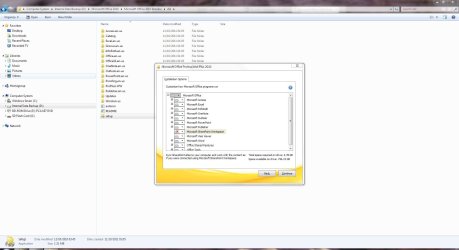
I was encountering annoying pop up messages when I ran SharePoint for the first time to see what it was. Ever since then it has been asking me for my username and password to a similar server used in my school board's computers. I manually uninstalled SharePoint but it didn't change anything. So I just tried to re-installed the complete Microsoft Office Professorial 2010. It kept giving me some error which I do not remember exactly but searching it on Google it was telling me that there were left over files on my PC after the uninstall. It told me to grant full permission for all users to the %temp% file and I did so. However, nothing changed in the re-installation.
I tried it again after a reboot again same error.
How do I fix this error when I "have left over files"?
I do not know where these files are or what they're called.
But actually looking in my %temp% folder they are a lot of weird files and folders I've
never seen before. (I go there quite often to mod my Minecraft.exe)
I tried it again after a reboot again same error.
How do I fix this error when I "have left over files"?
I do not know where these files are or what they're called.
But actually looking in my %temp% folder they are a lot of weird files and folders I've
never seen before. (I go there quite often to mod my Minecraft.exe)
My Computer
- Computer Manufacturer/Model Number
- Samsung R580
- OS
- Windows 7 Home Premium 32-bit .
- Memory
- 4 GB DDR3
- Graphics Card(s)
- NVidia Gefore Graphics