Hello All
I may have a issue with MSE i just finished a fresh build an installed windows 7 x64 it has been up for about a 2 weeks now, the install went smooth with no runs drips or errors till i installed MSE.
Right after installing MSE i updated the virus def's manually then did a full scan wich at the i figured that the defs were up to date since they were no flags she was runnin in the green.
Followed by updating defender an installing the latest ATI drivers an control center and finally running windows update installing everything that windows recomended except the 34 language packs.
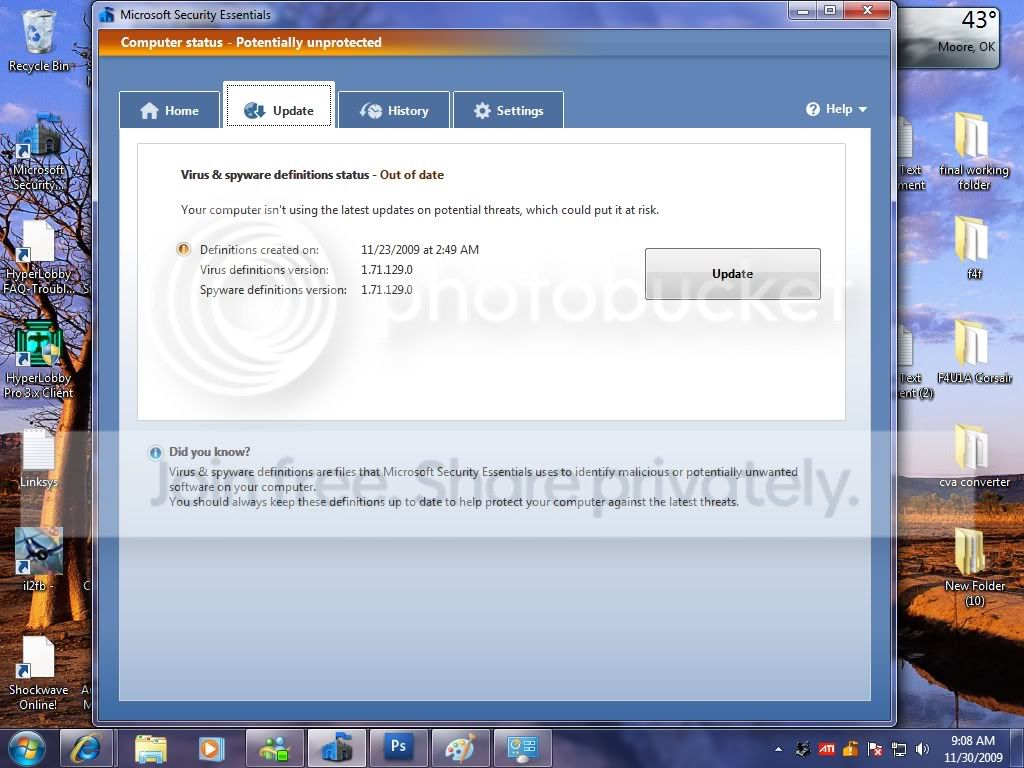
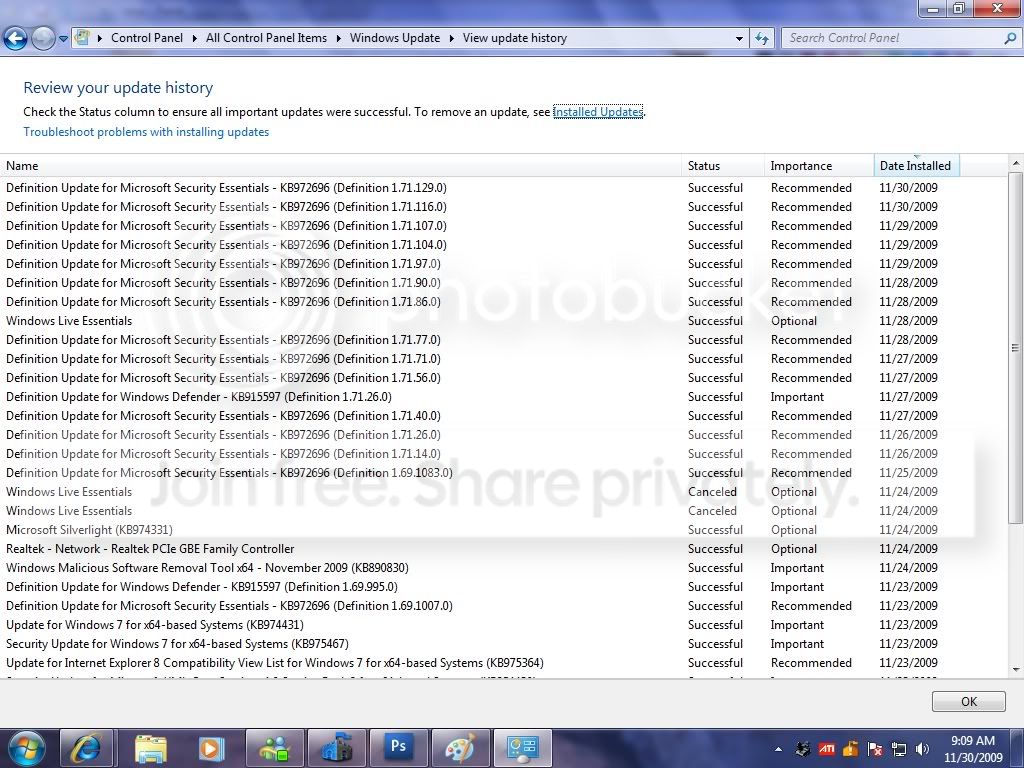
Now i did notice that MSE virus def's did update on auto the version number changed though it was below what was listed for download my protection status changed for a week now its been in a amber state as of tonight my defs version is 1.71.90.0 most updates have been manual an i have manually ran full scans after updates as well as let MSE do scheduled scans.
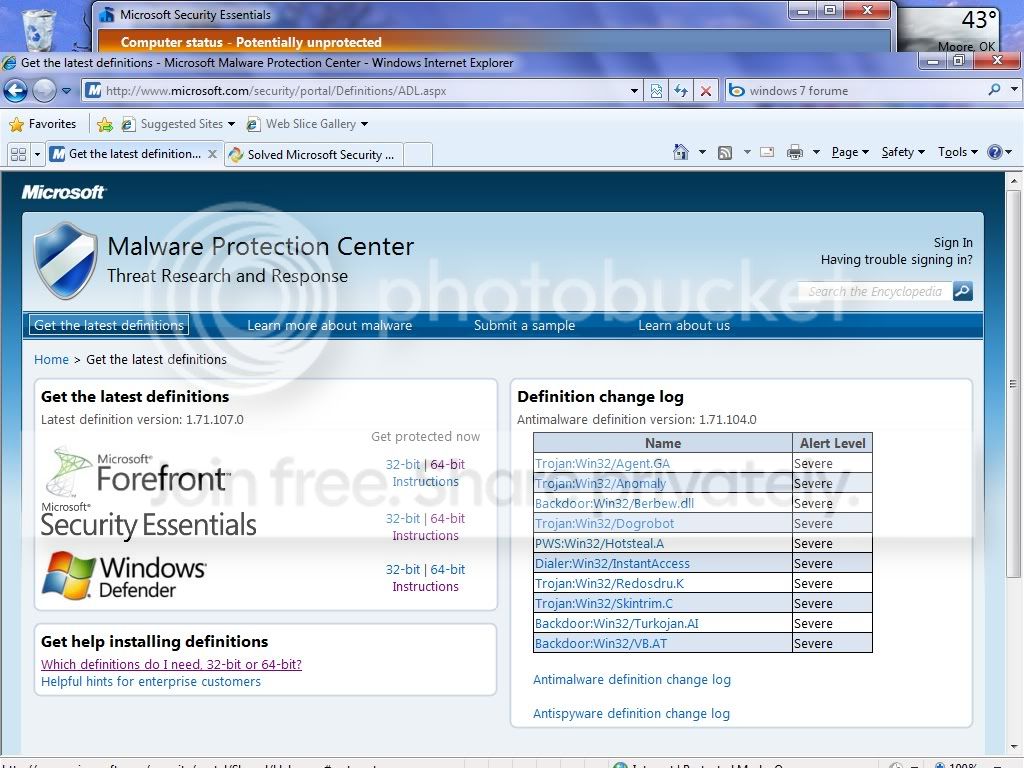
According to the Malware protection center 1.71.90.0 are the latest defs , i just finnished a full system scan an reboot an windows update an MSE still are flagging that the defs are out of date and that im potentialy un protected.
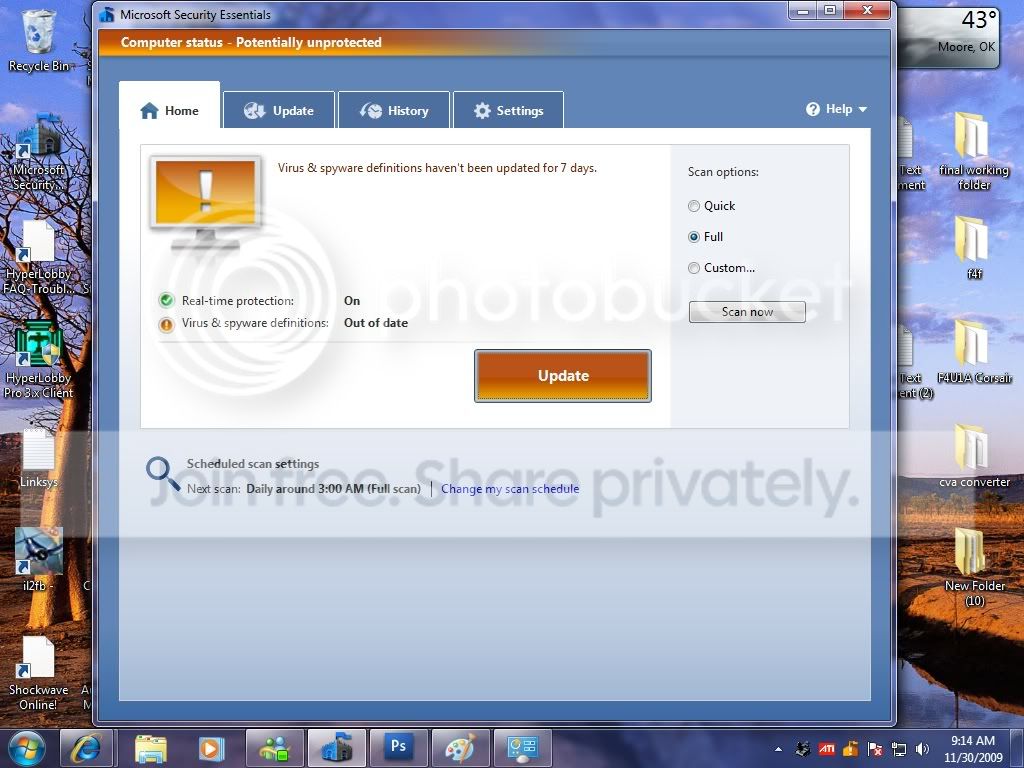
My scheduled scan settings are daily,around 2:00am,full scan.
default action settings are all recomended an the tic box checked.
real time protection all tic boxes are checked.
No excluded files & locations ,file types ,and file processes are listed.
Tic boxes under advanced are all checked.
Microsoft spynet is set to basic membership.
Windows update is set to install recomended updates , daily at 2:00am and all the tic boxes checked.
windows defender automatic scan settings daily 5:00am,full
default actions are set to recomended and all tic boxes checked.
real time protection all tic boxes are checked.
No excluded files & locations ,file types are listed.
Tic boxes under advanced are all checked.
Administrator use this program is checked.
Do i need to disable defender is it possible that its conflicting with MSE causing MSE to show that the defs are out of date an havent been updated for 7 days?
defenders defs are 1.71.26.0 an appear to be older now.
according to my update history on 11/26/2009 both Defender an MSE had the same version of defs 1.71.26.0 and now MSE has been updated six more times and is at version 1.71.90.0 MSE is in a amber state with a potentially protected warning and Windows Defender is in a green state.
This is actually my second install of MSE i removed the first due to its update status going from green full protected to amber after the first update.
The action center is flagging two messages one for maintainence calling for a back up and the other is MSE the anti virus def's are out of date,if i do a manual update thru the action center or directly thru MSE sometimes the progress bar only gets 1/4 the way thru an others it will go all the way and reflect a change of def's.
I must say i like the way MSE runs in the back ground as it dosent appear to be a resource hogg like some other protection services, it appears that MSE is out to lunch on the updates.
Regards
Straw
I may have a issue with MSE i just finished a fresh build an installed windows 7 x64 it has been up for about a 2 weeks now, the install went smooth with no runs drips or errors till i installed MSE.
Right after installing MSE i updated the virus def's manually then did a full scan wich at the i figured that the defs were up to date since they were no flags she was runnin in the green.
Followed by updating defender an installing the latest ATI drivers an control center and finally running windows update installing everything that windows recomended except the 34 language packs.
Now i did notice that MSE virus def's did update on auto the version number changed though it was below what was listed for download my protection status changed for a week now its been in a amber state as of tonight my defs version is 1.71.90.0 most updates have been manual an i have manually ran full scans after updates as well as let MSE do scheduled scans.
According to the Malware protection center 1.71.90.0 are the latest defs , i just finnished a full system scan an reboot an windows update an MSE still are flagging that the defs are out of date and that im potentialy un protected.
My scheduled scan settings are daily,around 2:00am,full scan.
default action settings are all recomended an the tic box checked.
real time protection all tic boxes are checked.
No excluded files & locations ,file types ,and file processes are listed.
Tic boxes under advanced are all checked.
Microsoft spynet is set to basic membership.
Windows update is set to install recomended updates , daily at 2:00am and all the tic boxes checked.
windows defender automatic scan settings daily 5:00am,full
default actions are set to recomended and all tic boxes checked.
real time protection all tic boxes are checked.
No excluded files & locations ,file types are listed.
Tic boxes under advanced are all checked.
Administrator use this program is checked.
Do i need to disable defender is it possible that its conflicting with MSE causing MSE to show that the defs are out of date an havent been updated for 7 days?
defenders defs are 1.71.26.0 an appear to be older now.
according to my update history on 11/26/2009 both Defender an MSE had the same version of defs 1.71.26.0 and now MSE has been updated six more times and is at version 1.71.90.0 MSE is in a amber state with a potentially protected warning and Windows Defender is in a green state.
This is actually my second install of MSE i removed the first due to its update status going from green full protected to amber after the first update.
The action center is flagging two messages one for maintainence calling for a back up and the other is MSE the anti virus def's are out of date,if i do a manual update thru the action center or directly thru MSE sometimes the progress bar only gets 1/4 the way thru an others it will go all the way and reflect a change of def's.
I must say i like the way MSE runs in the back ground as it dosent appear to be a resource hogg like some other protection services, it appears that MSE is out to lunch on the updates.
Regards
Straw
My Computer
- Computer Manufacturer/Model Number
- Custom build
- OS
- Windows 7 Ultimate X64
- CPU
- amd phenom ll x4 965 Black Edition overclocked
- Motherboard
- ECS A790GXM-AD3
- Memory
- GSKILL 16GB
- Hard Drives
- veloci raptor
- PSU
- Rosewill extreme 950 watt
- Case
- HAF 932
- Cooling
- vapo chill
- Internet Speed
- cable