Microsoft Service Causing Permanent "Spinning Wheel" Cursor

davidkain

New member
Local time
5:24 PM
Messages
6
Hi there,

I recently migrated my OS to an SSD using Samsung's included migration software. After the migration, everything worked great except that I now have the "thinking" mouse cursor permanently, starting about 15 seconds after startup.

I stopped all services and the spinning wheel went away, so I narrowed it down to one of those (and further to one of the many "Microsoft" services), but I can't for the life of me figure out which one. Is there a way to repair them all without doing a full windows reinstall? Or, is there another option I'm not aware of?

Appreciate any help/advice!
 

My Computer My Computer

Computer type
PC/Desktop
Computer Manufacturer/Model Number
custom
OS
Windows 7 Home Premium 64 bit SP 1
disable one service at a time until the circle goes away, it may take a while but you will get tere in the end.
 

My Computer My Computer

Computer type
Laptop
Computer Manufacturer/Model Number
Dell
OS
Windows 7 Enterprise x64
CPU
Intel i5 Dual Core
Screen Resolution
1366x768
Keyboard
built in Keyboard
Antivirus
System Centre Endpoint Protection
Browser
Google Chrome, Firefox and Internet Explorer
I seriously doubt it is Microsoft Services causing this problem.
I would check NON Microsoft Services.

Services.JPG
 

My Computer My Computer

Computer type
PC/Desktop
Computer Manufacturer/Model Number
Home made Desktop
OS
Windows 10 Pro. 64/ version 1709 Windows 7 Pro/64
CPU
Intel i7-6800K @ 4.3
Motherboard
ASUS X-99 Deluxe II
Memory
Corsair Platinum 16 gig @2400
Graphics Card(s)
EVGA GTX 1070 OC
Monitor(s) Displays
Asus 27" LED LCD/VE278Q
Screen Resolution
1920-1080 or 1280-720 HDMI
Hard Drives
INTEL SSD 730-240 Gb Sata 3.0/
PSU
EVGA Platium 1200W
Case
Phanteks Luxe Tempered Glass 8 fans/ one radiator
Cooling
XSPC/ Water Cooled CPU
Keyboard
Das 4 Professional
Mouse
Logitech M705/MX Anywhere 2-S
Internet Speed
100 mbits
Antivirus
Microsoft Security Essentials/ Malwarebytes Premium 3.0/ SAS
Browser
I.E. 11 default/Firefox/ ISP Time Warner Cable/Spectrum
Other Info
LG BluRay Burner/
Sound system-KLipsch-THX/
Icy Dock ssd Hot Swap bays.
Thanks for replying!

Layback Bear

I seriously doubt it is Microsoft Services causing this problem.
I would check NON Microsoft Services.

I disabled all non-Microsoft Services, leaving only MS services active, and the spinning wheel continues.


Hacb

disable one service at a time until the circle goes away, it may take a while but you will get tere in the end.

I tried this once before, but a few I wasn't able to stop. I suspect it's one of those.

Once I do identify the culprit, how do I repair the faulty service? I'm assuming if I was unable to stop it before, it's important.
 

My Computer My Computer

Computer type
PC/Desktop
Computer Manufacturer/Model Number
custom
OS
Windows 7 Home Premium 64 bit SP 1
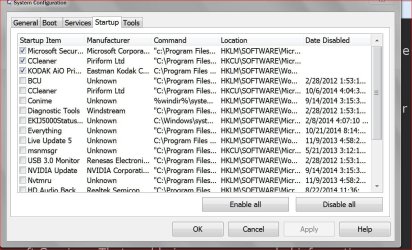
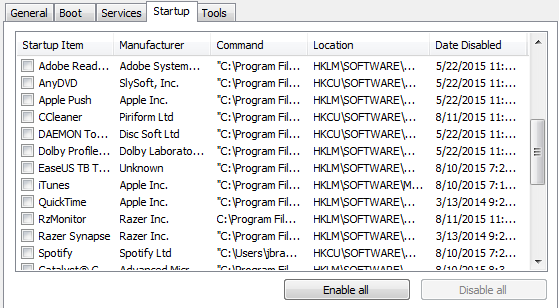
Please post these from your computer.

Services.JPG

Start Ups.JPG

It could also be hiding in M/S Services. Take a look. Sometime bad things will plant themselves in M/S Services.
 

My Computer My Computer

Computer type
PC/Desktop
Computer Manufacturer/Model Number
Home made Desktop
OS
Windows 10 Pro. 64/ version 1709 Windows 7 Pro/64
CPU
Intel i7-6800K @ 4.3
Motherboard
ASUS X-99 Deluxe II
Memory
Corsair Platinum 16 gig @2400
Graphics Card(s)
EVGA GTX 1070 OC
Monitor(s) Displays
Asus 27" LED LCD/VE278Q
Screen Resolution
1920-1080 or 1280-720 HDMI
Hard Drives
INTEL SSD 730-240 Gb Sata 3.0/
PSU
EVGA Platium 1200W
Case
Phanteks Luxe Tempered Glass 8 fans/ one radiator
Cooling
XSPC/ Water Cooled CPU
Keyboard
Das 4 Professional
Mouse
Logitech M705/MX Anywhere 2-S
Internet Speed
100 mbits
Antivirus
Microsoft Security Essentials/ Malwarebytes Premium 3.0/ SAS
Browser
I.E. 11 default/Firefox/ ISP Time Warner Cable/Spectrum
Other Info
LG BluRay Burner/
Sound system-KLipsch-THX/
Icy Dock ssd Hot Swap bays.
It's likely not a service at all. Services are programs specifically designed to have NO interaction with the user, changing the pointer is clearly a problem for them. Since Vista, that restriction is much more enforced than in earlier versions.

I would look first in startup programs, both in registry and start menu. I think something bad may be hiding there.
 

My Computer My Computer

Computer type
Laptop
Computer Manufacturer/Model Number
Toshiba Sattelite A665-S6092
OS
Windows 7 Ultimate x64
CPU
Intel Core i7-740QM
Memory
8 GB DDR3
Graphics Card(s)
NVIDIA GeForce 330GT
Screen Resolution
1366x768
Hard Drives
Samsung 840 SSD 500GB
1TB USB3 external HD
Cooling
Coolermaster Notepal U3 notebook cooling pad
Internet Speed
3mbps ASDL
Antivirus
ClamWin 0.98.7
Browser
Opera 12.17 x86 (main), Firefox 38 (sec), IE11 (last resort)
Hi Layback Bear,

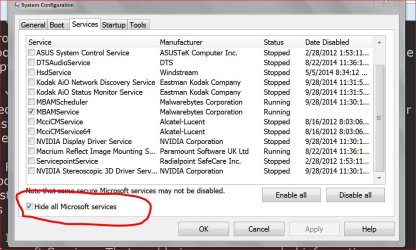
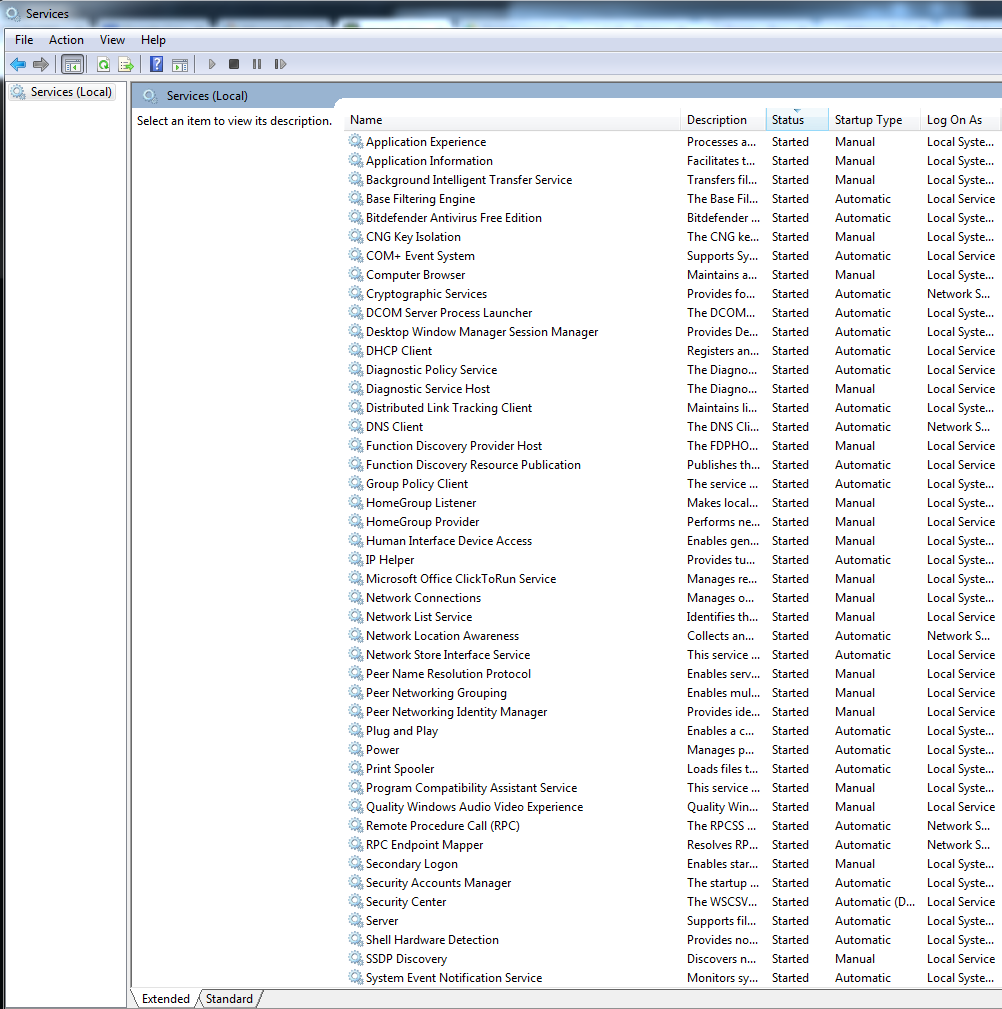
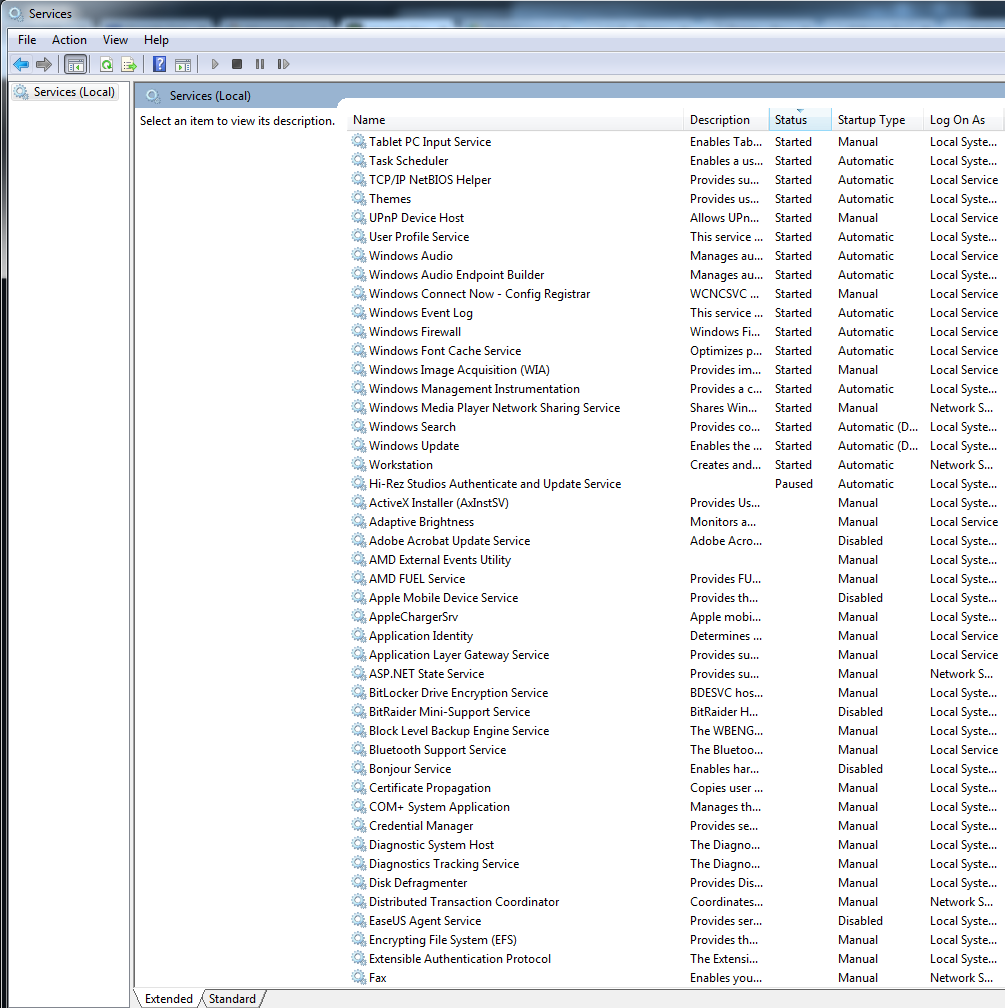
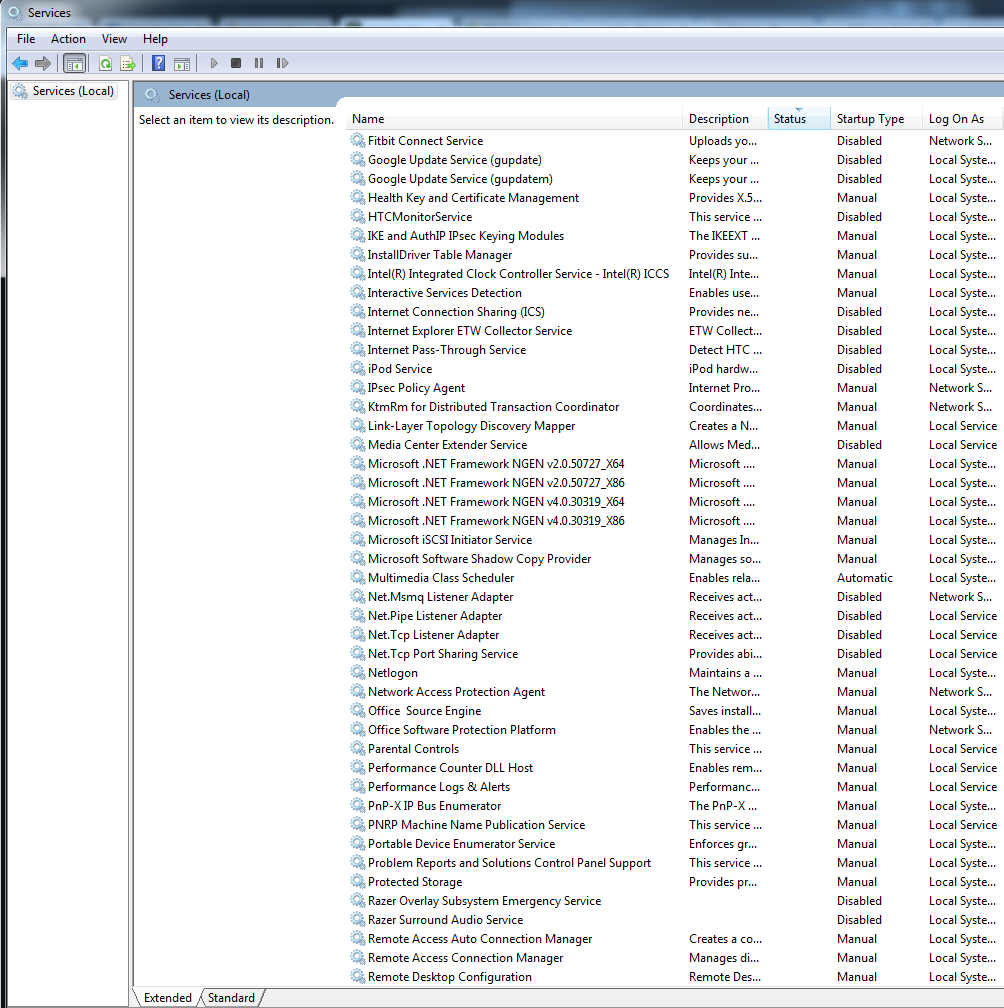
Here are the screencaps you mentioned. All disabled, but the spinning wheel spins on.

Also have an imgur album link here in case the below don't work: services troubleshoot - 20150814 - Album on Imgur

EKUc7Uc.png

Hstcrdr.png

Ds76ujp.png

KiRnmMj.png

5cAshKt.png


I didn't see anything that looks off in the MS services, but I'm also not entirely sure what look out for.

Thank you!
 

My Computer My Computer

Computer type
PC/Desktop
Computer Manufacturer/Model Number
custom
OS
Windows 7 Home Premium 64 bit SP 1
My Computer My Computer

Computer type
PC/Desktop
Computer Manufacturer/Model Number
Home made Desktop
OS
Windows 10 Pro. 64/ version 1709 Windows 7 Pro/64
CPU
Intel i7-6800K @ 4.3
Motherboard
ASUS X-99 Deluxe II
Memory
Corsair Platinum 16 gig @2400
Graphics Card(s)
EVGA GTX 1070 OC
Monitor(s) Displays
Asus 27" LED LCD/VE278Q
Screen Resolution
1920-1080 or 1280-720 HDMI
Hard Drives
INTEL SSD 730-240 Gb Sata 3.0/
PSU
EVGA Platium 1200W
Case
Phanteks Luxe Tempered Glass 8 fans/ one radiator
Cooling
XSPC/ Water Cooled CPU
Keyboard
Das 4 Professional
Mouse
Logitech M705/MX Anywhere 2-S
Internet Speed
100 mbits
Antivirus
Microsoft Security Essentials/ Malwarebytes Premium 3.0/ SAS
Browser
I.E. 11 default/Firefox/ ISP Time Warner Cable/Spectrum
Other Info
LG BluRay Burner/
Sound system-KLipsch-THX/
Icy Dock ssd Hot Swap bays.
Layback Bear

I and many other members will not go off site to see information.
Please post using the forums methods so I can see things.
Others may or may not agree with my request.

services menu: Services menu - 20150814 - Album on Imgur is a NO GO for me.

Makes sense to me, apologies for posting the outside link. Here are the images from that album:

rmgfMHm.png

wi62i80.png

wMtow4B.png

ybEXJHh.png


This little tutorial by Brink could show you what is causing your 15 sec delay.

http://www.sevenforums.com/tutorials...n-startup.html

Thanks! I will try this and report back.

Thanks again for taking the time to help me.
 

My Computer My Computer

Computer type
PC/Desktop
Computer Manufacturer/Model Number
custom
OS
Windows 7 Home Premium 64 bit SP 1
No luck with Brink's guide, unfortunately. I followed his instructions to perform a clean startup, but the spinning mouse remains.

I also tried starting up with all services enabled (on a lark). No luck there either.
 

My Computer My Computer

Computer type
PC/Desktop
Computer Manufacturer/Model Number
custom
OS
Windows 7 Home Premium 64 bit SP 1
Back
Top