Guys, Good News!
All the time and effort invested in prepping up my aging Seagate HDD for cloning finally paid off last night..
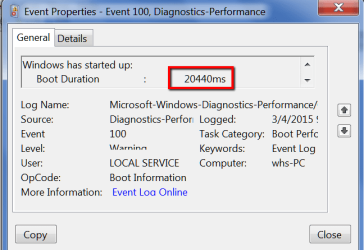
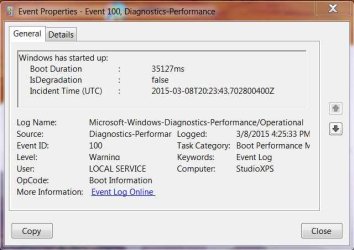
After trying the SSD included 'Samsung Migration' software one last time last night without success, I then decided to leave 'AOMEI Partition Assistant Standard' running over night, and this morning to my surprise it cloned everything from my drive C:\ [OS] without any errors what so ever, swapped out the old Seagate HDD and installed the SSD on the same SATA Port and everything works without any issues, all Libraries are located on drive D:\ as before and the boot-up takes about 30 seconds now, one a good day it took this PC at least 5 minutes to boot before; This PC only supports SATA 2, I wonder how much faster this SSD would be running on a a SATA 3 port.
All I need to do now is clean-up all the testing log files left behind from the old HDD recovery, etc, and look into upgrading the memory on this PC, after that this PC should be good to go until Windows 10 comes around...
I want to thank you all for the help and input, especially Gregrocker for pointing me to the Seagate's 'Seatools for DOS' tool, I think that scan is what saved the day for me, I'll also keep the Win7 reinstall tutorial link handy in a bookmark just in case..LOL. and thanks to VerKy for turning me on to that AOMEI Cloning software that was able to read the repaired HDD.

All the time and effort invested in prepping up my aging Seagate HDD for cloning finally paid off last night..
After trying the SSD included 'Samsung Migration' software one last time last night without success, I then decided to leave 'AOMEI Partition Assistant Standard' running over night, and this morning to my surprise it cloned everything from my drive C:\ [OS] without any errors what so ever, swapped out the old Seagate HDD and installed the SSD on the same SATA Port and everything works without any issues, all Libraries are located on drive D:\ as before and the boot-up takes about 30 seconds now, one a good day it took this PC at least 5 minutes to boot before; This PC only supports SATA 2, I wonder how much faster this SSD would be running on a a SATA 3 port.
All I need to do now is clean-up all the testing log files left behind from the old HDD recovery, etc, and look into upgrading the memory on this PC, after that this PC should be good to go until Windows 10 comes around...
I want to thank you all for the help and input, especially Gregrocker for pointing me to the Seagate's 'Seatools for DOS' tool, I think that scan is what saved the day for me, I'll also keep the Win7 reinstall tutorial link handy in a bookmark just in case..LOL. and thanks to VerKy for turning me on to that AOMEI Cloning software that was able to read the repaired HDD.
My Computer
At a glance
Windows 7 Home Premium Edition SP1 64 bitIntel i7-920 2.66 GHZ6 Gig DDR3 @ 1066 MHZATi Radeon HD 5770 - 1GB GDDR5
- Computer type
- PC/Desktop
- Computer Manufacturer/Model Number
- Dell Studio XPS 9000
- OS
- Windows 7 Home Premium Edition SP1 64 bit
- CPU
- Intel i7-920 2.66 GHZ
- Motherboard
- Intel
- Memory
- 6 Gig DDR3 @ 1066 MHZ
- Graphics Card(s)
- ATi Radeon HD 5770 - 1GB GDDR5
- Sound Card
- M-Audio AudioPhile 24/96
- Monitor(s) Displays
- Dell_ST2310_Digital
- Screen Resolution
- 1920 x 1080(p) (60.000Hz)
- Hard Drives
- Samsung 250 Gb SDD 850 EVO,
Hitachi 1TB 7200/RPM, External Seagate 1TB 7200 RPM
- PSU
- Corsair 650 Watt
- Mouse
- Logitech Wireless MX Revolution
- Antivirus
- Windows Defender
- Browser
- Firefox