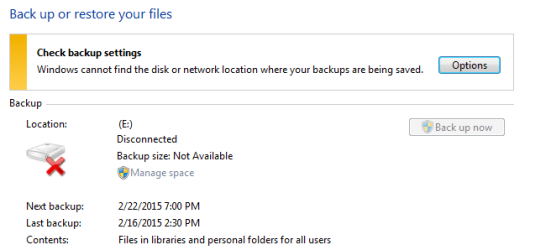
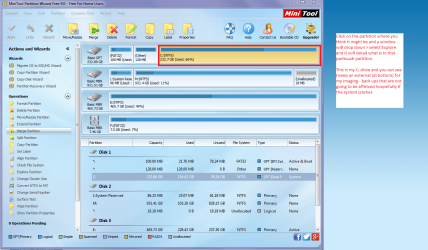
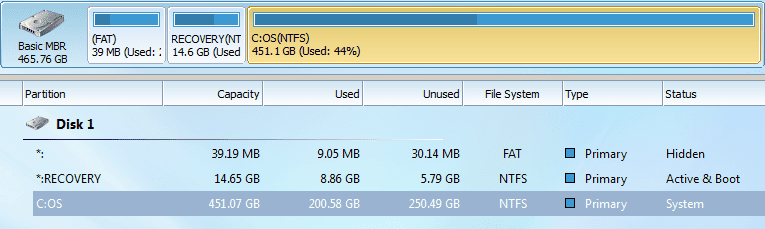
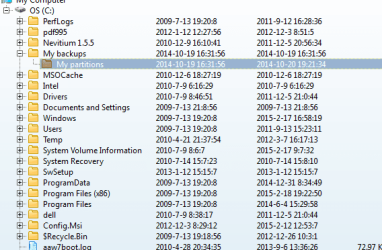
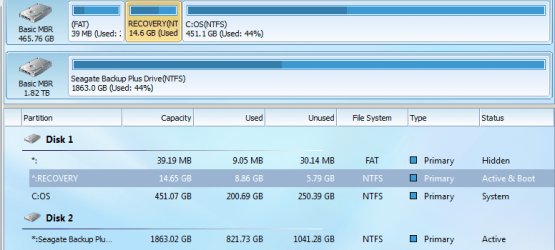
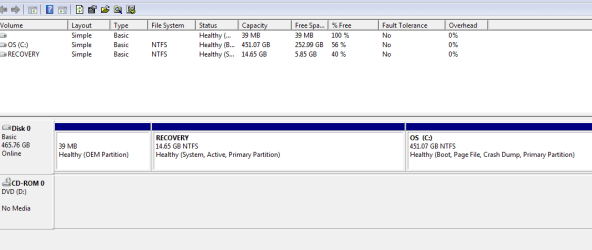
"Windows cannot find the disk or network where backups are being saved" is what control panel/backup states. Although I do have a recovery point (and hopefully it works), is the above error significant? I am not sure if it has anything to do with partitioning, but I will include some images.
Thanks
One other Desktop (tester) and spare Toshba laptop both with SSD's
Running Kaspersky 2016 ISS on all machines config'd identically
Logitec audio stereo systems on each machine (x3)
Canon MG5250MFC
Router/modem TP-Link running WPA2SK
I do have an external Seagate, and my file screenshot shows I have space for recovery. I was just wondering if it is also important to have a backup on a different drive on the hardrive (is this a partition?); what happened to my E drive that I had before?
Do you still need the screenshot of Free Partition Manager?
Hmm Sverne mate the recovery I am not sure what that is and screenshot I cannot see any second drive.
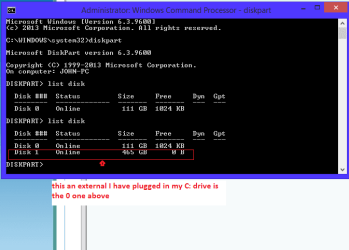
Now you could use DSIKPART to look see if the drive is listed.
So you need to go to the command prompt > run as admin > type DISKPART > list disk it then wil show what drives are hooked up and if the external is connected it should be seen as disk 1 or 2 or something like that the C: drive is usually listed as 0.
Now if it is listed there then the Partition Wizard should "see" it a screenshot of that would be good.
My Computer
Computer type
PC/Desktop
Computer Manufacturer/Model Number
Own build (new) Desk1 / Asus ROG Win 7 / Desk2 1st build
OS
Desk1 7 Home Prem / Desk2 10 Pro / Main lap Asus ROG 10 Pro 2 laptop Toshiba 7 Pro Asus P2520 7 & 10
One other Desktop (tester) and spare Toshba laptop both with SSD's
Running Kaspersky 2016 ISS on all machines config'd identically
Logitec audio stereo systems on each machine (x3)
Canon MG5250MFC
Router/modem TP-Link running WPA2SK
Ok mate now try that again with the drive hooked up. It should show as drive 1 or 2 because your main OS drive is almost always drive 0 as in your pic. see mine
Attachments
DISKPART 3.PNG
8.4 KB
· Views: 6
My Computer
Computer type
PC/Desktop
Computer Manufacturer/Model Number
Own build (new) Desk1 / Asus ROG Win 7 / Desk2 1st build
OS
Desk1 7 Home Prem / Desk2 10 Pro / Main lap Asus ROG 10 Pro 2 laptop Toshiba 7 Pro Asus P2520 7 & 10
One other Desktop (tester) and spare Toshba laptop both with SSD's
Running Kaspersky 2016 ISS on all machines config'd identically
Logitec audio stereo systems on each machine (x3)
Canon MG5250MFC
Router/modem TP-Link running WPA2SK
Mmm I can't see that E: in that shot but if the drive is being picked then you are good to go. I am just curious as to why the first partition is formatted FAT?? anyway to see what is in there just right click on the partition and then left click Explore it will list out stuff that is there.
Not really topic related but if you want some more out of the machine have a read of my favourite and always used tutorial.
One other Desktop (tester) and spare Toshba laptop both with SSD's
Running Kaspersky 2016 ISS on all machines config'd identically
Logitec audio stereo systems on each machine (x3)
Canon MG5250MFC
Router/modem TP-Link running WPA2SK