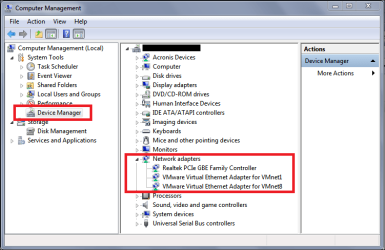
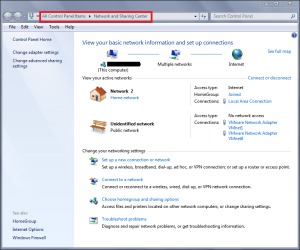
A few years ago my network connector (the one built into the motherboard) quit working. I had a network card, the type you install into an expansion slot in the back of the computer, which I installed. I can't remember if I had a driver on a disk or if it was just recognized by the computer, but it worked when I did a restart. Since then, every time I restart I get a message that there is no internet connection and I have to physically change the Ethernet cable on the back of my computer between the two ports. I've tried just unplugging and re-plugging the cable from the back of the modem, or from whichever port I have it plugged into on the back of my computer, but that does not work. I have to actually change to the other port. I've done half a dozen clean installs of the operating system (Vista with a 7 upgrade) without change.
Since I rarely shut down my computer, it's only a problem once a week when I go through the automatic update/restart scheduled. I've put up with this for 2-3 years and it works every time, but I've relocated my CPU and now instead of just tilting it forward and switching ports I have to crawl under my desk with a flashlight. I'm getting too old for that. Surely there's a simple fix?
Thanks
Since I rarely shut down my computer, it's only a problem once a week when I go through the automatic update/restart scheduled. I've put up with this for 2-3 years and it works every time, but I've relocated my CPU and now instead of just tilting it forward and switching ports I have to crawl under my desk with a flashlight. I'm getting too old for that. Surely there's a simple fix?
Thanks
My Computer
- Computer type
- PC/Desktop
- Computer Manufacturer/Model Number
- Velocity Micro (Custom Build)
- OS
- Windows 7 Home Premium 32bit
- CPU
- Intel Core2 CPU 6700 @ 2.66Hz 2.67GHz
- Motherboard
- ASUS P5N-E SLI
- Memory
- 4 GB RAM
- Hard Drives
- 1 X 500 Gb
1 X 1000 Gb
- Antivirus
- Microsoft Security Essentials
- Browser
- Explorer 11