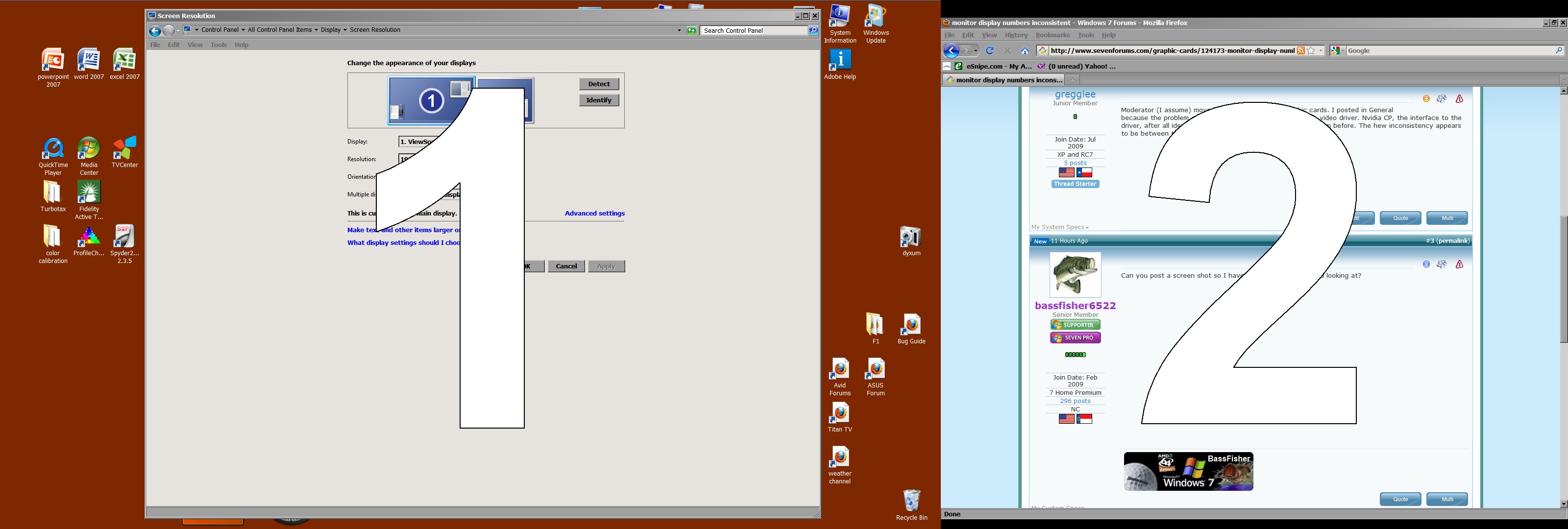
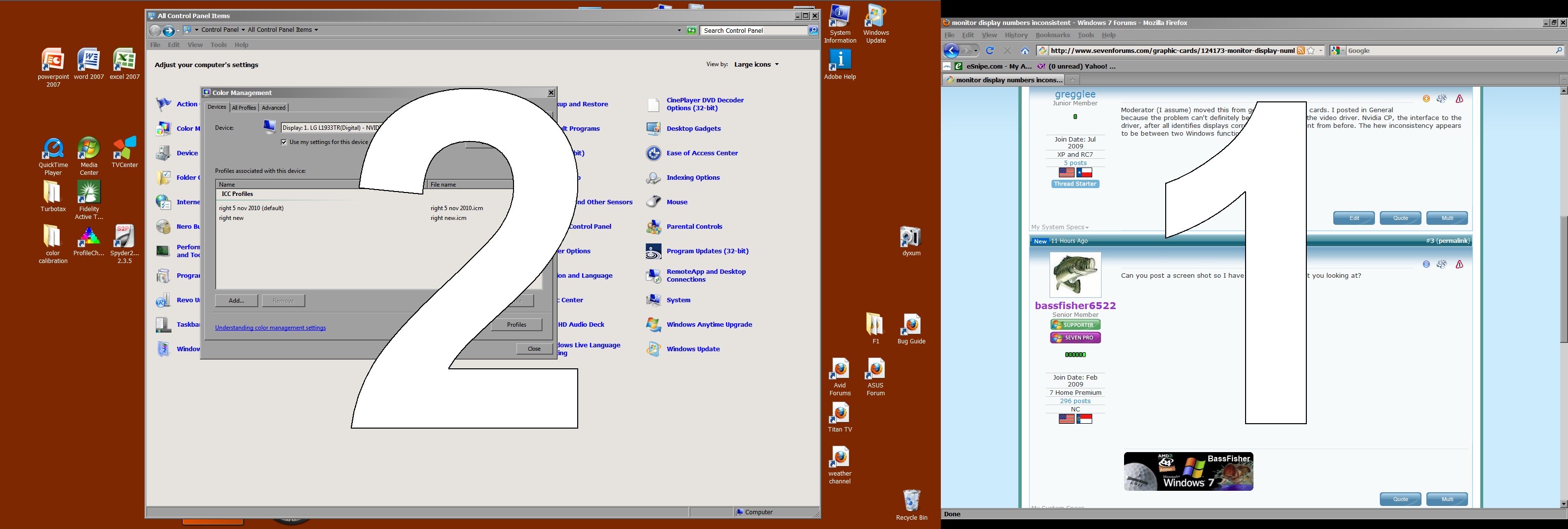
In Windows CP Display Settings (and in Nvidia CP) my left/main display is 1 and right is 2. In Windows CP Color Management the left is 2 and the right is 1. I would ignore this except that at least a couple applications now open on opposite displays. One is a monitor color calibration program (which also identifies them reversed) and the other a Raw Image Converter. And I don't trust that the calibration program loads the profiles separately.
This happened after I reinstalled Nvidia video drivers trying to fix random bsod from firefox and IE8 - which seems to have worked.
Are there any easy ways to get windows color calibration back in agreement with windows display settings.
Last edited:
My Computer
Computer Manufacturer/Model Number
Built from components
OS
Windows 7 Home Premium X64 SP1
CPU
AMD phenom II X6 1090T @3750mhz
Motherboard
Asus M4A87D EVO nb and ht @2600mhz
Memory
2 x 4GB Corsair CMX8GX3M2A1600C9 1600mhz
Graphics Card(s)
Nvidia Quadro FX 1800
Sound Card
on board VIA Technologies
Monitor(s) Displays
primary Viewsonic VP2365wb IPS, secondary LG L1933TR
Screen Resolution
p 1920x1080 s 1280x1024 or 1920x1080 depending on sys
Moderator (I assume) moved this from general to graphic cards. I posted in General because the problem can't definitely be placed solely on the video driver. Nvidia CP, the interface to the driver, after all identifies displays correctly and no different from before. The hew inconsistency appears to be between two Windows functions.
My Computer
Computer Manufacturer/Model Number
Built from components
OS
Windows 7 Home Premium X64 SP1
CPU
AMD phenom II X6 1090T @3750mhz
Motherboard
Asus M4A87D EVO nb and ht @2600mhz
Memory
2 x 4GB Corsair CMX8GX3M2A1600C9 1600mhz
Graphics Card(s)
Nvidia Quadro FX 1800
Sound Card
on board VIA Technologies
Monitor(s) Displays
primary Viewsonic VP2365wb IPS, secondary LG L1933TR
Screen Resolution
p 1920x1080 s 1280x1024 or 1920x1080 depending on sys
I know this thread is old, but I'm getting frantic trying to find the solution myself - did you ever resolve it?
My case is a little different, I'm using a TV with the computer, and the display numbers keep jumping between the TV and the monitor as the TV (well, the AVR) is switched on and off - makes it hard to open video files on the right device.
I had the exact same problem. Try switching the cables on the GPU, which didn't work for me. Then update the driver for the GPU, which didn't work for me either. The only fix that worked for me was a re-install. Not what you wanted to here..I know.
My Computer
Computer Manufacturer/Model Number
Custom built
OS
Windows 7 Ultimate 64 bit
CPU
AMD Phenom II X4 965 Black Edition
Motherboard
Gigabyte GA-MA790X-DS4
Memory
GSkill 4 X 2 GB PC 8500
Graphics Card(s)
XFX Radeon HD 6790 D
Sound Card
On board RealTek HD
Monitor(s) Displays
Dual monitors:Samsung SyncMaster S20B300
Screen Resolution
1600 X 900
Hard Drives
Seagate Barracuda 1TB (primary)
Seagate Barracuda 2 X 320 GB
PSU
Ultra X4 750 watt fully modular
Case
Thermaltake Overseer RX 1 full tower
Cooling
Core-Contact 92 mm CPU Cooler
Keyboard
Logitech G510
Mouse
Razor DeathAdder
Internet Speed
50/5 Mbps UL/DL
Other Info
Optical: Super Muliti DVD burner w/lightscribe, Hauppauge WinTV HVR-1800