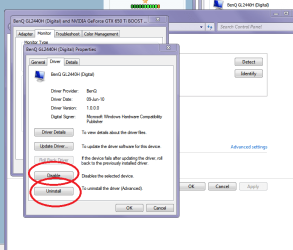
Hey guys, I have an issue. Previously on my custom built desktop I had three monitors attached, recently I have lent a friend one of my monitors for the purpose of having more "real estate" for editing.
Anyways, you guys aren't concerned with that part.
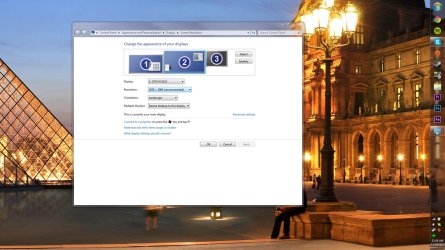
The issue is whenever I open Cinema 4D it tells me that I have "a monitor that is not compatible," it lists my two monitors then another one that says "blank." I believe the reason may be this. (look at the screenshot, you'll see a blank monitor) How do I remove the monitor from here?
If you need my graphics card I have a EVGA GeForce GTX Titan.
One monitor I have connected is a 24' and the other a 32' the one that was previous connected was also a 32' 1920x1080.
Anyways, you guys aren't concerned with that part.
The issue is whenever I open Cinema 4D it tells me that I have "a monitor that is not compatible," it lists my two monitors then another one that says "blank." I believe the reason may be this. (look at the screenshot, you'll see a blank monitor) How do I remove the monitor from here?
If you need my graphics card I have a EVGA GeForce GTX Titan.
One monitor I have connected is a 24' and the other a 32' the one that was previous connected was also a 32' 1920x1080.
Attachments
My Computer
- Computer type
- Laptop
- Computer Manufacturer/Model Number
- HP
- OS
- Windows 7 Ultimate x64
- Memory
- 8GB RAM
- Browser
- Google Chrome