
You are using an out of date browser. It may not display this or other websites correctly.
You should upgrade or use an alternative browser.
You should upgrade or use an alternative browser.
Mouse: Roccat kone drivers problem
- Thread starter GvsE
- Start date

yes install drivers first then plug in. 
You may need to reboot also
You may need to reboot also
My Computer
- Computer Manufacturer/Model Number
- Dilithium Computers/Engineering (Myself) Star date 42.739285.5432.9
- OS
- Win7 Ultimate x64 on Desktop / Win7 Ultimate x86 on laptop / Win7 x86 Starter on Netbook
- CPU
- AMD Phenom 965 X4 3.4Ghz cpu Black Edition
- Motherboard
- Gigabyte 790XT
- Memory
- 12 Gb DDR3
- Graphics Card(s)
- Nvidea Gforce GTX 470
- Sound Card
- Onboard Realtek hi-fi
- Monitor(s) Displays
- Lg 3D led 23"
- Screen Resolution
- 1920x1080
- Hard Drives
- Loads maxstore sata 1 & 2/ loads of partitions + 1Tb Hitachi sata 2. 256Gb Crucial ssd.
- PSU
- OCZ 700W GameXstream
- Case
- Artec 10000
- Cooling
- On board + many case fans
- Keyboard
- Logitech wireless K350
- Mouse
- Inferno gaming mouse
- Internet Speed
- Talk talk. 10Mb
- Other Info
- My PC was hand built with matchsticks. xbox 360 controller. Printers,fax.........
Biacho
New member
hmm... I first install drivers then reebot my laptop and then plug in my ROCCAT kone... and... nothing ... ok mouse working but windows use standart HIDmouse... ROCCAT software don't cooperat with them. I can change standart option in Control Panel but i can't change for example led color or sensitive in ROCCAT software... i can't calibration i get error "DCU Fail".
Someone know solution ?
Someone know solution ?
My Computer
- Computer Manufacturer/Model Number
- HP Pavilion dv6271ea
- OS
- First place is Gentoo Linux, second desktop is Windows 7
- CPU
- Core2Duo T5500 1,66 MHz
- Memory
- 2GB OCZ 800MHz
- Graphics Card(s)
- nVidia GeForce 7400 Go
- Screen Resolution
- 1280x800
- Hard Drives
- Tohsiba 120GB
- Mouse
- ROCCAT Kone 3200dpi
- Internet Speed
- ~4Mbit download && 512Kbit upload
Go to C:\Program Files\ROCCAT\Kone Mouse\ folder and there 32bit or 64bit folder then double click DPInst.exe that installs the ROCCAT HID.hmm... I first install drivers then reebot my laptop and then plug in my ROCCAT kone... and... nothing ... ok mouse working but windows use standart HIDmouse... ROCCAT software don't cooperat with them. I can change standart option in Control Panel but i can't change for example led color or sensitive in ROCCAT software... i can't calibration i get error "DCU Fail".
Someone know solution ?
My Computer
- OS
- Windows 7 beta build 7057 x64
Biacho
New member
I do this... but it dose't work too.
Ok I resolve problem !!!
I go to Control panel --> Windows Update and install new Optional Update. I don't know how ... but driver to my mouse be there. Probably system don't move new driver to C:/Windows/system32 but stay in windows Update and he need to instal them in windows menager. It's work and this is most important ... I'm vera happy ...
Ok I resolve problem !!!
I go to Control panel --> Windows Update and install new Optional Update. I don't know how ... but driver to my mouse be there. Probably system don't move new driver to C:/Windows/system32 but stay in windows Update and he need to instal them in windows menager. It's work and this is most important ...
I'm vera happy ...My Computer
- Computer Manufacturer/Model Number
- HP Pavilion dv6271ea
- OS
- First place is Gentoo Linux, second desktop is Windows 7
- CPU
- Core2Duo T5500 1,66 MHz
- Memory
- 2GB OCZ 800MHz
- Graphics Card(s)
- nVidia GeForce 7400 Go
- Screen Resolution
- 1280x800
- Hard Drives
- Tohsiba 120GB
- Mouse
- ROCCAT Kone 3200dpi
- Internet Speed
- ~4Mbit download && 512Kbit upload
Glad you got it working.
My Computer
- Computer Manufacturer/Model Number
- Dilithium Computers/Engineering (Myself) Star date 42.739285.5432.9
- OS
- Win7 Ultimate x64 on Desktop / Win7 Ultimate x86 on laptop / Win7 x86 Starter on Netbook
- CPU
- AMD Phenom 965 X4 3.4Ghz cpu Black Edition
- Motherboard
- Gigabyte 790XT
- Memory
- 12 Gb DDR3
- Graphics Card(s)
- Nvidea Gforce GTX 470
- Sound Card
- Onboard Realtek hi-fi
- Monitor(s) Displays
- Lg 3D led 23"
- Screen Resolution
- 1920x1080
- Hard Drives
- Loads maxstore sata 1 & 2/ loads of partitions + 1Tb Hitachi sata 2. 256Gb Crucial ssd.
- PSU
- OCZ 700W GameXstream
- Case
- Artec 10000
- Cooling
- On board + many case fans
- Keyboard
- Logitech wireless K350
- Mouse
- Inferno gaming mouse
- Internet Speed
- Talk talk. 10Mb
- Other Info
- My PC was hand built with matchsticks. xbox 360 controller. Printers,fax.........
miguelingt
New member
- Local time
- 8:35 PM
- Messages
- 1
solution DCU error
My problem was that whenever we tried to calibrate, I was the problem "DCU fail", it informs every time you start the application of the driver, when to update the driver had installed the latest version.
After making many reinstallations, then it settled; uninstalled completely disconnected with the mouse driver in safe mode and reboot after the uninstall. Then boot again in safe mode and went back to install the driver with the mouse unplugged and considering changing the installation path "C: \ Program Files \ ROCCAT \ Kone Mouse". After installing restart .. we need to restart in normal mode and the problem disappears.
I hope this solution will be successful.
Excuse me for my bad english
After making many reinstallations, then it settled; uninstalled completely disconnected with the mouse driver in safe mode and reboot after the uninstall. Then boot again in safe mode and went back to install the driver with the mouse unplugged and considering changing the installation path "C: \ Program Files \ ROCCAT \ Kone Mouse". After installing restart .. we need to restart in normal mode and the problem disappears.
I hope this solution will be successful.
Excuse me for my bad english
My Computer
- OS
- windows 7
I live in Canada.....How do I purchase Rocatt keyboard and mouse?Thanks.
My Computer
- Computer Manufacturer/Model Number
- fdfdfd
- OS
- xp
- CPU
- fdfdf
- Motherboard
- fdf
- Memory
- fdfd
- Graphics Card(s)
- fdfd
- Sound Card
- fdfd
- Monitor(s) Displays
- fdfd
- Hard Drives
- fdfd
- PSU
- fdf
- Case
- fdfd
- Cooling
- fdf

My Computer
- OS
- Windows 7 Ultimate x64
- CPU
- AMD Athlon 64 X2 4200+ @2,2 GHz
- Motherboard
- Asus A8V-E SE
- Memory
- 2x1 GB
- Graphics Card(s)
- Ati x1950 xt 512MB
- Sound Card
- Soundblaster Live! 5.1
- Monitor(s) Displays
- LG Flatron W2252TQ
- Screen Resolution
- 1680x1050
- Hard Drives
- WD 360 GB extern
WD 360 GB
WD 80 GB
- Keyboard
- Cherry
- Mouse
- ROCCAT Kone USB Mouse (awesome>expensive)
- Internet Speed
- 12mpbt down / 1mbp up
Why dont you buy what you like at amazon, i mean im sure they deliver to canada aswell.
I installed the drivers with the mouse plugged in from the beginning. No problems at all. The drivers worked only with an windows update, tho.The kone drivers worked after updating the firmware to the latest version.
I installed the drivers with the mouse plugged in from the beginning. No problems at all. The drivers worked only with an windows update, tho.The kone drivers worked after updating the firmware to the latest version.
My Computer
- OS
- Windows 7 Ultimate x64
- CPU
- AMD Athlon 64 X2 4200+ @2,2 GHz
- Motherboard
- Asus A8V-E SE
- Memory
- 2x1 GB
- Graphics Card(s)
- Ati x1950 xt 512MB
- Sound Card
- Soundblaster Live! 5.1
- Monitor(s) Displays
- LG Flatron W2252TQ
- Screen Resolution
- 1680x1050
- Hard Drives
- WD 360 GB extern
WD 360 GB
WD 80 GB
- Keyboard
- Cherry
- Mouse
- ROCCAT Kone USB Mouse (awesome>expensive)
- Internet Speed
- 12mpbt down / 1mbp up
Got it to work after.Already on the way.Thanks for the help.
My Computer
- Computer Manufacturer/Model Number
- fdfdfd
- OS
- xp
- CPU
- fdfdf
- Motherboard
- fdf
- Memory
- fdfd
- Graphics Card(s)
- fdfd
- Sound Card
- fdfd
- Monitor(s) Displays
- fdfd
- Hard Drives
- fdfd
- PSU
- fdf
- Case
- fdfd
- Cooling
- fdf
No problem, mate. Roccat Kone is awesome. You'll love it.
My Computer
- OS
- Windows 7 Ultimate x64
- CPU
- AMD Athlon 64 X2 4200+ @2,2 GHz
- Motherboard
- Asus A8V-E SE
- Memory
- 2x1 GB
- Graphics Card(s)
- Ati x1950 xt 512MB
- Sound Card
- Soundblaster Live! 5.1
- Monitor(s) Displays
- LG Flatron W2252TQ
- Screen Resolution
- 1680x1050
- Hard Drives
- WD 360 GB extern
WD 360 GB
WD 80 GB
- Keyboard
- Cherry
- Mouse
- ROCCAT Kone USB Mouse (awesome>expensive)
- Internet Speed
- 12mpbt down / 1mbp up
Im sure it is. While waiting, get one of them ROCCAT wallpapers:
ROCCAT STUDIOS V3.0 - ROCCAT SCENE » ROCCAT Stuff » Wallpapers
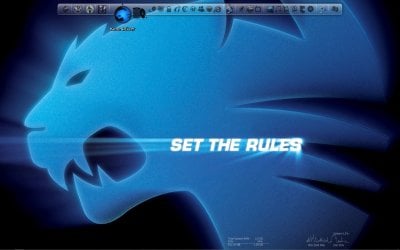
You can download some more wallpapers as soon as you got your items and within an ID-card you need to register at ROCCAT. Heres my desktop:
ROCCAT STUDIOS V3.0 - ROCCAT SCENE » ROCCAT Stuff » Wallpapers
You can download some more wallpapers as soon as you got your items and within an ID-card you need to register at ROCCAT. Heres my desktop:
Attachments
My Computer
- OS
- Windows 7 Ultimate x64
- CPU
- AMD Athlon 64 X2 4200+ @2,2 GHz
- Motherboard
- Asus A8V-E SE
- Memory
- 2x1 GB
- Graphics Card(s)
- Ati x1950 xt 512MB
- Sound Card
- Soundblaster Live! 5.1
- Monitor(s) Displays
- LG Flatron W2252TQ
- Screen Resolution
- 1680x1050
- Hard Drives
- WD 360 GB extern
WD 360 GB
WD 80 GB
- Keyboard
- Cherry
- Mouse
- ROCCAT Kone USB Mouse (awesome>expensive)
- Internet Speed
- 12mpbt down / 1mbp up
Appearently they are waiting on the keyboard.lol just my luck.No big deal though.
Roccat is the gear worth waiting for.
Roccat is the gear worth waiting for.
My Computer
- Computer Manufacturer/Model Number
- fdfdfd
- OS
- xp
- CPU
- fdfdf
- Motherboard
- fdf
- Memory
- fdfd
- Graphics Card(s)
- fdfd
- Sound Card
- fdfd
- Monitor(s) Displays
- fdfd
- Hard Drives
- fdfd
- PSU
- fdf
- Case
- fdfd
- Cooling
- fdf
Congratz, now its just a matter of time until you are one of us, the ROCCATRERS!
ROCCAT STUDIOS V3.0 - ROCCAT WORLD » ROCCAT World » Overview
"The most beautiful and profound emotion we can experience is the mystical. ROCCATEERS all over the world follow this guiding principle. After all, certainty unites us all in the fact that art and science generate their powers from the unknown. It was a discovery which drove us together."
ROCCAT STUDIOS V3.0 - ROCCAT WORLD » ROCCAT World » Overview
"The most beautiful and profound emotion we can experience is the mystical. ROCCATEERS all over the world follow this guiding principle. After all, certainty unites us all in the fact that art and science generate their powers from the unknown. It was a discovery which drove us together."
My Computer
- OS
- Windows 7 Ultimate x64
- CPU
- AMD Athlon 64 X2 4200+ @2,2 GHz
- Motherboard
- Asus A8V-E SE
- Memory
- 2x1 GB
- Graphics Card(s)
- Ati x1950 xt 512MB
- Sound Card
- Soundblaster Live! 5.1
- Monitor(s) Displays
- LG Flatron W2252TQ
- Screen Resolution
- 1680x1050
- Hard Drives
- WD 360 GB extern
WD 360 GB
WD 80 GB
- Keyboard
- Cherry
- Mouse
- ROCCAT Kone USB Mouse (awesome>expensive)
- Internet Speed
- 12mpbt down / 1mbp up
Thanks Rightspin.
I agree the Roccat is a product of vision and art.Which is why I have waited so long to build my new pc.
As a side note as for reason that are to long to get into,I ordered the U.K version of the keyboard.It was too late to send it back,already shippied when I realized.
So I have ordered the U.S version as well.LOl I have two now on the way.
I agree the Roccat is a product of vision and art.Which is why I have waited so long to build my new pc.
As a side note as for reason that are to long to get into,I ordered the U.K version of the keyboard.It was too late to send it back,already shippied when I realized.
So I have ordered the U.S version as well.LOl I have two now on the way.
My Computer
- Computer Manufacturer/Model Number
- fdfdfd
- OS
- xp
- CPU
- fdfdf
- Motherboard
- fdf
- Memory
- fdfd
- Graphics Card(s)
- fdfd
- Sound Card
- fdfd
- Monitor(s) Displays
- fdfd
- Hard Drives
- fdfd
- PSU
- fdf
- Case
- fdfd
- Cooling
- fdf
Waiting is the worst... But you'll be much happier when you finally got it. Tell me about the keyboard when you got it, i only got the kone for now.
EDIT: I uploaded the wallpaper from above, 1920x1200 or 1600x1200:
RapidShare: 1-CLICK Web hosting - Easy Filehosting
Hope you like it
EDIT: I uploaded the wallpaper from above, 1920x1200 or 1600x1200:
RapidShare: 1-CLICK Web hosting - Easy Filehosting
Hope you like it
My Computer
- OS
- Windows 7 Ultimate x64
- CPU
- AMD Athlon 64 X2 4200+ @2,2 GHz
- Motherboard
- Asus A8V-E SE
- Memory
- 2x1 GB
- Graphics Card(s)
- Ati x1950 xt 512MB
- Sound Card
- Soundblaster Live! 5.1
- Monitor(s) Displays
- LG Flatron W2252TQ
- Screen Resolution
- 1680x1050
- Hard Drives
- WD 360 GB extern
WD 360 GB
WD 80 GB
- Keyboard
- Cherry
- Mouse
- ROCCAT Kone USB Mouse (awesome>expensive)
- Internet Speed
- 12mpbt down / 1mbp up