Hi All
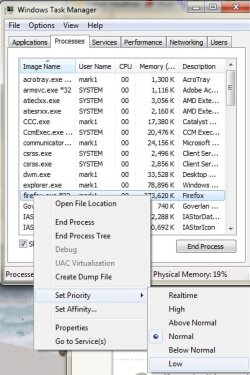
I had a PC built about 3 months ago for work purposes (3d rendering) and i`m having an annoying problem when one of the rendering processes I use takes up most of the cpu (98-99%) causing the mouse to freeze and stutter. The only way to reduce this problem is to set the process to a lower priority.
Now I`ve used this same program on other pc`s and have not had this problem and yet I`m using the fastest PC yet and its causing this slowdown.
I`ve tried a program called PRIO to save this task priorty to low but because the process is run from a command prompt via a exe it doesnt seem to recognise it and I have to keep resetting the priority manually, its driving me nuts.
Any ideas?
Thanks
Paul
I had a PC built about 3 months ago for work purposes (3d rendering) and i`m having an annoying problem when one of the rendering processes I use takes up most of the cpu (98-99%) causing the mouse to freeze and stutter. The only way to reduce this problem is to set the process to a lower priority.
Now I`ve used this same program on other pc`s and have not had this problem and yet I`m using the fastest PC yet and its causing this slowdown.
I`ve tried a program called PRIO to save this task priorty to low but because the process is run from a command prompt via a exe it doesnt seem to recognise it and I have to keep resetting the priority manually, its driving me nuts.
Any ideas?
Thanks
Paul
My Computer
At a glance
windows 7 ultimate x64Intel Core i7-2600K8GB Kingston DDR3 666.7mhzZotac nVIDIA GeForce GTX 465
- Computer Manufacturer/Model Number
- n/a
- OS
- windows 7 ultimate x64
- CPU
- Intel Core i7-2600K
- Motherboard
- Asus P8 P67 Pro
- Memory
- 8GB Kingston DDR3 666.7mhz
- Graphics Card(s)
- Zotac nVIDIA GeForce GTX 465
- Sound Card
- Intel Cougar Point PCH - High Definition Audio Controller
- Monitor(s) Displays
- Samsung
- Hard Drives
- Crucial SSD 128GB (C300-CTFDDAC128MAG)
Western Digital 1TB HD (WDC WD1002FAEX-00Z3A0)
- PSU
- 750W
- Case
- Nvidia Coolermaster
- Cooling
- Coolermaster Hyper 212 Plus