Solved Mouse Wheel Will Not Scroll

Richardc269

New member
Member
VIP
Local time
1:55 PM
Messages
524
Hello again 7 Forums!

Just recently, my trackball was acting funky, so I took out the trackball, plugged in the new BTC Optical Mouse (Just a basic 2 button mouse with a mouse wheel) my dad had sitting in his room...and the mouse wheel won't scroll when I try to scroll with the wheel! If I click the mousewheel, it will move whatever it is scrolling.

Nothing will scroll, and I don't know why!

Not even items outside of the web browser.

Anyone got any ideas?
 

My Computer

Computer Manufacturer/Model Number
Custom
OS
Windows 7 Ultimate 32-Bit
CPU
Intel(R) Core(TM) i7 CPU 920 @ 2.67GHz
Motherboard
Gigabyte Technology Co., Ltd. EX58-UD3R
Memory
Corsair DDR3 4Gb
Graphics Card(s)
Nvidia Ge-Force GTS250
Sound Card
High Definition Audio Device
Monitor(s) Displays
Envision 19 inch
Screen Resolution
1280x1024
Hard Drives
2 physical hard drives (4 letter drives) that equal up to 626.3 gigs of space all together. I think both are Maxtors, but primary is a SATA drive, secondary is a SATA, too.
Case
"Elite" style case
Cooling
"Cooler Master"
Mouse
Microsoft Optical USB Mouse.
Internet Speed
Verizon DSL Internet
One place to visit is in the Control Panel>Mouse section where you go over to the Wheel tab and try adjusting one or more of the settings and click the apply button to see if any immediate change is noticed.

In the Device Manager there which you might want to visit first you look under "Human Interface Devices" as well as the "Mouse and other pointing devices" items to see if the replacement mouse has been detected properly. It does seem odd however that the scroll wheel wouldn't work automatically unlike what you would see when swapping for a mouse with programmable buttons where you then need more then just a mouse driver but the software that goes with it.
 

My Computers

System One System Two

  • Computer type
    PC/Desktop
    Computer Manufacturer/Model Number
    Custom builds = 2
    OS
    W7 Ultimate x64/W10 Pro x64/W11 Pro Triple Boot - Main PC W7 Remote PC Micro ATX W7 Pro x64/W11 Pro
    CPU
    AMD Phenom II X4 975 Deneb 3.6ghz - 965 2nd remote pc
    Motherboard
    Gigabyte GA-790XTA-UD4-Gigabyte GA-880GM-D2H remote pc
    Memory
    Kingston Hyper X DDR3 1600 1.5v 16gb - Hyper X Fury 8gb 2nd
    Graphics Card(s)
    MSI HD Radeon 5750 1gb - MSI HD Radeon 6450 on mini tower
    Sound Card
    Creative Labs X-Fi Xtreme Audio P - Realtek onooard 2nd case
    Monitor(s) Displays
    ASUS VW199T-P 19" HP 2082a Main-HP 2082a 20" remote pc
    Screen Resolution
    Asus 1440x900 - HP 1600x900
    Hard Drives
    WD Black 1TB HD per OS W7, W10, and pending W11 presently on 500gb OS Drive - Pending Triple 1TB HDs for Spanned Storage/backup volume
    Single 2TB external USB enclosure, single 1TB System 7 Host/Boot drive, Pending 8TB external HD for system image b
    PSU
    Corsair 750TX - primary / Corsair CX600 - second
    Case
    Antec 900-2 - SSD compatible / NZXT Vulcan mini tower
    Cooling
    Zalman CNPS9900A
    Keyboard
    AZIO L70 Backlit Letters Gaming - ONN Cordless/USB
    Mouse
    MSI DS200 Programmable, Logitech Cordless
    Internet Speed
    30mbps upgrade - primary hard wired - mini tower usb WiFi
    Antivirus
    GFI VIPRE Internet Security 2014 on W7 2016 beta on W10,
    Browser
    Cyberfox, WaterFox 64bit FF variants, FireFox x64, Pale Moon
    Other Info
    Accomdata fan cooled usb 2.0 PIDE/Sata II, III external enclosure.
    Sambient usb/eSata PATA/Sata II, III external enclosure.
  • Computer type
    PC/Desktop
    System Manufacturer/Model Number
    CUSTOM ASSEMBLY
    OS
    W7 Pro x64/W11 Pro
    CPU
    AMD Deneb 3.6ghz - 965
    Motherboard
    Gigabyte GA-880GM-D2H remote pc
    Memory
    Kingston Hyper X Fury 8gb
    Graphics Card(s)
    MSI HD Radeon 6450 DVI Output
    Sound Card
    Realtek onooard Creative or Other separate PENDING
    Monitor(s) Displays
    VIZIO 32" LCD TV Separate LCD Pending
    Screen Resolution
    1600x1080
    Hard Drives
    WD 500GB OS Host/Boot WD Green 1TB Storage/Backup
    PSU
    Corsair 600W - THERMALTAKE 600W spare case
    Case
    NZXT Vulcan mini tower
    Cooling
    Twin 120mm Top Fans - 240mm Side Cover
    Keyboard
    ONN Cordless/USB Logitech Cordless
    Mouse
    ONN USB/Cordless - Logitech Cordless
    Internet Speed
    DSL 5G
    Browser
    MS Edge, FireFox, WaterFox x64, FireFox Nightly
    Other Info
    OS Testing-Remote Access to Main TeamViewer
its possible it was "sitting" in your dads room unused as it is broken ,have you asked your dad if it functioned correctly before you "borrowed" it.
 

My Computer

Computer Manufacturer/Model Number
Hewlett packard/p6512uk
OS
Microsoft Windows 7 Home Premium 64-bit 7600
CPU
IIx4 amd athelon 635 processor
Motherboard
FOXCONN 2AA9
Memory
2x2gb
Graphics Card(s)
ati radeon HD 5450
Sound Card
(1) Realtek High Definition Audio (2) AMD High Definition
Monitor(s) Displays
samsung lcd tv 32"
Screen Resolution
1360x 768
Hard Drives
(1) WDC WD10 01FAES-60Z2A0 SATA Disk Device (2) Maxtor OneTouch USB Device (3) ST310003 33AS USB Device (4) WD My Book 1111 USB Device
PSU
?
Cooling
air!
Keyboard
wireless hp
Mouse
wireless Hp,optical
Internet Speed
1.10mb/s
Antivirus
MSE
Browser
Firefox
its possible it was "sitting" in your dads room unused as it is broken ,have you asked your dad if it functioned correctly before you "borrowed" it.

Brand new unopened in the box, actually.

And for some reason it works now.

I guess a regular restart after plugging it in last night didn't do the trick...I guess a full shut down worked *rolls my eyes* Oh well. Thanks for trying to help anyway. I'll mark as solved.
 

My Computer

Computer Manufacturer/Model Number
Custom
OS
Windows 7 Ultimate 32-Bit
CPU
Intel(R) Core(TM) i7 CPU 920 @ 2.67GHz
Motherboard
Gigabyte Technology Co., Ltd. EX58-UD3R
Memory
Corsair DDR3 4Gb
Graphics Card(s)
Nvidia Ge-Force GTS250
Sound Card
High Definition Audio Device
Monitor(s) Displays
Envision 19 inch
Screen Resolution
1280x1024
Hard Drives
2 physical hard drives (4 letter drives) that equal up to 626.3 gigs of space all together. I think both are Maxtors, but primary is a SATA drive, secondary is a SATA, too.
Case
"Elite" style case
Cooling
"Cooler Master"
Mouse
Microsoft Optical USB Mouse.
Internet Speed
Verizon DSL Internet
You likely then saw a full boot and power up type fresh detection where Windows then saw it added in as a new hardware. Before that it wasn't fully detected and installed by Windows as it should have been. Sometimes a fast full restart won't work where once you power down and then power up fresh the bios as well as Windows performs a fresh new detection and zing! you are then in business! :D
 

My Computers

System One System Two

  • Computer type
    PC/Desktop
    Computer Manufacturer/Model Number
    Custom builds = 2
    OS
    W7 Ultimate x64/W10 Pro x64/W11 Pro Triple Boot - Main PC W7 Remote PC Micro ATX W7 Pro x64/W11 Pro
    CPU
    AMD Phenom II X4 975 Deneb 3.6ghz - 965 2nd remote pc
    Motherboard
    Gigabyte GA-790XTA-UD4-Gigabyte GA-880GM-D2H remote pc
    Memory
    Kingston Hyper X DDR3 1600 1.5v 16gb - Hyper X Fury 8gb 2nd
    Graphics Card(s)
    MSI HD Radeon 5750 1gb - MSI HD Radeon 6450 on mini tower
    Sound Card
    Creative Labs X-Fi Xtreme Audio P - Realtek onooard 2nd case
    Monitor(s) Displays
    ASUS VW199T-P 19" HP 2082a Main-HP 2082a 20" remote pc
    Screen Resolution
    Asus 1440x900 - HP 1600x900
    Hard Drives
    WD Black 1TB HD per OS W7, W10, and pending W11 presently on 500gb OS Drive - Pending Triple 1TB HDs for Spanned Storage/backup volume
    Single 2TB external USB enclosure, single 1TB System 7 Host/Boot drive, Pending 8TB external HD for system image b
    PSU
    Corsair 750TX - primary / Corsair CX600 - second
    Case
    Antec 900-2 - SSD compatible / NZXT Vulcan mini tower
    Cooling
    Zalman CNPS9900A
    Keyboard
    AZIO L70 Backlit Letters Gaming - ONN Cordless/USB
    Mouse
    MSI DS200 Programmable, Logitech Cordless
    Internet Speed
    30mbps upgrade - primary hard wired - mini tower usb WiFi
    Antivirus
    GFI VIPRE Internet Security 2014 on W7 2016 beta on W10,
    Browser
    Cyberfox, WaterFox 64bit FF variants, FireFox x64, Pale Moon
    Other Info
    Accomdata fan cooled usb 2.0 PIDE/Sata II, III external enclosure.
    Sambient usb/eSata PATA/Sata II, III external enclosure.
  • Computer type
    PC/Desktop
    System Manufacturer/Model Number
    CUSTOM ASSEMBLY
    OS
    W7 Pro x64/W11 Pro
    CPU
    AMD Deneb 3.6ghz - 965
    Motherboard
    Gigabyte GA-880GM-D2H remote pc
    Memory
    Kingston Hyper X Fury 8gb
    Graphics Card(s)
    MSI HD Radeon 6450 DVI Output
    Sound Card
    Realtek onooard Creative or Other separate PENDING
    Monitor(s) Displays
    VIZIO 32" LCD TV Separate LCD Pending
    Screen Resolution
    1600x1080
    Hard Drives
    WD 500GB OS Host/Boot WD Green 1TB Storage/Backup
    PSU
    Corsair 600W - THERMALTAKE 600W spare case
    Case
    NZXT Vulcan mini tower
    Cooling
    Twin 120mm Top Fans - 240mm Side Cover
    Keyboard
    ONN Cordless/USB Logitech Cordless
    Mouse
    ONN USB/Cordless - Logitech Cordless
    Internet Speed
    DSL 5G
    Browser
    MS Edge, FireFox, WaterFox x64, FireFox Nightly
    Other Info
    OS Testing-Remote Access to Main TeamViewer
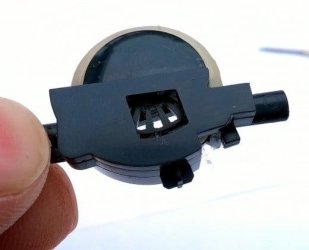
Software/driver issues can cause problems with scrolling. The simplest initial solution though is to reset the mouse. Simply remove the battery and replace it, and also remove the USB dongle and reinsert (if the mouse is cordless). If a mouse isn't new and has been used extensively, the scroll wheel may be clogged with fluff and crumbs. The wheel is like a bicycle wheel with "spokes" and "slots". An infra red beam shines through the slots and is intermittently broken by the spokes. If the slots become blocked, the signal from the infra red detector becomes erratic resulting in a problem with scrolling.
I've written a guide to dismantling and cleaning the wheel which you can read here:

https://turbofuture.com/computers/Help-I-Cant-Scroll-With-My-Mouse
 

Attachments

  • 13064820_f520.jpg.jpeg
    13064820_f520.jpg.jpeg
    25.5 KB · Views: 9
Last edited:

My Computer

Computer type
PC/Desktop
OS
Vista 32 bit
Back
Top