Mozilla wants Firefox to render PDFs with HTML5, JavaScript

Airbot

----------------------
VIP
SF Team
Local time
4:59 PM
Messages
18,396
Currently, browsers rely on plug-ins to display PDF files, like Adobe Reader or Foxit Reader. This may soon change, as there is a Firefox project in the works to build a PDF reader in HTML5 and JavaScript.

A PDF reader needs to be fast at operations like rendering text, drawing lines, blitting images – all the things that browsers need to be fast at too. In other words, browser are already optimized for the task at hand, they just need to be told how to do it.

The project is called pdf.js and is available for everyone to see on GitHub. It has been in development for about a month now, but there's already an early demo available at people.mozilla.org/~gal/test.html that you can check out for yourself. There are still glitches and rendering artifacts, but it's definitely a good start, especially for four weeks of work.

The first order of business is to get pdf.js to render PDFs "natively" in Firefox itself, and the team believes it can get the most commonly used PDF features working in less than three months. The group will start by making a Firefox extension available to interested users that enables inline PDF rendering using pdf.js.

more..
 

My Computer

Computer type
PC/Desktop
Computer Manufacturer/Model Number
Airbot 2.0
OS
Windows 7 Ultimate x64 SP1
CPU
Core i7 920 (D0) @ 4Ghz, *26c idle *65c full load on air
Motherboard
Asus P6X58D Premium - Sata 6Gb/s - USB 3.0
Memory
12GB DDR3 Corsair Dominator -CMD12GX3M6A1600C8 at 1600MHz
Graphics Card(s)
Zotac Geforce GTX 770
Sound Card
ASUS Xonar D2X
Monitor(s) Displays
1 LG 24" Flatron W2453V-PF 1 Samsung 24" P2450H both 2ms RT
Screen Resolution
1920x1080@60hz
Hard Drives
1 Samsung 250GB 840 Evo SSD
1 OCZ Vertex2 180GB SSD
1 TB Samsung Spinpoint F1 7200RPM 32MB cache
2 500GB WD Caviar Blacks 7200RPM 32MB cache (WD5001AALS)

Pioneer DVD Burner DVR-S18M
PSU
Corsair HX1000W
Case
Cooler Master HAF 932
Cooling
Case Fans *3 230mm, *1 140mm/CPU - *Tuniq Tower 120 Extreme
Keyboard
Logitech Wireless MK700
Mouse
Logitech Wireless MK700
Internet Speed
DL 15 Mbps UL 0.98 Mbps
Antivirus
None
Browser
Firefox Nightly
Other Info
Processor-7.7 *RAM- 7.9 *Graphics-7.9 *Gaming Graphics- 7.9 *SSD- 7.8 W.E.I final score= 7.7
*Phone- LG Nexus 5
Demo isn't working for me...guess they need to work on that one.
 

My Computer

Computer Manufacturer/Model Number
Dell Inspiron 1520 (Laptop)/ Home (Desktop)
OS
Windows 7 x64 / Same
CPU
Intel Core 2 Duo T7250 / Intel Core i7 930
Motherboard
Intel 945 / Asus P6X58D-E
Memory
4GB / 6GB
Graphics Card(s)
NVIDIA GeForce 8400M GS / ASUS 1GB
Sound Card
Whatever Dell gave me :-( / Onboard
Monitor(s) Displays
15.4" LCD / Crappy CRT
Hard Drives
Seagate 500GB SATA; 7200 RPM / Seagate 1TB SATA; 7200 RPM
PSU
N/A / OCZ Fatal1ty 550W Modular
Case
N/A / Antec 900
Cooling
Air
Mouse
Microsoft Presenter (Bluetooth)
Interesting. I'll be keeping an eye open on this. Whether we will also need to install either Adobe Reader or Foxit Reader (or some other equivalent program) to view files already saved on the HDD remains to be seen, as it will depend on the scope of this proposed new add-on. In other words, will it decode locally stored files as well as those that are on-line?
 

My Computer

Computer type
PC/Desktop
Computer Manufacturer/Model Number
Dwarf Dwf/11/2012 r09/2013
OS
Windows 8.1 Pro RTM x64
CPU
Intel Core-i5-3570K 4-core @ 3.4GHz (Ivy Bridge) (OC 4.4GHz)
Motherboard
ASRock Z77 Extreme4-M
Memory
4 x 4GB DDR3-1600 Corsair Vengeance CMZ8GX3M2A1600C9B (16GB)
Graphics Card(s)
MSI GeForce GTX770 Gaming OC 2GB
Sound Card
Realtek High Definition on board solution (ALC 898)
Monitor(s) Displays
ViewSonic VA1912w Widescreen (VGA)
Screen Resolution
1440x900
Hard Drives
OCZ Agility 3 SSD 120GB SATA III x2 (RAID 0)
Samsung HD501LJ 500GB SATA II x2
Hitachi HDS721010CLA332 1TB SATA II
Iomega 1.5TB Ext USB 2.0
WD 2.0TB Ext USB 3.0
PSU
XFX Pro Series 850W Semi-Modular
Case
Gigabyte IF233
Cooling
1 x 120mm Front Inlet 1 x 120mm Rear Exhaust
Keyboard
Microsoft Comfort Curve Keyboard 3000 (USB)
Mouse
Microsoft Comfort Mouse 3000 for Business (USB)
Internet Speed
NetGear DG834Gv3 ADSL Modem/Router (Ethernet) ~4.0 Mb/s (O2)
Antivirus
Avast! 8.0.1497
Browser
IE 11
Other Info
Optical Drive: HL-DT-ST BD-RE BH10LS30 SATA Bluray
Lexmark S305 Printer/Scanner/Copier (USB)
WEI Score: 8.1/8.1/8.5/8.5/8.25
Asus Eee PC 1011PX Netbook (Windows 7 x86 Starter)
When Win 8 comes around, it'll have it's own built in pdf software so you could use that instead of third party if you made the move to 8 when it comes around. That's still a year away though.
 

My Computer

Computer type
PC/Desktop
Computer Manufacturer/Model Number
Airbot 2.0
OS
Windows 7 Ultimate x64 SP1
CPU
Core i7 920 (D0) @ 4Ghz, *26c idle *65c full load on air
Motherboard
Asus P6X58D Premium - Sata 6Gb/s - USB 3.0
Memory
12GB DDR3 Corsair Dominator -CMD12GX3M6A1600C8 at 1600MHz
Graphics Card(s)
Zotac Geforce GTX 770
Sound Card
ASUS Xonar D2X
Monitor(s) Displays
1 LG 24" Flatron W2453V-PF 1 Samsung 24" P2450H both 2ms RT
Screen Resolution
1920x1080@60hz
Hard Drives
1 Samsung 250GB 840 Evo SSD
1 OCZ Vertex2 180GB SSD
1 TB Samsung Spinpoint F1 7200RPM 32MB cache
2 500GB WD Caviar Blacks 7200RPM 32MB cache (WD5001AALS)

Pioneer DVD Burner DVR-S18M
PSU
Corsair HX1000W
Case
Cooler Master HAF 932
Cooling
Case Fans *3 230mm, *1 140mm/CPU - *Tuniq Tower 120 Extreme
Keyboard
Logitech Wireless MK700
Mouse
Logitech Wireless MK700
Internet Speed
DL 15 Mbps UL 0.98 Mbps
Antivirus
None
Browser
Firefox Nightly
Other Info
Processor-7.7 *RAM- 7.9 *Graphics-7.9 *Gaming Graphics- 7.9 *SSD- 7.8 W.E.I final score= 7.7
*Phone- LG Nexus 5
When Win 8 comes around, it'll have it's own built in pdf software....

Will it? I can just see Adobe having a fit unless its just a bundle of Adobe Reader...?
 

My Computer

Computer type
PC/Desktop
Computer Manufacturer/Model Number
Alienware Aurora ALX R4
OS
Windows 10 Pro (x64)
CPU
Intel Core i7-3930K (3.2GHz - 4.5GHz)
Motherboard
Alienware Aurora-R4 x79
Memory
4x Samsung 4GB PC3-12800 DDR3 (16GB 1600MHz)
Graphics Card(s)
Nvidia Geforce GTX 690
Sound Card
SteelSeries Siberia Elite
Monitor(s) Displays
Dell UltraSharp U3011
Screen Resolution
2560x1600
Hard Drives
Samsung 850 Pro 256 GB, Seagate 1TB Desktop Hybrid HDD, 2x Western Digital 4TB Green HDD
PSU
875W Some Dell PSU <.<
Case
Alienware Aurora ALX
Cooling
Custom Liquid Cooling (EK CPU & GPU blocks) dual EK 480RAD
Keyboard
Logitech G710+ Mechanical
Mouse
Logitech G700s
Internet Speed
Verizon Fios (50 mbps average)
Other Info
Server: Intel NUC D54250WYK: i5-4250U, 16GB, 256 GB mSATA, Windows Server 2012 R2

My Computer

Computer type
PC/Desktop
Computer Manufacturer/Model Number
Home Built
OS
Windows 8.1 Pro w/Media Center 64bit, Windows 7 HP 64bit
CPU
Phenom II X6 1100T
Motherboard
ASUS M5A99X EVO
Memory
Crucial Balistic 8gb DDR3-1866 CL9
Graphics Card(s)
MSI R6850 Cyclone IGD5 PE
Sound Card
On Board
Monitor(s) Displays
ASUS VE258Q 25" LED with DVI-HDMI-DisplayPort
Screen Resolution
1920 x 1080
Hard Drives
Two WD Cavier Black 2TB Sata III, WD My Book Essential 2TB USB 3.0
PSU
Seasonic X650 80 Plus GOLD Modular
Case
Corsair 400R
Cooling
Antec Kuhler H2O 620, Two 120mm and four 140mm
Keyboard
Logitech K120
Mouse
Logitech Marble Mouse USB, Logitech Precision Game Pad
Internet Speed
15MB
Antivirus
Norton IS 2013, Malwarebytes Pro Beta 2
Browser
IE-11, FF-27
Other Info
APC UPS ES 750, Netgear WNR3500L Gigabit & Wireless N Router with SamKnows Test Program, Motorola SB6120 Gigabit Cable Modem. Brother HL-2170W Laser Printer, Epson V300 Scanner
When Win 8 comes around, it'll have it's own built in pdf software....

Will it? I can just see Adobe having a fit unless its just a bundle of Adobe Reader...?


Yeah, called Modern Reader.

First Windows 8 screenshots of "Metro UI" featured in IE and Modern PDF Reader
Windows 8 - 7850 Leaked - Page 10
Within Windows | Windows 8 Secrets: Modern Reader

When Win 8 comes around, it'll have it's own built in pdf software....

Will it? I can just see Adobe having a fit unless its just a bundle of Adobe Reader...?

If it uses Adobe I will pass unless it can be disabled.

Jim :geek:
It's not Adobe. Integrated/native in Win 8.
 

My Computer

Computer type
PC/Desktop
Computer Manufacturer/Model Number
Airbot 2.0
OS
Windows 7 Ultimate x64 SP1
CPU
Core i7 920 (D0) @ 4Ghz, *26c idle *65c full load on air
Motherboard
Asus P6X58D Premium - Sata 6Gb/s - USB 3.0
Memory
12GB DDR3 Corsair Dominator -CMD12GX3M6A1600C8 at 1600MHz
Graphics Card(s)
Zotac Geforce GTX 770
Sound Card
ASUS Xonar D2X
Monitor(s) Displays
1 LG 24" Flatron W2453V-PF 1 Samsung 24" P2450H both 2ms RT
Screen Resolution
1920x1080@60hz
Hard Drives
1 Samsung 250GB 840 Evo SSD
1 OCZ Vertex2 180GB SSD
1 TB Samsung Spinpoint F1 7200RPM 32MB cache
2 500GB WD Caviar Blacks 7200RPM 32MB cache (WD5001AALS)

Pioneer DVD Burner DVR-S18M
PSU
Corsair HX1000W
Case
Cooler Master HAF 932
Cooling
Case Fans *3 230mm, *1 140mm/CPU - *Tuniq Tower 120 Extreme
Keyboard
Logitech Wireless MK700
Mouse
Logitech Wireless MK700
Internet Speed
DL 15 Mbps UL 0.98 Mbps
Antivirus
None
Browser
Firefox Nightly
Other Info
Processor-7.7 *RAM- 7.9 *Graphics-7.9 *Gaming Graphics- 7.9 *SSD- 7.8 W.E.I final score= 7.7
*Phone- LG Nexus 5
Interesting. I'll be keeping an eye open on this. Whether we will also need to install either Adobe Reader or Foxit Reader (or some other equivalent program) to view files already saved on the HDD remains to be seen, as it will depend on the scope of this proposed new add-on. In other words, will it decode locally stored files as well as those that are on-line?

It has a "browse" button to open files. Like on a hard drive.
 

My Computer

Computer Manufacturer/Model Number
Dell Inspiron 1520 (Laptop)/ Home (Desktop)
OS
Windows 7 x64 / Same
CPU
Intel Core 2 Duo T7250 / Intel Core i7 930
Motherboard
Intel 945 / Asus P6X58D-E
Memory
4GB / 6GB
Graphics Card(s)
NVIDIA GeForce 8400M GS / ASUS 1GB
Sound Card
Whatever Dell gave me :-( / Onboard
Monitor(s) Displays
15.4" LCD / Crappy CRT
Hard Drives
Seagate 500GB SATA; 7200 RPM / Seagate 1TB SATA; 7200 RPM
PSU
N/A / OCZ Fatal1ty 550W Modular
Case
N/A / Antec 900
Cooling
Air
Mouse
Microsoft Presenter (Bluetooth)
Chrome already has its own PDF reader built in. Works well and is much faster.:D
 

My Computer

Computer type
Laptop
Computer Manufacturer/Model Number
Hewlett-Packard/G62-107SA Notebook
OS
Microsoft Windows 7 Home Premium 64-bit Service Pack 1
CPU
Intel(R) Core(TM) i3 CPU M 330 @ 2.13GHz
Motherboard
Hewlett-Packard 1425
Memory
8 GB DDR3
Graphics Card(s)
Intel(R) HD Graphics
Sound Card
Realtek High Definition Audio
Monitor(s) Displays
Builtin
Screen Resolution
1366 x 768 x 32 bits (4294967296 colors) @ 60 Hz
Hard Drives
250 GB SATA Hard Disk Drive 7200 rpm
2TB Seagate GoFlex USB 2 Drive
1TB Iomega Prestige USB 2 Drive
1.5TB Iomega Prestige USB 2 Drive (Samsung)
2TB WD MyBook Live NAS.
Mouse
Logitech Anywhere MX
Internet Speed
152 Mbs download 10 Mbs upload
Antivirus
Norton 360
Browser
Chrome
Chrome already has its own PDF reader built in. Works well and is much faster.:D

Didn't know that one! Google really made it to work out of the box with minimum fuss then! I still love my addons for FF :p Hope to see this feature implemented soon in an Aurora build.

 

My Computer

Computer Manufacturer/Model Number
Custom
OS
7 ultimate x64
CPU
i7 920 @ 3.5ghz
Motherboard
P6t Deluxe
Memory
6gb corsair dominator
Graphics Card(s)
Gigabyte Geforce GTX 460 1GB SLI
Sound Card
onboard
Monitor(s) Displays
samsung BX2450
Screen Resolution
1920x1080
Hard Drives
Seagate 7200.11 1Tb; WD green EADS 1TB
PSU
corsair tx750
Case
CM HAF 922
Cooling
coolermaster V8 + standard case fans
Keyboard
Logitech Classic Keyboard
Mouse
Logitech G500
Internet Speed
256k :P
I would be happy if it could convert the *.pdf file to *.txt file. Making annotations and editing will probably be beyond its scope of ability at least initially.
 

My Computer

Computer Manufacturer/Model Number
Dell 570MT
OS
Windows 7 Home Premium 64bit
CPU
Athlon XII
Motherboard
?
Memory
4GB
Graphics Card(s)
ATI Radeon 4200
Sound Card
?
Monitor(s) Displays
Asus and Dell
Hard Drives
Unknown
PSU
unknown
Case
unknown
Cooling
unknown
Chrome already has its own PDF reader built in. Works well and is much faster.:D

Didn't know that one! Google really made it to work out of the box with minimum fuss then! I still love my addons for FF :p Hope to see this feature implemented soon in an Aurora build.

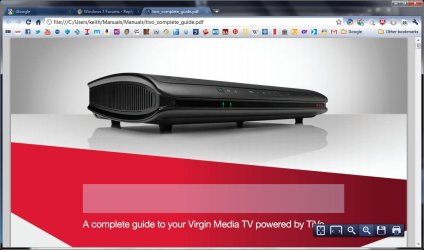
Yes they have had it for some time now and as I said works well. You can also open PDF files on you HDD see attachment.

Capture.JPG
 

My Computer

Computer type
Laptop
Computer Manufacturer/Model Number
Hewlett-Packard/G62-107SA Notebook
OS
Microsoft Windows 7 Home Premium 64-bit Service Pack 1
CPU
Intel(R) Core(TM) i3 CPU M 330 @ 2.13GHz
Motherboard
Hewlett-Packard 1425
Memory
8 GB DDR3
Graphics Card(s)
Intel(R) HD Graphics
Sound Card
Realtek High Definition Audio
Monitor(s) Displays
Builtin
Screen Resolution
1366 x 768 x 32 bits (4294967296 colors) @ 60 Hz
Hard Drives
250 GB SATA Hard Disk Drive 7200 rpm
2TB Seagate GoFlex USB 2 Drive
1TB Iomega Prestige USB 2 Drive
1.5TB Iomega Prestige USB 2 Drive (Samsung)
2TB WD MyBook Live NAS.
Mouse
Logitech Anywhere MX
Internet Speed
152 Mbs download 10 Mbs upload
Antivirus
Norton 360
Browser
Chrome
I would be happy if it could convert the *.pdf file to *.txt file. Making annotations and editing will probably be beyond its scope of ability at least initially.

Yep.

PDF readers are a dime a dozen - but free and easy editable .PDFs would be much more useful.
 

My Computer

Computer type
PC/Desktop
Computer Manufacturer/Model Number
Systems by SmartEyeball
OS
8 Pro x64
CPU
i7 3770K 4.6GHz
Motherboard
ASUS P8Z77 WS
Memory
16GB G.Skill Trident X 2666mhz
Graphics Card(s)
x2 EVGA 780 Ti Superclocked SLI
Sound Card
SB X-FI Surround 5.1 PRO USB / ATH-AD900 Headphones
Monitor(s) Displays
x3 Dell U2410 / 58" Samsung
Screen Resolution
5760*1200/ 1920*1200
Hard Drives
2x Intel 520 240GB (RAID 0) * 2x WD Caviar Blacks 2TB (RAID 0) * 2TB WD Caviar Black * Sony Optirac DVD
PSU
Silverstone Strider Evolution 1200W
Case
Thermaltake Level 10 GT Snow Edition
Cooling
Noctua NH-D14
Keyboard
Topre Realforce // Ducky Shine MX Black // Filco Ninja TKL
Mouse
Thermaltake Theron (Highly Recommended) + Razer Imperator
Antivirus
MSE
Browser
IE, FF, WaterFox
Other Info
GT Extreme V2 Sim Racing Cockpit + 40" LCD and K/B Mouse stand ▼
Fanatec CSR Elite Wheel + Clubsport V1 Pedals + CSR shifter/7G-H ▼Saitek X52 Pro ▼ TrackIR 5 Pro
Buttkicker v2 Seat Rumbler with Dedicated 5.1 and Sub Woofer attached to frame ▼
=
Bloody Big Grin
Mozilla's pdf.js version 0.2: sample PDF now renders in HTML5, JavaScript

Mozilla's pdf.js project has reached its first milestone: a "pixel-perfect rendering" of a sample PDF (a paper on Mozilla's Tracemonkey JavaScript engine). Well, perfect in one specific browser and OS combination.
The pdf.js project currently produces different results depending on the browser and OS you are using. If you're running a Firefox nightly on a Windows 7 machine, where the browser can use Direct2D and DirectWrite, the result is perfection (assuming you ignore a bug in DirectWrite's font hinting). The paper isn't rendered so well on other platforms, nor on older versions Firefox. It's even worse in other browsers.
Nevertheless, some serious progress has been made, considering that the sample file contains formatted text, graphics, tables, and graphical diagrams. As a result, the project has been bumped to version 0.2.
more
 

My Computer

Computer type
PC/Desktop
Computer Manufacturer/Model Number
Airbot 2.0
OS
Windows 7 Ultimate x64 SP1
CPU
Core i7 920 (D0) @ 4Ghz, *26c idle *65c full load on air
Motherboard
Asus P6X58D Premium - Sata 6Gb/s - USB 3.0
Memory
12GB DDR3 Corsair Dominator -CMD12GX3M6A1600C8 at 1600MHz
Graphics Card(s)
Zotac Geforce GTX 770
Sound Card
ASUS Xonar D2X
Monitor(s) Displays
1 LG 24" Flatron W2453V-PF 1 Samsung 24" P2450H both 2ms RT
Screen Resolution
1920x1080@60hz
Hard Drives
1 Samsung 250GB 840 Evo SSD
1 OCZ Vertex2 180GB SSD
1 TB Samsung Spinpoint F1 7200RPM 32MB cache
2 500GB WD Caviar Blacks 7200RPM 32MB cache (WD5001AALS)

Pioneer DVD Burner DVR-S18M
PSU
Corsair HX1000W
Case
Cooler Master HAF 932
Cooling
Case Fans *3 230mm, *1 140mm/CPU - *Tuniq Tower 120 Extreme
Keyboard
Logitech Wireless MK700
Mouse
Logitech Wireless MK700
Internet Speed
DL 15 Mbps UL 0.98 Mbps
Antivirus
None
Browser
Firefox Nightly
Other Info
Processor-7.7 *RAM- 7.9 *Graphics-7.9 *Gaming Graphics- 7.9 *SSD- 7.8 W.E.I final score= 7.7
*Phone- LG Nexus 5
Here is a nice demo. After it is open move your cursor to the left margin and the page list will appear.

andreasgal/pdf.js @ GitHub

This demo has a toolbar. I used the Open File to open some other PDF's on my system but its not ready for prime time. Parts of the other PDF's rendered but had lots of blank pages.

PDF Toolbar.PNG


Jim :geek:
 
Last edited:

My Computer

Computer type
PC/Desktop
Computer Manufacturer/Model Number
Home Built
OS
Windows 8.1 Pro w/Media Center 64bit, Windows 7 HP 64bit
CPU
Phenom II X6 1100T
Motherboard
ASUS M5A99X EVO
Memory
Crucial Balistic 8gb DDR3-1866 CL9
Graphics Card(s)
MSI R6850 Cyclone IGD5 PE
Sound Card
On Board
Monitor(s) Displays
ASUS VE258Q 25" LED with DVI-HDMI-DisplayPort
Screen Resolution
1920 x 1080
Hard Drives
Two WD Cavier Black 2TB Sata III, WD My Book Essential 2TB USB 3.0
PSU
Seasonic X650 80 Plus GOLD Modular
Case
Corsair 400R
Cooling
Antec Kuhler H2O 620, Two 120mm and four 140mm
Keyboard
Logitech K120
Mouse
Logitech Marble Mouse USB, Logitech Precision Game Pad
Internet Speed
15MB
Antivirus
Norton IS 2013, Malwarebytes Pro Beta 2
Browser
IE-11, FF-27
Other Info
APC UPS ES 750, Netgear WNR3500L Gigabit & Wireless N Router with SamKnows Test Program, Motorola SB6120 Gigabit Cable Modem. Brother HL-2170W Laser Printer, Epson V300 Scanner
Interesting. I'll be keeping an eye open on this. Whether we will also need to install either Adobe Reader or Foxit Reader (or some other equivalent program) to view files already saved on the HDD remains to be seen, as it will depend on the scope of this proposed new add-on. In other words, will it decode locally stored files as well as those that are on-line?

Doesn't seem like it, at least not initially. However, ISTM that if the pdf file on the Net shows up in a Firefox browser tab then you might be able to save that tab with the pdf file as a Firefox page which could later be opened and read by Firefox. This can be done now with saved URLs. However, I have my doubts as to whether these saved Firefox pages could be read by Adobe, Foxit, Nitro etc. unless they modify their programs to do so. JMO:D

PDF.js/Planning/1.0

Objectives

The focus of PDF.js 1.0 is to build an extension able to render a PDF using only JavaScript and HTML features accessible through a webpage.
If some features that can be useful for the web in general are missing on the platform side they can be added to the platform.
 

My Computer

Computer Manufacturer/Model Number
Dell 570MT
OS
Windows 7 Home Premium 64bit
CPU
Athlon XII
Motherboard
?
Memory
4GB
Graphics Card(s)
ATI Radeon 4200
Sound Card
?
Monitor(s) Displays
Asus and Dell
Hard Drives
Unknown
PSU
unknown
Case
unknown
Cooling
unknown
I would be happy if it could convert the *.pdf file to *.txt file. Making annotations and editing will probably be beyond its scope of ability at least initially.

Are you referring to OCR functions like the one in Acrobat that tries to convert the visual image into functional text? Because I would gladly switch to any browser that implemented that feature. Do we know yet if this Win8 "Modern Reader" will have something similar as well?
 

My Computer

OS
XP Professional, 7 Professional
Back
Top