Ok now that i have found the thread, maybe i can get started.
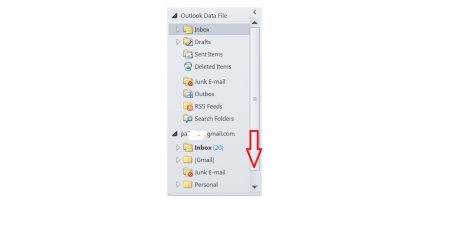
On my 2010 MS Outlook the column to the left of the window reads like this-see attachment: Outlook Data File, beneath, Inbox -where none of my incoming appears, sent items-where I believe only a few of my mails appear, Deleted items-where fewer of my deleted items appear, etc. All of my deleted items appear in my online gmail account, as do my sent items.
Below, a header with my gmail address:
Inbox where all my mail appears, and only 3 other folders excluding sent and deleted.
Now, how do I get the sent and deleted to appear under that heading, and possibly get rid of the Outlook Data File heading?
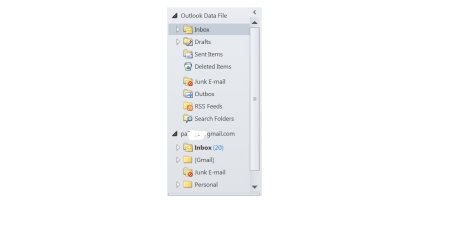
On my 2010 MS Outlook the column to the left of the window reads like this-see attachment: Outlook Data File, beneath, Inbox -where none of my incoming appears, sent items-where I believe only a few of my mails appear, Deleted items-where fewer of my deleted items appear, etc. All of my deleted items appear in my online gmail account, as do my sent items.
Below, a header with my gmail address:
Inbox where all my mail appears, and only 3 other folders excluding sent and deleted.
Now, how do I get the sent and deleted to appear under that heading, and possibly get rid of the Outlook Data File heading?
Attachments
My Computer
- OS
- win7