I am running MS Office 2010 Home and Student and have just installed it on a new computer running Windows 7. When I open Word I find that is in a window that is totally different than when I ran it on Vista. For one thing, there is no print function and I continually get messages telling me that certain functions won't operate in Word Pad. How can I stop this?
I don't want to use WordPad. It just showed up this way after I installed Office on Windows 7 and went through all the non-sensical steps of getting Microsoft to allow me to reinstall it since I had used up my 3 installations. What I simply want to do is print out a copt of my contacts list since this latest gem from Microsoft will not let me utilize the list to send e-mails. I was then going to re-enter them all into Windows Live Mail. Since the list opens in Word Paqd, and since Word Pad has no Print function I can't even do that. I am beginning to think that I will be better off going back to my old machine running Vista since Microsoft obviously has no intention of allowing me to transfer any of my old apps in such a manner as to allow them to be used.
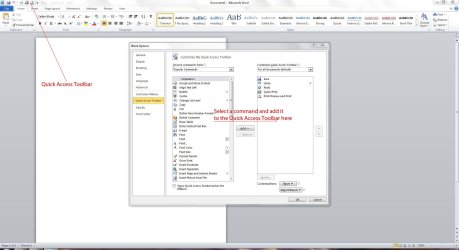
I appreciate your reply, but I cannot read the screenshot which you have uploaded.
Since I started this thread, it is only appropriate that I finish it. Not only is MS Word opening in Word Pad but all my transfered university reports that I have not yet printed out for mailing are doing the same. Since I can't print them out using Windows 7 (I can open them but not print them.) and since Windows Live Mail will not recognize any of my e-mail contacts, and since Windows 7 keeps changing my settings for receiving updates, and since it keeps notifying me that there are updates available when there are none, I have come to the conclusion that Windows 7 is not for me. Since Dell has a thirty day return policy, and since I can't install Vista on the new computer, I have come to the conclusion that Windows 7 is not for me and their brand new shiny computer will be on its way back to them on Monday.
I want to thank all you folks that have replied to my questions. I appreciate the effort.
Dont give up at the first hurdle, if you liked vista you will love 7. I'm not sure what your "word " problem is but i dont think it is windows seven fault.
has microsoft office installed corectly.
if you have a windows live account you could use the online word app so you can do what you need to do until you get the issue solved.
As Irene does I believe that changing the association for that file extension will solve the problem, on the assumption that MSWord is properly installed. Wordpad is the deafult fallback program if there's anything wrong with Office.
Problem solved. I had forgotten about the magic F8 key. Reinstalled the O/S and Windows Office and it is now operating properly.
Many thanks for the replies.