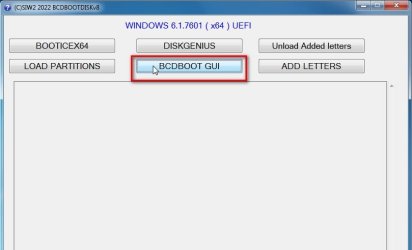
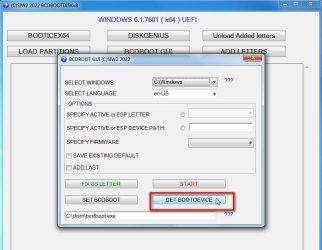
Solved Msconfig > Boot (It's blank)

LoveWindows7

New member
Local time
3:15 PM
Messages
5
91051dbb-e97c-44f7-890c-e1153957e198.png
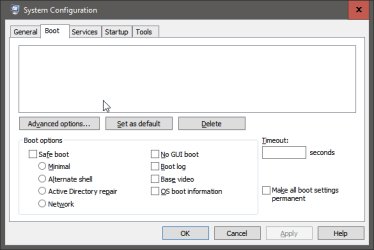
Hello, my windows works normally, it turns on / off without problems, but I can't use the options of this ScreenShot.Can't click on anythingNote: I already tried in safe mode.
How can I fix this?
Thanks
 

My Computers

System One System Two

  • Computer type
    PC/Desktop
    OS
    Windows 7 Ultimate x64
    CPU
    Intel Core i7 3770 @ 3.40GHz
    Motherboard
    Gigabyte Technology Co. Ltd. B75M-D3H
    Memory
    16,0GB Dual-Channel DDR3 @ 665 Mhz (9-9-9-24)
    Graphics Card(s)
    2047MB NVIDIA GeForce GTX 760 (Gigabyte)
    Hard Drives
    500GB KINGSTON SA400
    Antivirus
    Kaspersky
    Browser
    Chorme
  • Computer type
    PC/Desktop
try
sfc /scannow
 

My Computer

Computer type
PC/Desktop
Computer Manufacturer/Model Number
medionl/Aspire 6930G/acer x55a
OS
W7 home premium 32bit/W7HP 64bit/w10 tp insider ring
CPU
E5300 dual core
Motherboard
medion MS7366
Memory
3gb
Graphics Card(s)
Nvidia Geforce 7100 Nforce 630i
Monitor(s) Displays
avixc
Internet Speed
n (isp resticted to 72)
Antivirus
mse/pands
Browser
palemoon
Other Info
Belkin Fd7050 n USB using Railink RT2870 drivers, more upto date
Last edited:

My Computers

System One System Two

  • Computer type
    PC/Desktop
    OS
    7 X64
    CPU
    i5 8400
    Motherboard
    gigabyte b365m ds3h
    Memory
    2x8gb 3200mhz
    Hard Drives
    various
    PSU
    pure power 11 400w cm
    Case
    Coolermaster
    Cooling
    cryorig m9i
  • Computer type
    PC/Desktop
    OS
    7x64
    CPU
    g5400
    Motherboard
    ga b365m ds3h
    Memory
    8gb ddr4 2400
    PSU
    xfx pro 450w
It looks like you're using a third party GUI (Windows theme). If so, it's probably making it so you can't see the words in the MSCONFIG box.

Solution: Temporally turn that off or find another third-party GUI Windows theme that doesn't mess with white text boxes like that.
 

My Computer

Computer type
PC/Desktop
OS
Windows 7 Ultimate x64
Hello, I managed to solve the problem by doing the following:I don't know exactly if I needed to do all this, but after I did the problem disappeared.Let's go first I tried to go to manage HD and saw that the partition where windows is was not active, and I clicked on activate,restart the PC and then it wouldn't turn on anymore :/ with error (missing mbr), so I had to put the windows on a flash drive, and I did the following:OBS: I spent more than 8 hours looking for solutions and applying several things.

CMD
bootrec /fixmbr
bootrec /fixboot
bootrec /scanos
bootrec /rebuildbcd

Then I did:
diskpart
list disk
select disk #
list partition
select partition # (Here i selected the partition where the boot was,which is a 100mb one)
Active

and after theat i ran i still ran the "Repair windows startup"


Thanks to everyone who interacted with this topic.
Problem Solved.
 

My Computers

System One System Two

  • Computer type
    PC/Desktop
    OS
    Windows 7 Ultimate x64
    CPU
    Intel Core i7 3770 @ 3.40GHz
    Motherboard
    Gigabyte Technology Co. Ltd. B75M-D3H
    Memory
    16,0GB Dual-Channel DDR3 @ 665 Mhz (9-9-9-24)
    Graphics Card(s)
    2047MB NVIDIA GeForce GTX 760 (Gigabyte)
    Hard Drives
    500GB KINGSTON SA400
    Antivirus
    Kaspersky
    Browser
    Chorme
  • Computer type
    PC/Desktop
Back
Top