Mse and mwb

OCIR

New member
Power User
Local time
3:38 PM
Messages
239
Location
HOUSTON TX
HI all I need to ask what I may be doing wrong if I instal MSE and Malwarebytes I well start getting bsod

All the crash info was saying buggey drivers (netio.sys)( ntoskrnl.exe )
but as soon as I deleted it and put webroot on it ,no bsod for 3 days
On day 4 I deleted webroot and put back MSE and MWB and the bsod came back.
Any ideas to what i may be doing wrong?

oh and MWB was the full version
 

My Computer

Computer type
PC/Desktop
Computer Manufacturer/Model Number
home built
OS
windows 7 home permium 64 bits
CPU
i7 950
Motherboard
asus sabetooth x58
Memory
dominator memory 16gigs
Graphics Card(s)
asus gtx680 dcii oc,
Sound Card
asus xonar phoebus ,sennheiser pro headphones
Monitor(s) Displays
BenQ XL2420T 24" Class Widescreen LED Backlit Gaming Monito
Hard Drives
"Intel® SSD 520 Series (240GB, 2.5in SATA 6Gb/s, 25nm, MLC/ Samsung evo 1tb ssd
2X wd 1tb 64mb cash sata 6oo/6g hdd
PSU
corsair ax850 watt psu
Case
tk v51
Cooling
cpu h100i gtx case 4x140 riing fans 1x120 riing fan
Keyboard
CORSAIR k70 rgb
Mouse
corsair m65 rgb
Internet Speed
120 down 15.0 up
Antivirus
webroot/mwb
Browser
IE /crome
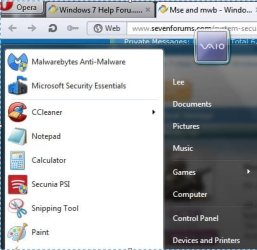
I've had MSE and Malwarebytes Pro on my computers for several years and they get along fine.

mse mbam.JPG

Having said that, have you checked your computer by installing just MSE without Malwarebytes and then Malwarebytes without MSE? Perhaps one or the other is being problematic.

If no BSODs occur when each is installed by itself, I'd reinstall both and then disable Malwarebytes real time scanning and leave real time scanning on MSE. Do BSODs cease? If yes, then it's most likely a Malwarebytes problem. But if BSODs continue, try disabling MSE real time scanning, enable Malwarebytes, and see if BSODs continue.

If you can't definitely pinpoint the problem to one or the other, I think I'd post on the Malwarebytes forum. Since you have the paid version you are entitled to free support. You can contact the Help Desk at support<at>malwarebytes<dot>org. And if you haven't already done so, it would probably help to post your latest BSOD dump files.

http://www.sevenforums.com/bsod-help-support/96879-blue-screen-death-bsod-posting-instructions.html
 

My Computer

Computer type
Laptop
Computer Manufacturer/Model Number
Sony Vaio VPCEB47GM Laptop
OS
Win 7 Pro 64-bit
CPU
Intel i5 2.4 Ghz
Memory
8GB DDR3
Graphics Card(s)
Intel HD 3000
Sound Card
IDT High Definition
Monitor(s) Displays
15.6 WGXA Anti-Glare LED
Screen Resolution
1280x800
Hard Drives
640Gb 7200rpm
Antivirus
MSE
Browser
Opera (primary) with IE9 backup
well try what you said
 

My Computer

Computer type
PC/Desktop
Computer Manufacturer/Model Number
home built
OS
windows 7 home permium 64 bits
CPU
i7 950
Motherboard
asus sabetooth x58
Memory
dominator memory 16gigs
Graphics Card(s)
asus gtx680 dcii oc,
Sound Card
asus xonar phoebus ,sennheiser pro headphones
Monitor(s) Displays
BenQ XL2420T 24" Class Widescreen LED Backlit Gaming Monito
Hard Drives
"Intel® SSD 520 Series (240GB, 2.5in SATA 6Gb/s, 25nm, MLC/ Samsung evo 1tb ssd
2X wd 1tb 64mb cash sata 6oo/6g hdd
PSU
corsair ax850 watt psu
Case
tk v51
Cooling
cpu h100i gtx case 4x140 riing fans 1x120 riing fan
Keyboard
CORSAIR k70 rgb
Mouse
corsair m65 rgb
Internet Speed
120 down 15.0 up
Antivirus
webroot/mwb
Browser
IE /crome
Back
Top