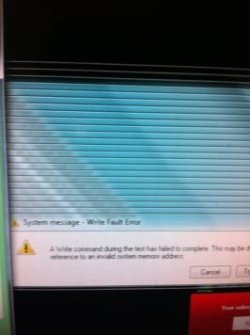
My computer reads missing operating system

My Computer

Computer type
Laptop
Computer Manufacturer/Model Number
ACER ASPIRE 5742G
OS
Microsoft Windows 7 Home Premium 64-bits 7601 Multiprocessor Free Service Pack 1
CPU
Intel(R) Core(TM) i3 CPU M 370 @ 2.40GHz
Motherboard
Acer Aspire 5742G
Memory
4,00 GB
Graphics Card(s)
ATI Mobility Radeon HD 5400 Series
Sound Card
(1) AMD High Definition Audio Device (2) Realtek High Defi
Screen Resolution
1366 x 768 x 32 bits (4294967296 colors) @ 60 Hz
Hard Drives
WDC WD5000BEVT-22ZAT0
Kaktussoft you are a life saver!! I followed the steps and I'm back up and running... Thanks a lot for your patients.... Is there any steps I need to take to prevent this from happening again?
 

My Computer

OS
64
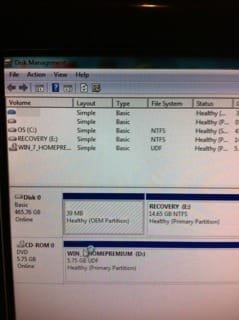
Please post back a screenshot of your maximized Disk Management drive map and listings:

1. Type Disk Management in Start Search box.
2. Open Disk Mgmt. window and maximize it.
3. Type Snipping Tool in Start Search box.
4. Open Snipping Tool, choose Rectangular Snip, click New, draw a box around full drive map and all listings.
5, Save Snip, attach using paper clip in Reply Box.


Once we confirm this you can run a Disk Check on all partitions.
 
Last edited:
Please follow the steps given. The Start Search box is above the Start button when you click it.
 

My Computer

Computer type
Laptop
Computer Manufacturer/Model Number
ACER ASPIRE 5742G
OS
Microsoft Windows 7 Home Premium 64-bits 7601 Multiprocessor Free Service Pack 1
CPU
Intel(R) Core(TM) i3 CPU M 370 @ 2.40GHz
Motherboard
Acer Aspire 5742G
Memory
4,00 GB
Graphics Card(s)
ATI Mobility Radeon HD 5400 Series
Sound Card
(1) AMD High Definition Audio Device (2) Realtek High Defi
Screen Resolution
1366 x 768 x 32 bits (4294967296 colors) @ 60 Hz
Hard Drives
WDC WD5000BEVT-22ZAT0
View attachment 236259 this is what I see after I do 40
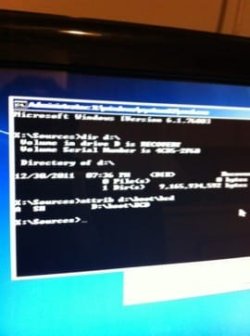
In screenshot I see the label of volume D is RECOVERY!!! That's the manufacturer's recovery partition!
See:
http://www.sevenforums.com/attachme...geuploadedbyseven-forums1350084819.761219.jpg
http://www.sevenforums.com/attachme...geuploadedbyseven-forums1350081538.961155.jpg

In one screenshot C is recovery and D is WIN7
In other screenshot D is recovery.

No idea what you did.

But if you told me the truth:
  • No partition was active. Don't know why
  • If you marked OS partition as ACTIVE... bootmgr was missing... don't know why
But startup repair will fix everything!
 

My Computer

Computer type
Laptop
Computer Manufacturer/Model Number
ACER ASPIRE 5742G
OS
Microsoft Windows 7 Home Premium 64-bits 7601 Multiprocessor Free Service Pack 1
CPU
Intel(R) Core(TM) i3 CPU M 370 @ 2.40GHz
Motherboard
Acer Aspire 5742G
Memory
4,00 GB
Graphics Card(s)
ATI Mobility Radeon HD 5400 Series
Sound Card
(1) AMD High Definition Audio Device (2) Realtek High Defi
Screen Resolution
1366 x 768 x 32 bits (4294967296 colors) @ 60 Hz
Hard Drives
WDC WD5000BEVT-22ZAT0
It's possible the boot files were on Recovery partiton at Factory and it was intended to be Active so it started when Active flag was returned to it. But we need to see the requested screenshot to know for sure.
 
Back
Top