My Icon Gone Crazy

blitzshockz

New member
Local time
5:33 PM
Messages
9
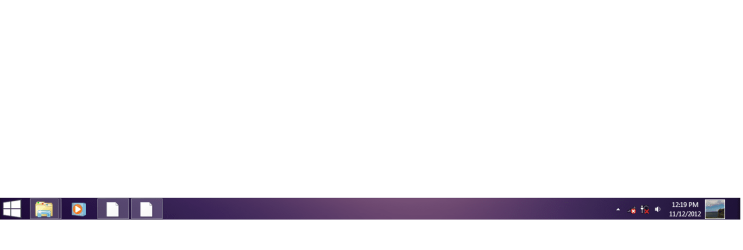
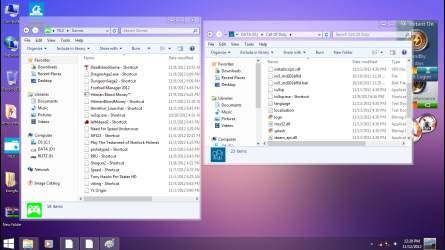
i stalled the icon packager on my windows and i uninstalled the program now my icon gone weird and i try the Icon Cache .db and system file checker and none worked..
i also tried to install back the icon packager but it give some error..
screen.png
Untitled.png
screen2.png

this is what look like in my laptop btw i used windows7 home premium x64
thats just a theme..
 

My Computer

OS
windows home premium x64
CPU
Intel Core i5 3210m
Graphics Card(s)
nvidia 610m
Have you tried a system restore? Try restoring to before you installed this icon packager program.

Another thing to try is to enter regedit (Start > run > type "regedit")

Navigate to HKEY_Local_Machine\Software\Microsoft\Windows\Current Version\Explorer\

Look for the Shell Icons and delete this entry. You may need to log off and log back on afterwards for changes to take effect.

Let me know how you go :)
 
Last edited:

My Computer

OS
Windows 7 Professional x64

My Computer

Computer type
Laptop
Computer Manufacturer/Model Number
Sager NP9170
OS
Win 7 Pro x64 / Win 10 Pro
CPU
Intel(R) Core(TM) i7-3630QM CPU @ 2.40GHz
Motherboard
CLEVO P170EM
Memory
12 GB
Graphics Card(s)
(1) Intel(R) HD Graphics 4000 (2) NVIDIA GeForce GTX 675M
Sound Card
(1) Realtek High Definition Audio (2) Intel(R) Display Aud
Monitor(s) Displays
17.3
Screen Resolution
1920x1080
Hard Drives
(1) Samsung 860 EVO 500GB(OS) (1) Samsung 860 EVO 500GB(Data)
Keyboard
Backlite
Antivirus
MSE, Malwarebytes Pro
Browser
Firefox
Other Info
DESKTOP: Custom-built.
OS: Win 10 Pro x64.
CASE: Rosewill R5.
CPU: Intel I5 4670K CPU @ 3.40GHz.
CPU COOLER: Cool Master Hyper 212 EVO.
MOTHERBOARD: Asus Z87-A.
MEMORY: Kingston HyperX 2x4 GB.
GPU: Nvidia Geforce 650 TI.
PSU: Corsair TX750.
DRIVES: (1) Samsung 840 120 GB SSD (2) Western Digital blue 500 GB 7200 RPM.
thx guys i try it now..
 

My Computer

OS
windows home premium x64
CPU
Intel Core i5 3210m
Graphics Card(s)
nvidia 610m
Back
Top