
My Windows 7 won't load.

knightlifee

New member
Local time
7:17 PM
Messages
5
About 3 weeks my notebook has fell on the ground. The display was broken, i already changed it for new led display.But my Windows 7 won't load. I really don't know what is the problem.
I tried everything. Safe Mode, Safe Mode with command prompt, Startup Repair, Last know good config. I don't know what do do.
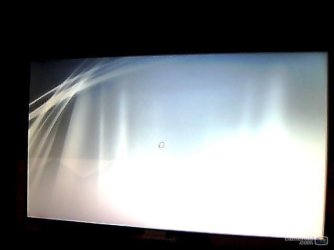
I waited about a 10 minutes to load it but it only shows a grey screen with mouse cursor nothing else.
The model of my notebook is Packard Bell EasyNote TSX66-HR-263CZ. I have Windows 7 Home Premium 64bit. What can you recommend?
 

Attachments
  • snapshot.jpg
    snapshot.jpg
    14 KB · Views: 4

My Computer

OS
Windows 7 Home Premium 64bit

My Computer

Computer type
PC/Desktop
Computer Manufacturer/Model Number
Golden Mk. I.4
OS
Windows 10 Pro x64 ; Xubuntu x64
CPU
Intel i7 860 @ 2.80 GHz O/C'ed to 4.0GHz
Motherboard
Gigabyte P55A-UD3R Rev.1. Award BIOS F13
Memory
16GB Corsair Vengance DDR3 @ 661 MHz Dual Channel (9-9-9-24)
Graphics Card(s)
EVGA NVidia GTX 560 1024MB
Sound Card
Realtek Integrated
Monitor(s) Displays
Dual Samsung SyncMaster 2494HS
Screen Resolution
1920*1080 and 1920*1080
Hard Drives
1*Samsung 840 EVO 120GB SSD;
1*OCZ Vertex 2 60GB SSD;
2*Samsung F3 SpinPoint 1TB in RAID0;
1*Samsung F1 SpinPoint 1TB;
2*Western Digital 1TB External USB 3.0
1*Western Digital 500GB External USB 3.0
1*Seagate 500GB External USB 2.0
PSU
Thermaltake ToughPower QFan 750W
Case
Thermaltake Element S VK60001W2Z
Cooling
Corsair H60 Water Cooling, 2*230mm and 2*80mm case fans
Keyboard
Logitech G110
Mouse
Logitech MX518
Can't be the problem with HDD? Destroyed or something by the fall??
 

My Computer

OS
Windows 7 Home Premium 64bit
Possibly, but you get the cursor which indicates you are getting a partial boot, so the HDD is still working fine - follow the steps in the tutorial.
 

My Computer

Computer type
PC/Desktop
Computer Manufacturer/Model Number
Golden Mk. I.4
OS
Windows 10 Pro x64 ; Xubuntu x64
CPU
Intel i7 860 @ 2.80 GHz O/C'ed to 4.0GHz
Motherboard
Gigabyte P55A-UD3R Rev.1. Award BIOS F13
Memory
16GB Corsair Vengance DDR3 @ 661 MHz Dual Channel (9-9-9-24)
Graphics Card(s)
EVGA NVidia GTX 560 1024MB
Sound Card
Realtek Integrated
Monitor(s) Displays
Dual Samsung SyncMaster 2494HS
Screen Resolution
1920*1080 and 1920*1080
Hard Drives
1*Samsung 840 EVO 120GB SSD;
1*OCZ Vertex 2 60GB SSD;
2*Samsung F3 SpinPoint 1TB in RAID0;
1*Samsung F1 SpinPoint 1TB;
2*Western Digital 1TB External USB 3.0
1*Western Digital 500GB External USB 3.0
1*Seagate 500GB External USB 2.0
PSU
Thermaltake ToughPower QFan 750W
Case
Thermaltake Element S VK60001W2Z
Cooling
Corsair H60 Water Cooling, 2*230mm and 2*80mm case fans
Keyboard
Logitech G110
Mouse
Logitech MX518
Possibly, but you get the cursor which indicates you are getting a partial boot, so the HDD is still working fine - follow the steps in the tutorial.

That doesn't preclude a damaged block/sector.

@knightlifee
Can you get the Windows Startup Repair function to work?
If so, can you run CHKDSK from the Command Prompt?
 

My Computer

Computer type
PC/Desktop
Computer Manufacturer/Model Number
n/a
OS
W7 Ultimate SP1, LM19.2 MATE, W10 Home 1703, W10 Pro 1703 VM, #All 64 bit
CPU
AMD Phenom II x6 1100T, 3.3 GHz
Motherboard
ASUS M4A88T-M/USB3 (AM3)
Memory
12GB DDR3 1333 G-Skill (4GB x 2), G-Skill (2GB x 2)
Graphics Card(s)
NVIDIA GeForce GTX 660
Sound Card
Realtek?
Monitor(s) Displays
Samsung S23B350
Screen Resolution
1920x1080
Hard Drives
WD Green 2TB (SATA), WD Green 3TB (SATA), WD Blue 4TB (SATA), WD Blue 6TB (SATA)
PSU
Cooler Master
Case
Antec GX300 Tower
Cooling
3x Antec TRICOOL 120mm Fans
Mouse
Wired Optical
Internet Speed
DSL
Antivirus
Avast
Browser
Pale Moon (64 bit)
Other Info
2018-12-27 Upgraded HDDs
2015-12-10 Upgraded case, graphics card, storage
2015-08-15 Upgraded motherboard & RAM
2015-07-15 Upgraded LM17.1 to LM17.2
Possibly, but you get the cursor which indicates you are getting a partial boot, so the HDD is still working fine - follow the steps in the tutorial.

That doesn't preclude a damaged block/sector.

@knightlifee
Can you get the Windows Startup Repair function to work?
If so, can you run CHKDSK from the Command Prompt?

lehnerus2000
I started my notebook, it shows me Packard bell logo, then if i want to start Launch Startup Repair (recommended) and Start Windows Normally, so if i started this Startup Repair, Windows is loading files...., Starting Windows and then..black screen and then grey screen with cursor. Nothing else. It does too for Start Windows Normally option. I really don't know what is with pc. It's in warranty too, i have my notebook for only one month.
This Safe Mode with Command Prompt isn't working aswell. Only grey screen, nothing else.
 

My Computer

OS
Windows 7 Home Premium 64bit
Is the HD detected in BIOS setup? Run the HD diagnostics given in forenote of tutorial Golden linked. It will confirm the HD condition.

Then I'd also test RAM to see if it's functioning correctly.

If these are OK can you boot a Linux live disk or Hiren’s BootCD 15.1 Live XP to browse the HD to see if you see your files and see if the functions of those OS's work?

Did your OEM's tech Support replace the screen? Are they willing to further repair or replace the PC?
 
Back
Top