
Mysterious Error Dialogue

Farhan

New member
Local time
11:19 PM
Messages
4
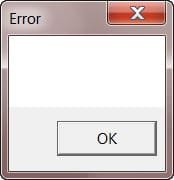
All of a sudden, I've started getting a mysterious error window, with no text or any info on it. I've attached a screenshot. This window hangs the explorer process until Ok is clicked.. and it hangs my system while putting on standby or hibernate. Any help on how I can find out about the origins of this error window and how to get rid of it?

Thanks..

Intel P4 + Intel board + Win 7 32bit SP1 + 4 GB Ram + 1 TB HD
 

Attachments
  • blank error message.jpg
    blank error message.jpg
    4 KB · Views: 124

My Computer

OS
Windows 7 32 bit SP1
CPU
Intel(R) Core(TM)2 Duo CPU E7400 @ 2.80GHz
Motherboard
Intel DG43NB
Memory
4GB
Graphics Card(s)
NVIDIA GeForce 6200 TurboCache(TM)
Hard Drives
1x1TB
Hi, welcome to the forums :)

I would advise you try running a Full System Scan using MalwareBytes and see what results it shows.


OS
 

My Computer

Computer Manufacturer/Model Number
Compaq Desktop
OS
Windows 7 Ultimate x64
CPU
AMD Sempron Dual Core
Memory
3GB
Graphics Card(s)
NVIDIA GeForce 6150SE nForce 430
Screen Resolution
1024x768
Hard Drives
150GB Sata
I'm already using NOD32 AV.. won't that catch any malware?
 

My Computer

OS
Windows 7 32 bit SP1
CPU
Intel(R) Core(TM)2 Duo CPU E7400 @ 2.80GHz
Motherboard
Intel DG43NB
Memory
4GB
Graphics Card(s)
NVIDIA GeForce 6200 TurboCache(TM)
Hard Drives
1x1TB
You'll be surprised, AntiVirus & Malware are 2 different things. While NOD may catch most, MalwareBytes will catch everything else ;)
 

My Computer

Computer Manufacturer/Model Number
Compaq Desktop
OS
Windows 7 Ultimate x64
CPU
AMD Sempron Dual Core
Memory
3GB
Graphics Card(s)
NVIDIA GeForce 6150SE nForce 430
Screen Resolution
1024x768
Hard Drives
150GB Sata
Okies.. downloading now..
 

My Computer

OS
Windows 7 32 bit SP1
CPU
Intel(R) Core(TM)2 Duo CPU E7400 @ 2.80GHz
Motherboard
Intel DG43NB
Memory
4GB
Graphics Card(s)
NVIDIA GeForce 6200 TurboCache(TM)
Hard Drives
1x1TB
Ok.. cleaned my system. It did find some malware, and I cleaned it too but the mysterious dialogue still remains. Any further suggestions?
 

My Computer

OS
Windows 7 32 bit SP1
CPU
Intel(R) Core(TM)2 Duo CPU E7400 @ 2.80GHz
Motherboard
Intel DG43NB
Memory
4GB
Graphics Card(s)
NVIDIA GeForce 6200 TurboCache(TM)
Hard Drives
1x1TB
Zone Alarm has been reported to give this dialog box - uninstall ZA - use Windows FW instead.
Sims 2 also, iTunes, ColdFusion... the list goes on. It is bad error handling code.

What software are you running when this occurs? Maybe a background program in the notification area?

Task manager may be helpful - if running when the dialog is active. (right-click taskbar and select Task manager) see if you can identify the "Error" as an application, and right click to go to process to find the executable responsible.
 

My Computer

Computer Manufacturer/Model Number
Acer 7520, Packard Bell dot se, Acer travelmate 2423
OS
Win 7 Ult + Starter, XP Pro +Home, 2kAS, Linux Mint 8, SuperOS
CPU
AMD 64 Athlon X2 , Intel Atom N450, Intel Celeron M 1.50 Ghz
Motherboard
Acer Fuquene
Memory
2.5GB ; 1GB; 2GB
Graphics Card(s)
Nvidia GeForce7000m; Intel; Intel
Sound Card
Realtek AC57
Monitor(s) Displays
17" ;10.1"; 19"
Screen Resolution
1440x900;1024x600;1440x900;
Hard Drives
WD 80, WD 320;
PSU
19v
Case
Laptop
Cooling
Air
Internet Speed
9.7Mb/s down 0.99Mb/s up
Other Info
ISP VIRGINMEDIA 10M cable broadband - D-Link DIR615 wireless router, 3Com OfficeConnect ASDL router used as wireless extender switch
Back
Top