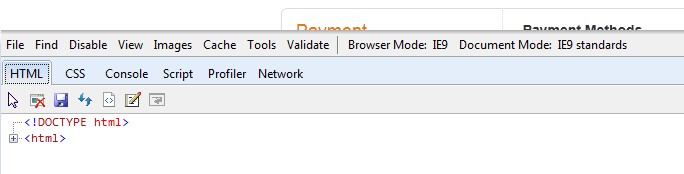
I know, this problem is relevant to a Vista system. But I'm hoping any AOL experts here on SevenForums will not shun me and my question.
I upgraded the Vista machine from Service Pack 2 to Service Pack 3. As a result the installed IE was upgraded from IE7 to IE8. I then further upgraded to IE9. And finally, I upgraded the previously installed AOL 9.1 to a more recent AOL 9.5.
However I'm still having problems getting proper response from the Nordstrom web site for advertising emails linking to web pages and read through AOL email, same as I had before the above significant software upgrades.
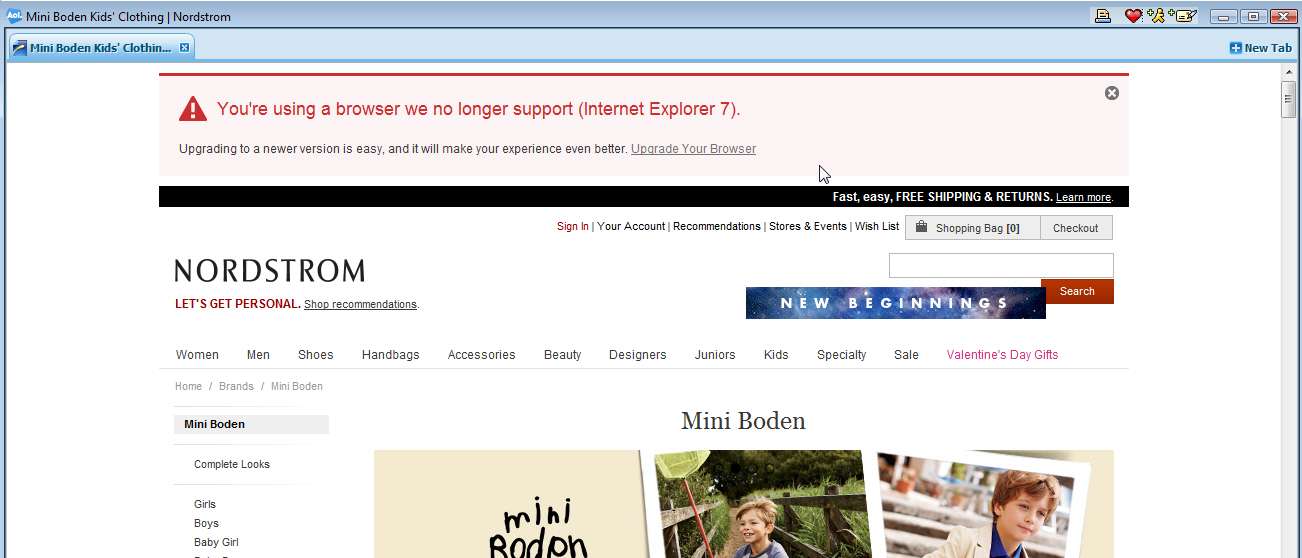
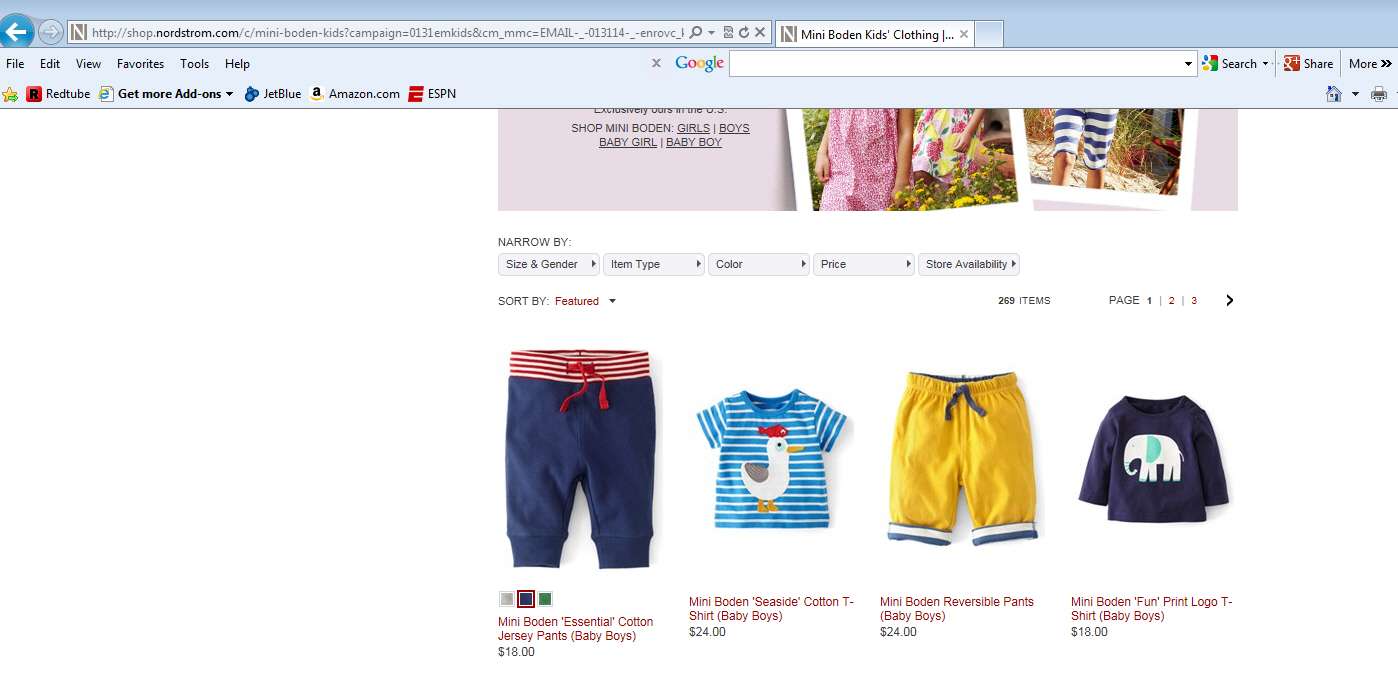
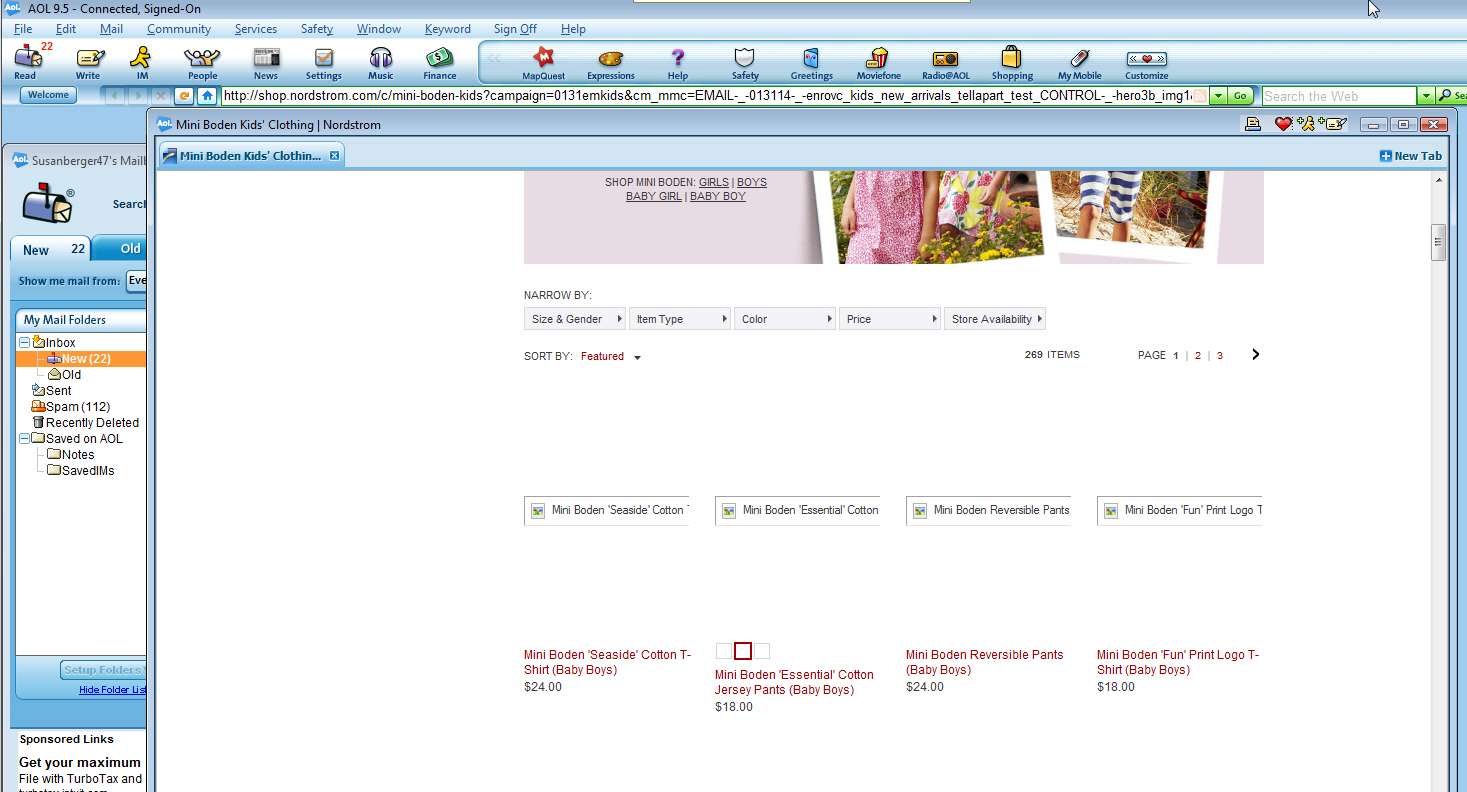
The problem is that the Nordstrom web site made a change a few months ago which implemented imbedded pictures and graphics differently, and which required higher than IE7. So with the previous Service Pack 2 and IE7 and AOL 9.1, any time the graphics should have appeared on the Nordstrom pages instead there was a "dead links" icon. And at the top of the page was a red error message stating "we no longer support your browser version, IE7" and which also provided a link to a Microsoft site that theoretically would allow me to upgrade my version of IE.
I was hoping that my software updates would resolve all of this. But it didn't. And I now see it's because AOL is still sending the old "IE7" value to Nordstrom's as the name of the installed browser, rather than "IE9" as it now should be sending. THIS IS MY PROBLEM... to be fixed, if someone knows how to get that done.
Well, when I clicked on that link in the red error message to theoretically begin upgrading my theoretically out-of-date IE (although I know that I'm already running the most current IE9 allowed with Vista), I get a response back from the MS site page that says exactly that... namely that I'm already running the most current IE9. Obviously they pre-checked and discovered there's no need for an upgrade, because IE9 is already installed. So it's only AOL that hasn't got its own browser data value updated correctly.
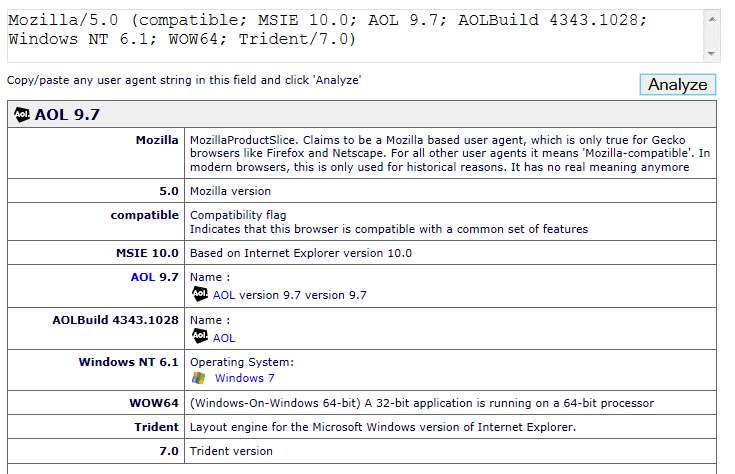
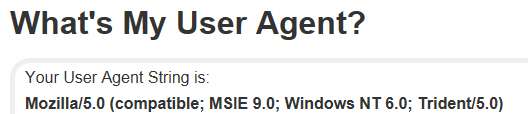
So, I decided to investigate, looking at the "useragentstring" which must be queried for by the Nordstrom site. And even though I have IE9 installed, apparently AOL is still replying to the Nordstrom query with a string value that says IE7 is being used, not IE9.
I'm now absolutely convinced that THIS is the problem which needs fixing, and my goal is now to do whatever is needed to change whatever is buried deep in AOL that still shows IE7 (which USED TO BE TRUE) instead of the now current IE9 that is installed right now. I suspect once the useragentstring will show IE9, that the problem displaying the Nordstrom web pages will disappear.


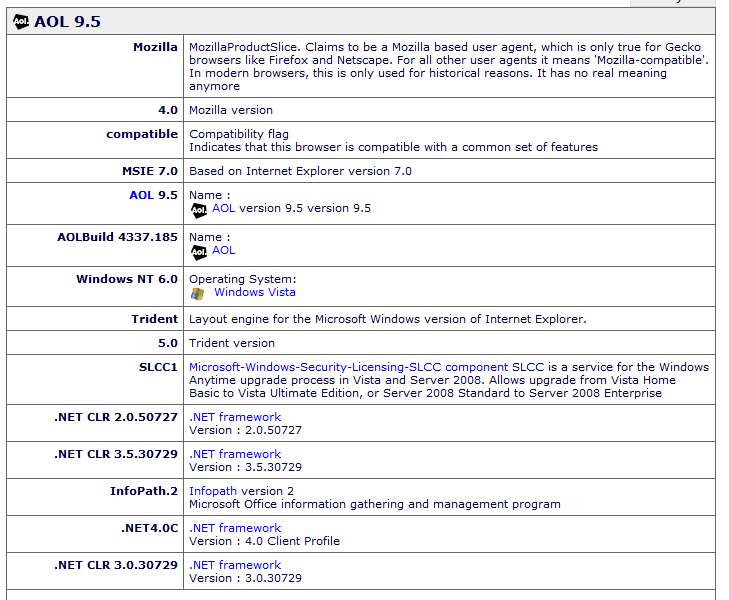
So now I see this useragentstring value which also shows IE7!!! And yet, it is really IE9 that is on the machine.
So, if I knew how to purge that old IE7 "cookie" value or whatever AOL saves in order to populate the useragentstring, so that it would pick up a current and correct value of IE9, well I suspect that would obviously now send the proper useragentstring to the Nordstrom web site when queried, and the online sales pages would [hopefully and presumably] now populate the graphics correctly on those pages.
So... you wouldn't happen to know how/where to get that AOL value changed to properly reflect IE9?
Is it buried in some file I can manually edit, or patch with hexedit, or something? Or is there just a standard way you ask AOL to re-check system state, to re-discover the current browser installed is now IE9??
I upgraded the Vista machine from Service Pack 2 to Service Pack 3. As a result the installed IE was upgraded from IE7 to IE8. I then further upgraded to IE9. And finally, I upgraded the previously installed AOL 9.1 to a more recent AOL 9.5.
However I'm still having problems getting proper response from the Nordstrom web site for advertising emails linking to web pages and read through AOL email, same as I had before the above significant software upgrades.
The problem is that the Nordstrom web site made a change a few months ago which implemented imbedded pictures and graphics differently, and which required higher than IE7. So with the previous Service Pack 2 and IE7 and AOL 9.1, any time the graphics should have appeared on the Nordstrom pages instead there was a "dead links" icon. And at the top of the page was a red error message stating "we no longer support your browser version, IE7" and which also provided a link to a Microsoft site that theoretically would allow me to upgrade my version of IE.
I was hoping that my software updates would resolve all of this. But it didn't. And I now see it's because AOL is still sending the old "IE7" value to Nordstrom's as the name of the installed browser, rather than "IE9" as it now should be sending. THIS IS MY PROBLEM... to be fixed, if someone knows how to get that done.
Well, when I clicked on that link in the red error message to theoretically begin upgrading my theoretically out-of-date IE (although I know that I'm already running the most current IE9 allowed with Vista), I get a response back from the MS site page that says exactly that... namely that I'm already running the most current IE9. Obviously they pre-checked and discovered there's no need for an upgrade, because IE9 is already installed. So it's only AOL that hasn't got its own browser data value updated correctly.
So, I decided to investigate, looking at the "useragentstring" which must be queried for by the Nordstrom site. And even though I have IE9 installed, apparently AOL is still replying to the Nordstrom query with a string value that says IE7 is being used, not IE9.
I'm now absolutely convinced that THIS is the problem which needs fixing, and my goal is now to do whatever is needed to change whatever is buried deep in AOL that still shows IE7 (which USED TO BE TRUE) instead of the now current IE9 that is installed right now. I suspect once the useragentstring will show IE9, that the problem displaying the Nordstrom web pages will disappear.
So now I see this useragentstring value which also shows IE7!!! And yet, it is really IE9 that is on the machine.
So, if I knew how to purge that old IE7 "cookie" value or whatever AOL saves in order to populate the useragentstring, so that it would pick up a current and correct value of IE9, well I suspect that would obviously now send the proper useragentstring to the Nordstrom web site when queried, and the online sales pages would [hopefully and presumably] now populate the graphics correctly on those pages.
So... you wouldn't happen to know how/where to get that AOL value changed to properly reflect IE9?
Is it buried in some file I can manually edit, or patch with hexedit, or something? Or is there just a standard way you ask AOL to re-check system state, to re-discover the current browser installed is now IE9??
My Computer
At a glance
Windows 7 Pro x64 (1), Win7 Pro X64 (2)i5-3350p 3.1Ghz/6MB-cache (1); E8400 3.0Ghz/6...8GB PC3-12800 DDR3 (1); 4GB PC3-10600 DDR3 (2)ATI HD7750 (1), (see TV cards); ATI R7 250 (2)
- Computer type
- PC/Desktop
- Computer Manufacturer/Model Number
- Home-built, two systems (1) and (2)
- OS
- Windows 7 Pro x64 (1), Win7 Pro X64 (2)
- CPU
- i5-3350p 3.1Ghz/6MB-cache (1); E8400 3.0Ghz/6MB-cache (2)
- Motherboard
- ASUS P8Z77-V Pro (1); ASUS P5Q3 (2)
- Memory
- 8GB PC3-12800 DDR3 (1); 4GB PC3-10600 DDR3 (2)
- Graphics Card(s)
- ATI HD7750 (1), (see TV cards); ATI R7 250 (2)
- Sound Card
- Realtek ALC892 HD Audio (1); Realtek ALC1200 HD Audio (2)
- Monitor(s) Displays
- Eizo HD2441W LCD, Eizo S2433W (1); Eizo 24" S2433W (2)
- Screen Resolution
- 1920x1200, 1920x1200 (1); 1920x1200 (2)
- Hard Drives
- (1) 1TB SATA-II (7200RPM), 2x2TB SATA-III (7200RPM), 250GB SATA-III (10000RPM) for OS; 2x2TB external USB 3.0
(2) 320GB SATA-II (7200RPM), 750GB SATA-II (7200RPM), 150GB SATA-II (10000RPM) for OS; 2TB external USB 3.0
- PSU
- Nesteq ECS-6001 600W (1); Nesteq ECS-5001 500W (2)
- Case
- Acousti-Case 360 (1) and (2)
- Cooling
- Noctua NH-U12P SE2 for CPU, 2x120mm case fans (1) and (2)
- Keyboard
- IBM PS/2 (1) and (2)
- Mouse
- Logitech MX Revolution wireless (1); Microsoft wired (2)
- Internet Speed
- 100mbps down / 10mbps up
- Antivirus
- Microsoft Security Essentials; Malwarebyte Anti-Malware Pro
- Browser
- Firefox
- Other Info
- Ceton InfiniTV 4-tuner cablecard-enabled TV card as well as Hauppauge HVR-2250 OTA/ATSC 2-tuner TV card in (1), running under Win7 WMC