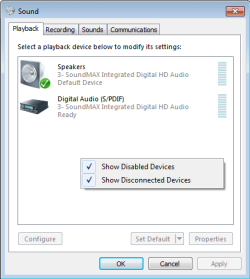
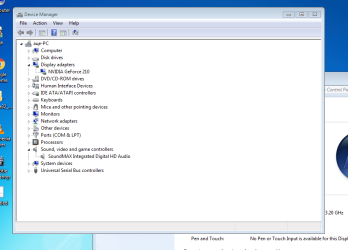
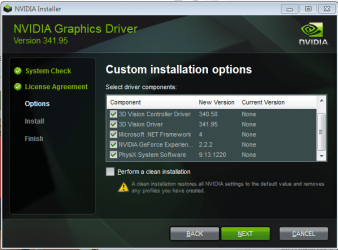
The problem is the audio from PC to HDMI has failed is the issue.
Tested 1: HDMI cable is good, as you have connected to another PC that work well.
Tested 2: Video & sound on the PC using, say VLC player, is good as it work.
Failed: When connect between the PC and TV thru HDMI for audio had failed.
On my post:
If the movie do have video & sound, then plug in the HDMI cable to the computer, and the other end on the TV HDMI.
You can plug the HDMI while playing the movie (pause).
Both the video and sound will pass to the TV.
So, in default, the sound will auto pass to the TV, no need to select audio option as HDMI.
The reason:
To play the Youtube &or movie, using PC video player, ex VLC player;
This is to ensure to pass both video and audio from the PC to the TV, is good or not.
My laptop do have HDMI and usually i leave the audio & video playing (pause) and did the connection between the Laptop and TV.
It seem that the failure is at the PC audio had failed to pass thru the HDMI, hence no audio on TV.
Let me explained on this.
Most of the time i watch movies using vlc player.
When i bought a new set of speaker (desktop type) and did the connection.
After setup the speakers connect to laptop, when i play a movie, there is NO AUDIO.
I got frustrated, as it seem to me that the speaker is not working properly.
After some troubleshooting, i had forgot to reset my audio setting in the vlc player.
Most Chinese movies that have 2 languages, on the left/right speaker will be Language-1 /Language-2.
I recalled that i did make a change in the audio setting to have the audio on the 1 speaker.
Finally, i went thru the audio setting to reset back to stereo.
Back to your case.
So, maybe you may have to confirm all the audio setting in the PC is in order.
Sad to say, you have to visit the Service center to resolve why the audio for the HDMI is not working.
This is the hardware issue.
Let them know that watch on PC no issue, but PC audio failed to pass thru HDMI to TV without audio.
HDMI is good, as it work in other PC.
That is all i can do.
Regards
Eric.