- Local time
- 7:52 AM
- Messages
- 56
I will try to provide as much information as I am aware of.Here are the main problems.Believe I may have the 1st one fixed now though.
1:Screen shutsoff at random and has no sound when it happens.Laptop still runs,but screen doesn't comeback till I manualy shut the laptop down.When it happens my 2nd external moniter connected to the vga would do the same.I don't normaly use a 2nd screen,but was doing it just for this.
I had to uninstall/reinstall VGA and chipset like 5 times before it was sucessfull.
I believe that has solved the problem.Hasen't been happening since.
2:Can't shutdown or restart.Before I fixed my VGA and chipset driver issues,it would say logging off and shutting downing quick.But soon as it tried to shutdown the screen would shutoff,laptop still ran.would never power down and start back up.
Now when I do it it will freeze on logging off(loader icon stops moving).
Luckily since im running 32 bit.If I hold f8 and select disable driver certificate thing,it seems to shutdown and restart properly.I have to do it everytime on startup.So I believe this is my main issue now.
I have uninstalled and reinstalled windows 7 at least 5 times now.I wiped my HD absolutly clean everytime(kill disk).
All I currently have for programs is avast,comodo,& ghostbuster.All were downloaded off their offical site.Don't have anything else installed.
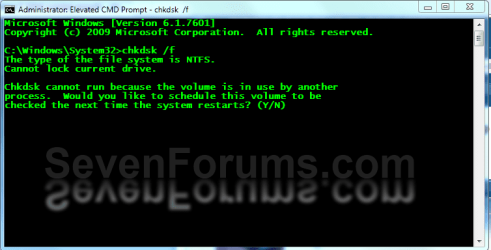
I ran check disk 2-3 times.Everytime,it shows 0 bad secters and 0 bad files.Volume is clean.
This may have been a nono,but I went on blackvipers site and set services to what he had checked as safe.I would like to stop whatever services or extras I don't essentialy need or care to use.I onley have 1gb of ram.
Would like to say thanks to all that try to help me out,& since im new here.How do I give others rep?
My computer skills id say im about a 4-5 out of 10.Im alright with average tasks and a few things a noob-average pc user wouldn't know how to do.But im no expert by a long shot lol.
Edit:Here is something I found for shutdown.
Log Name: Microsoft-Windows-Diagnostics-Performance/Operational
Source: Microsoft-Windows-Diagnostics-Performance
Date: 7/18/2011 11:18:44 PM
Event ID: 200
Task Category: Shutdown Performance Monitoring
Level: Warning
Keywords: Event Log
User: LOCAL SERVICE
Computer: gw22-PC
Description:
Windows has shutdown:
Shutdown Duration : 6034ms
IsDegradation : false
Incident Time (UTC) : 2011-07-19T06:07:17.495661900Z
Event Xml:
<Event xmlns="http://schemas.microsoft.com/win/2004/08/events/event">
<System>
<Provider Name="Microsoft-Windows-Diagnostics-Performance" Guid="{CFC18EC0-96B1-4EBA-961B-622CAEE05B0A}" />
<EventID>200</EventID>
<Version>1</Version>
<Level>3</Level>
<Task>4007</Task>
<Opcode>40</Opcode>
<Keywords>0x8000000000010000</Keywords>
<TimeCreated SystemTime="2011-07-19T06:18:44.140661700Z" />
<EventRecordID>50</EventRecordID>
<Correlation ActivityID="{841E0ADC-C9D7-0001-1051-F82CDA45CC01}" />
<Execution ProcessID="1676" ThreadID="2044" />
<Channel>Microsoft-Windows-Diagnostics-Performance/Operational</Channel>
<Computer>gw22-PC</Computer>
<Security UserID="S-1-5-19" />
</System>
<EventData>
<Data Name="ShutdownTsVersion">1</Data>
<Data Name="ShutdownStartTime">2011-07-19T06:07:17.495661900Z</Data>
<Data Name="ShutdownEndTime">2011-07-19T06:07:23.529824500Z</Data>
<Data Name="ShutdownTime">6034</Data>
<Data Name="ShutdownUserSessionTime">1766</Data>
<Data Name="ShutdownUserPolicyTime">3</Data>
<Data Name="ShutdownUserProfilesTime">661</Data>
<Data Name="ShutdownSystemSessionsTime">1477</Data>
<Data Name="ShutdownPreShutdownNotificationsTime">0</Data>
<Data Name="ShutdownServicesTime">1251</Data>
<Data Name="ShutdownKernelTime">2790</Data>
<Data Name="ShutdownRootCauseStepImprovementBits">0</Data>
<Data Name="ShutdownRootCauseGradualImprovementBits">0</Data>
<Data Name="ShutdownRootCauseStepDegradationBits">0</Data>
<Data Name="ShutdownRootCauseGradualDegradationBits">0</Data>
<Data Name="ShutdownIsDegradation">false</Data>
<Data Name="ShutdownTimeChange">0</Data>
</EventData>
</Event>
1:Screen shutsoff at random and has no sound when it happens.Laptop still runs,but screen doesn't comeback till I manualy shut the laptop down.When it happens my 2nd external moniter connected to the vga would do the same.I don't normaly use a 2nd screen,but was doing it just for this.
I had to uninstall/reinstall VGA and chipset like 5 times before it was sucessfull.
I believe that has solved the problem.Hasen't been happening since.
2:Can't shutdown or restart.Before I fixed my VGA and chipset driver issues,it would say logging off and shutting downing quick.But soon as it tried to shutdown the screen would shutoff,laptop still ran.would never power down and start back up.
Now when I do it it will freeze on logging off(loader icon stops moving).
Luckily since im running 32 bit.If I hold f8 and select disable driver certificate thing,it seems to shutdown and restart properly.I have to do it everytime on startup.So I believe this is my main issue now.
I have uninstalled and reinstalled windows 7 at least 5 times now.I wiped my HD absolutly clean everytime(kill disk).
All I currently have for programs is avast,comodo,& ghostbuster.All were downloaded off their offical site.Don't have anything else installed.
I ran check disk 2-3 times.Everytime,it shows 0 bad secters and 0 bad files.Volume is clean.
This may have been a nono,but I went on blackvipers site and set services to what he had checked as safe.I would like to stop whatever services or extras I don't essentialy need or care to use.I onley have 1gb of ram.
Would like to say thanks to all that try to help me out,& since im new here.How do I give others rep?
My computer skills id say im about a 4-5 out of 10.Im alright with average tasks and a few things a noob-average pc user wouldn't know how to do.But im no expert by a long shot lol.
Edit:Here is something I found for shutdown.
Log Name: Microsoft-Windows-Diagnostics-Performance/Operational
Source: Microsoft-Windows-Diagnostics-Performance
Date: 7/18/2011 11:18:44 PM
Event ID: 200
Task Category: Shutdown Performance Monitoring
Level: Warning
Keywords: Event Log
User: LOCAL SERVICE
Computer: gw22-PC
Description:
Windows has shutdown:
Shutdown Duration : 6034ms
IsDegradation : false
Incident Time (UTC) : 2011-07-19T06:07:17.495661900Z
Event Xml:
<Event xmlns="http://schemas.microsoft.com/win/2004/08/events/event">
<System>
<Provider Name="Microsoft-Windows-Diagnostics-Performance" Guid="{CFC18EC0-96B1-4EBA-961B-622CAEE05B0A}" />
<EventID>200</EventID>
<Version>1</Version>
<Level>3</Level>
<Task>4007</Task>
<Opcode>40</Opcode>
<Keywords>0x8000000000010000</Keywords>
<TimeCreated SystemTime="2011-07-19T06:18:44.140661700Z" />
<EventRecordID>50</EventRecordID>
<Correlation ActivityID="{841E0ADC-C9D7-0001-1051-F82CDA45CC01}" />
<Execution ProcessID="1676" ThreadID="2044" />
<Channel>Microsoft-Windows-Diagnostics-Performance/Operational</Channel>
<Computer>gw22-PC</Computer>
<Security UserID="S-1-5-19" />
</System>
<EventData>
<Data Name="ShutdownTsVersion">1</Data>
<Data Name="ShutdownStartTime">2011-07-19T06:07:17.495661900Z</Data>
<Data Name="ShutdownEndTime">2011-07-19T06:07:23.529824500Z</Data>
<Data Name="ShutdownTime">6034</Data>
<Data Name="ShutdownUserSessionTime">1766</Data>
<Data Name="ShutdownUserPolicyTime">3</Data>
<Data Name="ShutdownUserProfilesTime">661</Data>
<Data Name="ShutdownSystemSessionsTime">1477</Data>
<Data Name="ShutdownPreShutdownNotificationsTime">0</Data>
<Data Name="ShutdownServicesTime">1251</Data>
<Data Name="ShutdownKernelTime">2790</Data>
<Data Name="ShutdownRootCauseStepImprovementBits">0</Data>
<Data Name="ShutdownRootCauseGradualImprovementBits">0</Data>
<Data Name="ShutdownRootCauseStepDegradationBits">0</Data>
<Data Name="ShutdownRootCauseGradualDegradationBits">0</Data>
<Data Name="ShutdownIsDegradation">false</Data>
<Data Name="ShutdownTimeChange">0</Data>
</EventData>
</Event>
Last edited:
My Computer
- Computer Manufacturer/Model Number
- Acer aspire 5551-2036
- OS
- window 7 64b SP1
- CPU
- AMD P320 2.1ghz
- Graphics Card(s)
- ATI radeon HD 4250
- Screen Resolution
- 1024x768 native
- Hard Drives
- 320gb hitachi


 .
.