I am using a GigaByte UD3P Motherboard.
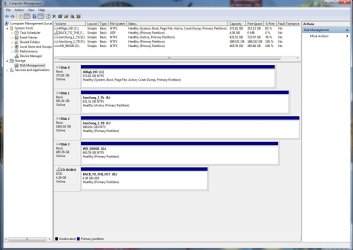
All drives currently installed:
DRIVE C: CRUCIAL_CT128M225 SSD DRIVE 128 GB [ BOOT Drive ]
DRIVE D: Seagate Barracuda 7200.10 320620 320 GB 7200 RPM 16 MB
DRIVE F: Maxtor 6L080P0 ATA Device DiamondMax 10 80 GB <--IDE DRIVE
DRIVE H: Seagate USB External HDD 250 GB <-- USB
The NEW HDD is a 'Western Digital WD1001FALS 1TB' 7200 RPM 32MB Cache SATA 2 Internal
SPECS on New Drivere here----> Newegg.com - Western Digital Caviar Black WD1001FALS 1TB 7200 RPM 32MB Cache SATA 3.0Gb/s 3.5" Internal Hard Drive -Bare Drive
The section I am reading from can be found here---> GIGABYTE - Motherboard - Socket 775 - GA-EP45-UD3P (rev. 1.1)
START MANUAL SECTION
"Storage Interface South Bridge:
1. 6x SATA 3Gb/s connectors (SATA2_0, SATA2_1, SATA2_2, SATA2_3, SATA2_4, SATA2_5) supporting up to 6 SATA 3Gb/s devices
2. Support for SATA RAID 0, RAID 1, RAID 5, and RAID 10
GIGABYTE SATA2 chip:
1. 1 x IDE connector supporting ATA-133/100/66/33 and up to 2 IDE devices
2. 2 x SATA 3Gb/s connectors (GSATA2_0, GSATA2_1) supporting up to 2 SATA 3Gb/s devices
3. Support for SATA RAID 0, RAID 1 and JBOD
END OF MANUAL SECTION
Questions:
I need to know if I can simpy put this newest SATA II drive to any unsued SATA 2 cable?
Do I have to remove or move around any drives?
Is there a max supported drives for the motherboard?
Or anything anyone would like to add??
All drives currently installed:
DRIVE C: CRUCIAL_CT128M225 SSD DRIVE 128 GB [ BOOT Drive ]
DRIVE D: Seagate Barracuda 7200.10 320620 320 GB 7200 RPM 16 MB
DRIVE F: Maxtor 6L080P0 ATA Device DiamondMax 10 80 GB <--IDE DRIVE
DRIVE H: Seagate USB External HDD 250 GB <-- USB
The NEW HDD is a 'Western Digital WD1001FALS 1TB' 7200 RPM 32MB Cache SATA 2 Internal
SPECS on New Drivere here----> Newegg.com - Western Digital Caviar Black WD1001FALS 1TB 7200 RPM 32MB Cache SATA 3.0Gb/s 3.5" Internal Hard Drive -Bare Drive
The section I am reading from can be found here---> GIGABYTE - Motherboard - Socket 775 - GA-EP45-UD3P (rev. 1.1)
START MANUAL SECTION
"Storage Interface South Bridge:
1. 6x SATA 3Gb/s connectors (SATA2_0, SATA2_1, SATA2_2, SATA2_3, SATA2_4, SATA2_5) supporting up to 6 SATA 3Gb/s devices
2. Support for SATA RAID 0, RAID 1, RAID 5, and RAID 10
GIGABYTE SATA2 chip:
1. 1 x IDE connector supporting ATA-133/100/66/33 and up to 2 IDE devices
2. 2 x SATA 3Gb/s connectors (GSATA2_0, GSATA2_1) supporting up to 2 SATA 3Gb/s devices
3. Support for SATA RAID 0, RAID 1 and JBOD
END OF MANUAL SECTION
Questions:
I need to know if I can simpy put this newest SATA II drive to any unsued SATA 2 cable?
Do I have to remove or move around any drives?
Is there a max supported drives for the motherboard?
Or anything anyone would like to add??
My Computer
At a glance
Windows 7 x64
- OS
- Windows 7 x64