
Need Help Newbie

icepik09

New member
Local time
1:22 AM
Messages
13
Well I've got my Dell Laptop and would like to have a MAC OS X theme installed the full thing with the windows different and everything, I'm not sure what build of windows 7 I have all I know is I have windows 7 home premium which was the free upgrade from dell when I bought this laptop, could someone please send me a link or something to where I can just click and install a MAC theme or give me instructions on how to have it thanks guys
 

My Computer

Computer Manufacturer/Model Number
Dell Inspirion 1545
OS
Windows 7
CPU
Intel Pentium Dual Core 2.00ghz
Memory
4gb Ram
Hard Drives
180gb onboard, WD Passport 320gb, WD My Book 1TB
My Computer

Computer type
PC/Desktop
Computer Manufacturer/Model Number
Self Built
OS
Win 10 Pro x64
CPU
Intel I5-2500K @3.3GHz
Motherboard
Asrock P67 Extreme4
Memory
16GB G.Skill Ripjaws X (4x4GB)
Graphics Card(s)
EVGA GeForce 750 Ti SC 2GB
Sound Card
ASUS Xonar DG 5.1 Channels 24-bit 96KHz PCI Interface Sound
Monitor(s) Displays
auria eq2367
Screen Resolution
1920 x 1080
Hard Drives
250GB Samsung 850 EVO SSD
1TB WD Blue
1TB Hitachi
PSU
SeaSonic X 650W 80 Plus Gold
Case
Corsair Obsidian 750D
Cooling
Corsair H60, Three 140mm case fans
Keyboard
Logitech Wireless Keyboard K520
Mouse
Logitech Wireless Mouse M310
Internet Speed
Wave Broadband ~ 100 dn 5 up
Antivirus
Windows Defender, Malwarebytes Premium
Browser
Edge, IE11, Chrome
Other Info
Laptop specs: HP g7-1365dx /
CPU: AMD A6-3420M APU with Radeon(tm) HD Graphics /
RAM: Crucial 8Gb (2x4Gb) /
SSD: Crucial M4-CT128M4SSD2 ATA Device/ FW 000F /
GFX: AMD Radeon HD 6520G /
OS: Windows 10 Pro x64
thanks man im still having trouble tho, i try to take ownership of the explorer folder like it says and when i click apply it says access denied??
 

My Computer

Computer Manufacturer/Model Number
Dell Inspirion 1545
OS
Windows 7
CPU
Intel Pentium Dual Core 2.00ghz
Memory
4gb Ram
Hard Drives
180gb onboard, WD Passport 320gb, WD My Book 1TB
Which theme are you using?
 

My Computer

Computer type
PC/Desktop
Computer Manufacturer/Model Number
Self Built
OS
Win 10 Pro x64
CPU
Intel I5-2500K @3.3GHz
Motherboard
Asrock P67 Extreme4
Memory
16GB G.Skill Ripjaws X (4x4GB)
Graphics Card(s)
EVGA GeForce 750 Ti SC 2GB
Sound Card
ASUS Xonar DG 5.1 Channels 24-bit 96KHz PCI Interface Sound
Monitor(s) Displays
auria eq2367
Screen Resolution
1920 x 1080
Hard Drives
250GB Samsung 850 EVO SSD
1TB WD Blue
1TB Hitachi
PSU
SeaSonic X 650W 80 Plus Gold
Case
Corsair Obsidian 750D
Cooling
Corsair H60, Three 140mm case fans
Keyboard
Logitech Wireless Keyboard K520
Mouse
Logitech Wireless Mouse M310
Internet Speed
Wave Broadband ~ 100 dn 5 up
Antivirus
Windows Defender, Malwarebytes Premium
Browser
Edge, IE11, Chrome
Other Info
Laptop specs: HP g7-1365dx /
CPU: AMD A6-3420M APU with Radeon(tm) HD Graphics /
RAM: Crucial 8Gb (2x4Gb) /
SSD: Crucial M4-CT128M4SSD2 ATA Device/ FW 000F /
GFX: AMD Radeon HD 6520G /
OS: Windows 10 Pro x64
the snow leaopard one
 

My Computer

Computer Manufacturer/Model Number
Dell Inspirion 1545
OS
Windows 7
CPU
Intel Pentium Dual Core 2.00ghz
Memory
4gb Ram
Hard Drives
180gb onboard, WD Passport 320gb, WD My Book 1TB
It doesn't say anything about taking ownership.
 

Attachments

  • snow leopard.JPG
    snow leopard.JPG
    41.3 KB · Views: 8

My Computer

Computer type
PC/Desktop
Computer Manufacturer/Model Number
Self Built
OS
Win 10 Pro x64
CPU
Intel I5-2500K @3.3GHz
Motherboard
Asrock P67 Extreme4
Memory
16GB G.Skill Ripjaws X (4x4GB)
Graphics Card(s)
EVGA GeForce 750 Ti SC 2GB
Sound Card
ASUS Xonar DG 5.1 Channels 24-bit 96KHz PCI Interface Sound
Monitor(s) Displays
auria eq2367
Screen Resolution
1920 x 1080
Hard Drives
250GB Samsung 850 EVO SSD
1TB WD Blue
1TB Hitachi
PSU
SeaSonic X 650W 80 Plus Gold
Case
Corsair Obsidian 750D
Cooling
Corsair H60, Three 140mm case fans
Keyboard
Logitech Wireless Keyboard K520
Mouse
Logitech Wireless Mouse M310
Internet Speed
Wave Broadband ~ 100 dn 5 up
Antivirus
Windows Defender, Malwarebytes Premium
Browser
Edge, IE11, Chrome
Other Info
Laptop specs: HP g7-1365dx /
CPU: AMD A6-3420M APU with Radeon(tm) HD Graphics /
RAM: Crucial 8Gb (2x4Gb) /
SSD: Crucial M4-CT128M4SSD2 ATA Device/ FW 000F /
GFX: AMD Radeon HD 6520G /
OS: Windows 10 Pro x64
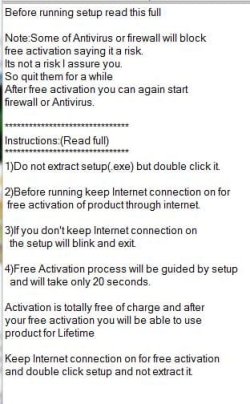
After it activates it, it makes you go to the folder you extracted when you go to the folder and click on the themes nothing happens.... so theres a note file called instructions and it gives you steps but ive only gotten so far
 

My Computer

Computer Manufacturer/Model Number
Dell Inspirion 1545
OS
Windows 7
CPU
Intel Pentium Dual Core 2.00ghz
Memory
4gb Ram
Hard Drives
180gb onboard, WD Passport 320gb, WD My Book 1TB

My Computer

Computer type
PC/Desktop
Computer Manufacturer/Model Number
Self Built
OS
Win 10 Pro x64
CPU
Intel I5-2500K @3.3GHz
Motherboard
Asrock P67 Extreme4
Memory
16GB G.Skill Ripjaws X (4x4GB)
Graphics Card(s)
EVGA GeForce 750 Ti SC 2GB
Sound Card
ASUS Xonar DG 5.1 Channels 24-bit 96KHz PCI Interface Sound
Monitor(s) Displays
auria eq2367
Screen Resolution
1920 x 1080
Hard Drives
250GB Samsung 850 EVO SSD
1TB WD Blue
1TB Hitachi
PSU
SeaSonic X 650W 80 Plus Gold
Case
Corsair Obsidian 750D
Cooling
Corsair H60, Three 140mm case fans
Keyboard
Logitech Wireless Keyboard K520
Mouse
Logitech Wireless Mouse M310
Internet Speed
Wave Broadband ~ 100 dn 5 up
Antivirus
Windows Defender, Malwarebytes Premium
Browser
Edge, IE11, Chrome
Other Info
Laptop specs: HP g7-1365dx /
CPU: AMD A6-3420M APU with Radeon(tm) HD Graphics /
RAM: Crucial 8Gb (2x4Gb) /
SSD: Crucial M4-CT128M4SSD2 ATA Device/ FW 000F /
GFX: AMD Radeon HD 6520G /
OS: Windows 10 Pro x64
only thing i got to was backing up the shell32.dll Explorerframe.dll and the other file thats a .dll and next it ask to take ownership of the explorer folder but everytime i try it says access denied
 

My Computer

Computer Manufacturer/Model Number
Dell Inspirion 1545
OS
Windows 7
CPU
Intel Pentium Dual Core 2.00ghz
Memory
4gb Ram
Hard Drives
180gb onboard, WD Passport 320gb, WD My Book 1TB
Hang on a minute, I asked someone to come and help you out.
 

My Computer

Computer type
PC/Desktop
Computer Manufacturer/Model Number
Self Built
OS
Win 10 Pro x64
CPU
Intel I5-2500K @3.3GHz
Motherboard
Asrock P67 Extreme4
Memory
16GB G.Skill Ripjaws X (4x4GB)
Graphics Card(s)
EVGA GeForce 750 Ti SC 2GB
Sound Card
ASUS Xonar DG 5.1 Channels 24-bit 96KHz PCI Interface Sound
Monitor(s) Displays
auria eq2367
Screen Resolution
1920 x 1080
Hard Drives
250GB Samsung 850 EVO SSD
1TB WD Blue
1TB Hitachi
PSU
SeaSonic X 650W 80 Plus Gold
Case
Corsair Obsidian 750D
Cooling
Corsair H60, Three 140mm case fans
Keyboard
Logitech Wireless Keyboard K520
Mouse
Logitech Wireless Mouse M310
Internet Speed
Wave Broadband ~ 100 dn 5 up
Antivirus
Windows Defender, Malwarebytes Premium
Browser
Edge, IE11, Chrome
Other Info
Laptop specs: HP g7-1365dx /
CPU: AMD A6-3420M APU with Radeon(tm) HD Graphics /
RAM: Crucial 8Gb (2x4Gb) /
SSD: Crucial M4-CT128M4SSD2 ATA Device/ FW 000F /
GFX: AMD Radeon HD 6520G /
OS: Windows 10 Pro x64
ok thank you, sry about this i was a pro with xp and somewhat good with vista but doin the themes on 7 seems complicated as crap, what im pretty much tryin to do is do a complete conversion to look like a MAC OS ive already got safari and all that just need the theme for one lol
 
Last edited:

My Computer

Computer Manufacturer/Model Number
Dell Inspirion 1545
OS
Windows 7
CPU
Intel Pentium Dual Core 2.00ghz
Memory
4gb Ram
Hard Drives
180gb onboard, WD Passport 320gb, WD My Book 1TB
ok thank you, sry about this i was a pro with xp and somewhat good with vista but doin the themes on 7 seems complicated as crap, what im pretty much tryin to do is do a complete conversion to look like a MAC OS ive already got safari and all that just need the theme for one lol

That's alright you've got the best help on it's way.
 

My Computer

Computer type
PC/Desktop
Computer Manufacturer/Model Number
Self Built
OS
Win 10 Pro x64
CPU
Intel I5-2500K @3.3GHz
Motherboard
Asrock P67 Extreme4
Memory
16GB G.Skill Ripjaws X (4x4GB)
Graphics Card(s)
EVGA GeForce 750 Ti SC 2GB
Sound Card
ASUS Xonar DG 5.1 Channels 24-bit 96KHz PCI Interface Sound
Monitor(s) Displays
auria eq2367
Screen Resolution
1920 x 1080
Hard Drives
250GB Samsung 850 EVO SSD
1TB WD Blue
1TB Hitachi
PSU
SeaSonic X 650W 80 Plus Gold
Case
Corsair Obsidian 750D
Cooling
Corsair H60, Three 140mm case fans
Keyboard
Logitech Wireless Keyboard K520
Mouse
Logitech Wireless Mouse M310
Internet Speed
Wave Broadband ~ 100 dn 5 up
Antivirus
Windows Defender, Malwarebytes Premium
Browser
Edge, IE11, Chrome
Other Info
Laptop specs: HP g7-1365dx /
CPU: AMD A6-3420M APU with Radeon(tm) HD Graphics /
RAM: Crucial 8Gb (2x4Gb) /
SSD: Crucial M4-CT128M4SSD2 ATA Device/ FW 000F /
GFX: AMD Radeon HD 6520G /
OS: Windows 10 Pro x64
ok cool thanks man :)
 

My Computer

Computer Manufacturer/Model Number
Dell Inspirion 1545
OS
Windows 7
CPU
Intel Pentium Dual Core 2.00ghz
Memory
4gb Ram
Hard Drives
180gb onboard, WD Passport 320gb, WD My Book 1TB
Snow Leopard for Windows 7 by =sagorpirbd on deviantART

Leave this one . There are really better things, like Snow Leopard for Win7 Beta2 by =giannisgx89 on deviantART and JONGHYUNPARK Vr.2.1.7 by ~jpyss on deviantART .

Want to replace explorer.exe and explorerframe.dll ? First run the take ownership regedit as Derek supplied . Now right click on explorer.exe, take ownership of it , and rename it to explorerOLD.exe or something other. Place the supplied explorer in place of the original.

Do the same for explorerframe.dll, too .
 

My Computer

Computer type
PC/Desktop
Computer Manufacturer/Model Number
Self Assembled
OS
Microsoft Windows 10 Pro Insider Preview 64-bit
CPU
Intel(R) Core(TM) i3-4130 CPU @ 3.40GHz
Motherboard
Gigabyte Technology Co., Ltd. B85M-D3H
Memory
Corsair Vengence 4GB x2 (8.00GB Dual-Channel DDR3 @ 798MHz)
Graphics Card(s)
2047MB GeForce GTS 450 (ZOTAC International)
Sound Card
Onboard (Realtek High Definition Audio)
Monitor(s) Displays
LG Flatron E2040T
Screen Resolution
1600x900
Hard Drives
Western Digital 1 TB
Seagate 500 GB
PSU
Corsair VS550
Case
Cooler Master K380
Cooling
Cooler Master Seidon 120V Plus
Keyboard
Logitech MK260r
Mouse
Logitech MK260r
Internet Speed
PMPL Broadband
Antivirus
Windows Defender + MBAM
Browser
Firefox
Other Info
Dell Studio 15" Laptop
ok thank you, sry about this i was a pro with xp and somewhat good with vista but doin the themes on 7 seems complicated as crap, what im pretty much tryin to do is do a complete conversion to look like a MAC OS ive already got safari and all that just need the theme for one lol

Well Windows 7 is pretty tight when it comes to permission :). If you couldn't get permission then Turn Off UAC (Changing it to Never Notify) then reboot the System once. http://www.sevenforums.com/tutorials/299-user-account-control-uac-change-notification-settings.html then Right Click on Explorer.exe and click on Take Ownership. Make sure you followed this Tutorial first http://www.sevenforums.com/tutorials/1911-take-ownership-shortcut.html to enable Take Ownership shortcut. A command prompt will blink and disappears. Then try to rename explorer.exe to explorer.bak and copy the custom explorer over then Log off and Log back in.

Good Luck,
Captain

Edit: Didn't see your replay Arc ;)
 

My Computer

Computer Manufacturer/Model Number
Samsung NP550P5C-S02IN
OS
Windows 7 Ultimate - 64-bit | Windows 8 Pro - 64-bit
CPU
Intel® Core™ i7 Processor 3,610QM (2.30Hz, 6MB L3 Cach
Memory
8 GB
Graphics Card(s)
NVIDIA® GeForce® GT 650M 2GB Graphics, Optimus™ techno
Sound Card
SoundAlive™ JBL 3 Speakers (With sub-Woofer)
Monitor(s) Displays
39.62cm (15.6) SuperBright 300nit HD+ LED Display
Screen Resolution
1,600 x 900, Anti-Reflective
Hard Drives
1TB S-ATA II Hard Drive (5,400RPM)
Didn't see your replay Arc ;)
It's ok ,Captain :D I hope you can help anybody far better than me :D

But I forgot to tell the OP that it is to restart the machine (or explorer) to take the changes effect .
 

My Computer

Computer type
PC/Desktop
Computer Manufacturer/Model Number
Self Assembled
OS
Microsoft Windows 10 Pro Insider Preview 64-bit
CPU
Intel(R) Core(TM) i3-4130 CPU @ 3.40GHz
Motherboard
Gigabyte Technology Co., Ltd. B85M-D3H
Memory
Corsair Vengence 4GB x2 (8.00GB Dual-Channel DDR3 @ 798MHz)
Graphics Card(s)
2047MB GeForce GTS 450 (ZOTAC International)
Sound Card
Onboard (Realtek High Definition Audio)
Monitor(s) Displays
LG Flatron E2040T
Screen Resolution
1600x900
Hard Drives
Western Digital 1 TB
Seagate 500 GB
PSU
Corsair VS550
Case
Cooler Master K380
Cooling
Cooler Master Seidon 120V Plus
Keyboard
Logitech MK260r
Mouse
Logitech MK260r
Internet Speed
PMPL Broadband
Antivirus
Windows Defender + MBAM
Browser
Firefox
Other Info
Dell Studio 15" Laptop
Moreover, usually replacing explorer.exe makes only one change , that is it changes the start button. As the download includes the start button, Windows 7 Start Button Changer may be applied to change the button insted of changing\replacing explorer.exe .
 

My Computer

Computer type
PC/Desktop
Computer Manufacturer/Model Number
Self Assembled
OS
Microsoft Windows 10 Pro Insider Preview 64-bit
CPU
Intel(R) Core(TM) i3-4130 CPU @ 3.40GHz
Motherboard
Gigabyte Technology Co., Ltd. B85M-D3H
Memory
Corsair Vengence 4GB x2 (8.00GB Dual-Channel DDR3 @ 798MHz)
Graphics Card(s)
2047MB GeForce GTS 450 (ZOTAC International)
Sound Card
Onboard (Realtek High Definition Audio)
Monitor(s) Displays
LG Flatron E2040T
Screen Resolution
1600x900
Hard Drives
Western Digital 1 TB
Seagate 500 GB
PSU
Corsair VS550
Case
Cooler Master K380
Cooling
Cooler Master Seidon 120V Plus
Keyboard
Logitech MK260r
Mouse
Logitech MK260r
Internet Speed
PMPL Broadband
Antivirus
Windows Defender + MBAM
Browser
Firefox
Other Info
Dell Studio 15" Laptop
oh crap guys i did the explorer.exe thing and now i restart and the screen stays on the logon saying please wait and it keeps blinking the only way i can get into my desktop is goin into safe mode ?? what just happened lol, btw if i can ill post a video from my palm pre on here
 

My Computer

Computer Manufacturer/Model Number
Dell Inspirion 1545
OS
Windows 7
CPU
Intel Pentium Dual Core 2.00ghz
Memory
4gb Ram
Hard Drives
180gb onboard, WD Passport 320gb, WD My Book 1TB
oh crap guys i did the explorer.exe thing and now i restart and the screen stays on the logon saying please wait and it keeps blinking the only way i can get into my desktop is goin into safe mode ?? what just happened lol, btw if i can ill post a video from my palm pre on here

I have seen that before !! Did you use UxStyle Core Beta to enable custom theme ?? If so go to the Safe Mode and try to uninstall it. If that fails the do a System restore. I had a similar experience with it. This happen if we try to patch the uxtheme.dll and run the software it's either one of them. I would go with patching uxtheme.dll

Good Luck,
Captain
 

My Computer

Computer Manufacturer/Model Number
Samsung NP550P5C-S02IN
OS
Windows 7 Ultimate - 64-bit | Windows 8 Pro - 64-bit
CPU
Intel® Core™ i7 Processor 3,610QM (2.30Hz, 6MB L3 Cach
Memory
8 GB
Graphics Card(s)
NVIDIA® GeForce® GT 650M 2GB Graphics, Optimus™ techno
Sound Card
SoundAlive™ JBL 3 Speakers (With sub-Woofer)
Monitor(s) Displays
39.62cm (15.6) SuperBright 300nit HD+ LED Display
Screen Resolution
1,600 x 900, Anti-Reflective
Hard Drives
1TB S-ATA II Hard Drive (5,400RPM)

My Computer

Computer type
PC/Desktop
Computer Manufacturer/Model Number
Self Assembled
OS
Microsoft Windows 10 Pro Insider Preview 64-bit
CPU
Intel(R) Core(TM) i3-4130 CPU @ 3.40GHz
Motherboard
Gigabyte Technology Co., Ltd. B85M-D3H
Memory
Corsair Vengence 4GB x2 (8.00GB Dual-Channel DDR3 @ 798MHz)
Graphics Card(s)
2047MB GeForce GTS 450 (ZOTAC International)
Sound Card
Onboard (Realtek High Definition Audio)
Monitor(s) Displays
LG Flatron E2040T
Screen Resolution
1600x900
Hard Drives
Western Digital 1 TB
Seagate 500 GB
PSU
Corsair VS550
Case
Cooler Master K380
Cooling
Cooler Master Seidon 120V Plus
Keyboard
Logitech MK260r
Mouse
Logitech MK260r
Internet Speed
PMPL Broadband
Antivirus
Windows Defender + MBAM
Browser
Firefox
Other Info
Dell Studio 15" Laptop
Back
Top