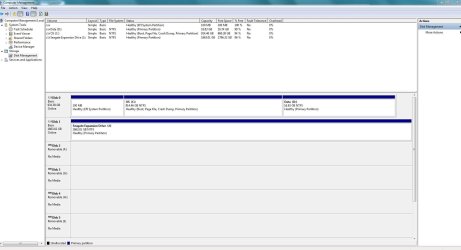
I have a new HP Pavillion p7 1235 with Windows 7 Home Premium 64 bit
It came with a 1T hard drive with C: and D: partitions. The D: partition is the HP_RECOVERY partition. I want to use the D: partition for my data so I can create a system image independent of my personal files. After burning DVD's of the HP recovery stuff, I formated the D: drive for my use. It shows up as a "Healthy (Primary Partition)" in Windows Disk Management.
My problem is that when I use the Windows 7 built in "Create a system image" feature, it still includes the D: drive in the image and I have no option to deselect it. How can I keep D: out of the system image?
It came with a 1T hard drive with C: and D: partitions. The D: partition is the HP_RECOVERY partition. I want to use the D: partition for my data so I can create a system image independent of my personal files. After burning DVD's of the HP recovery stuff, I formated the D: drive for my use. It shows up as a "Healthy (Primary Partition)" in Windows Disk Management.
My problem is that when I use the Windows 7 built in "Create a system image" feature, it still includes the D: drive in the image and I have no option to deselect it. How can I keep D: out of the system image?
My Computer
At a glance
Windows 7 Home Premium 64bit
- Computer Manufacturer/Model Number
- HP Pavilion p7 1235
- OS
- Windows 7 Home Premium 64bit