kiolgo
New member
Hello everyone ,
My "story" is quite long because I've done a lot of things . Unfortunately it's getting even worse and I think it would be better if I ask those who have more experience .Excuse me if there's any trouble with my English
-Long ago,I shrinked my C drive to make a new F drive.So I have 4 local drives : C,F (Primary) and D,E (Logical).Drives D,E seem not to have any problem.
-My W7 32bit got only 3.25GB when I added more RAM (2GB->4GB) , so I decided to install W7 64bit to use entirely 4GB of RAM.
-I made a bootable USB containing setup for W7 64bit , it booted successfully so I thought my setup was fine .
-My mainboard is ASUS P5K , in the BIOS ,I could only boot from USB or HDD at once.I chose USB as I wanted to install a new W7 64bit .
-Everything was normal until the step of choosing the partition in which W7 would be installed .I chose drive C and clicked Format (->wrong here?) . After that it said SYSTEM , not PRIMARY , when the Next button is clicked , an error was thrown .
"“Setup was unable to create a new system partition or locate an existing system partition.”
-I used the Command Prompt tools in the Repair options to format the drive C and then reboot again . Now it said PRIMARY , but that error still appeared .
-I booted the computer using a boot CD and tried some tools
+ Partition Magic said both my USB and my HDD contains error
+ Paragon Partition Manager (?) said the C and F 's File System Property was "Invalid",not NTFS.
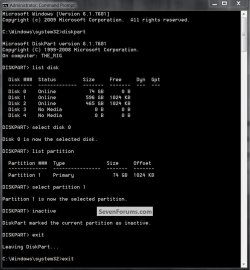
+ In the Mini XP ,I format C once more and use DISKPART to set it Active .The Disk management said my C and F were healthy and are NTFS . I could open and see the contents of drive F .
-Thought that the problem was solved , I booted by my setup USB again . This time I don't see the F drive in its list anymore , and the C drive returned to "SYSTEM".
The problem now becomes too serious to me.I decided not to modify anything else.I don't want to lose any of my data (
(
Tomorrow I'll try to connect my HDD to another computer and hope it can read my data so that I can backup some important things.
Or should I try with a DVD instead of a USB ?
A new semester has started and I really need to use my computer .
Hope you can help me with this trouble , as quickly as possible .
Thanks a lot .
My "story" is quite long because I've done a lot of things . Unfortunately it's getting even worse and I think it would be better if I ask those who have more experience .Excuse me if there's any trouble with my English
-Long ago,I shrinked my C drive to make a new F drive.So I have 4 local drives : C,F (Primary) and D,E (Logical).Drives D,E seem not to have any problem.
-My W7 32bit got only 3.25GB when I added more RAM (2GB->4GB) , so I decided to install W7 64bit to use entirely 4GB of RAM.
-I made a bootable USB containing setup for W7 64bit , it booted successfully so I thought my setup was fine .
-My mainboard is ASUS P5K , in the BIOS ,I could only boot from USB or HDD at once.I chose USB as I wanted to install a new W7 64bit .
-Everything was normal until the step of choosing the partition in which W7 would be installed .I chose drive C and clicked Format (->wrong here?) . After that it said SYSTEM , not PRIMARY , when the Next button is clicked , an error was thrown .
"“Setup was unable to create a new system partition or locate an existing system partition.”
-I used the Command Prompt tools in the Repair options to format the drive C and then reboot again . Now it said PRIMARY , but that error still appeared .
-I booted the computer using a boot CD and tried some tools
+ Partition Magic said both my USB and my HDD contains error
+ Paragon Partition Manager (?) said the C and F 's File System Property was "Invalid",not NTFS.
+ In the Mini XP ,I format C once more and use DISKPART to set it Active .The Disk management said my C and F were healthy and are NTFS . I could open and see the contents of drive F .
-Thought that the problem was solved , I booted by my setup USB again . This time I don't see the F drive in its list anymore , and the C drive returned to "SYSTEM".
The problem now becomes too serious to me.I decided not to modify anything else.I don't want to lose any of my data
( Tomorrow I'll try to connect my HDD to another computer and hope it can read my data so that I can backup some important things.
Or should I try with a DVD instead of a USB ?
A new semester has started and I really need to use my computer .
Hope you can help me with this trouble , as quickly as possible .
Thanks a lot .
Last edited:
My Computer
- OS
- Windows 7 Professional 64 bit
- CPU
- Core 2 Duo E6550
- Motherboard
- ASUS P5K
- Memory
- 4GB bus 800
- Graphics Card(s)
- Gigabyte ATI HD2600XT
- Hard Drives
- Samsung 160GB
- PSU
- Cooler Master 430W
- Keyboard
- Mitsumi
- Mouse
- Lexma